9th Planet
New member
- Joined
- May 31, 2014
- Messages
- 8
- Reaction score
- 0
- Points
- 0
I discovered a solution for improving Orbiter 2010 functionality on Windows 8.
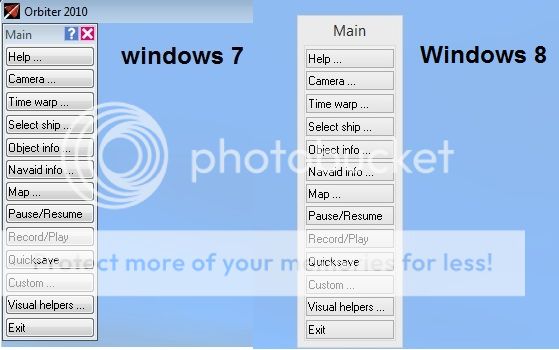
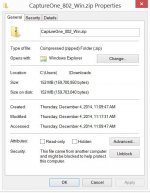
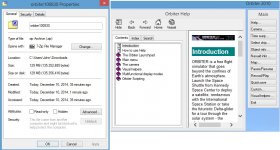
Issues that I have experienced ranged from nonworking buttons on the Logitech Extreme 3D Pro joystick with the D3D9 client, failure to display any of the help menus, the missing upper right minimize/maximize and close buttons on windows and some random CTDs. I discovered that these can be easily fixed by "unblocking" in the Properties Window the help files and several blocked DLLs in the Orbiter folder (unfortunately, file by file) and then by running Orbiter_ng as an administrator.
I have not discovered all the blocked files yet, but unblocking these few already makes everything work much better. Windows 8 does not trust files downloaded from the internet and blocks them by default. Often nothing adverse happens, but strange behavior occassionally pops up with any downloaded program.
Issues that I have experienced ranged from nonworking buttons on the Logitech Extreme 3D Pro joystick with the D3D9 client, failure to display any of the help menus, the missing upper right minimize/maximize and close buttons on windows and some random CTDs. I discovered that these can be easily fixed by "unblocking" in the Properties Window the help files and several blocked DLLs in the Orbiter folder (unfortunately, file by file) and then by running Orbiter_ng as an administrator.
I have not discovered all the blocked files yet, but unblocking these few already makes everything work much better. Windows 8 does not trust files downloaded from the internet and blocks them by default. Often nothing adverse happens, but strange behavior occassionally pops up with any downloaded program.