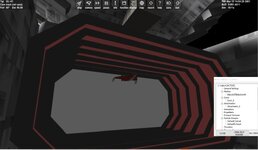
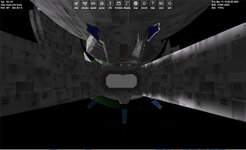
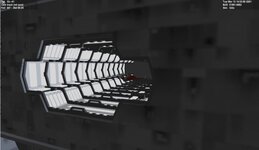
I think animating the center section would easy. The red section might be harder

ORBITER-FORUM will be temporarily closed at 2026-07-23 18:00 UTC while we complete some OF maintenance tasks. The amount of downtime is expected to take up to one hour, but probably less.
Then we'll probably just do the central section.I think animating the center section would easy. The red section might be harder
I get a CTD with the new cfg,.... Can you post a scn?It's working perfectly, although it could use some animation for the centrifuge. Also, the docking ports should ideally be located in the forward and aft docking bays and in the cobra bays, in a manner similar to stevecast's take on its successor station. Also, I have made a few changes to the configuration file and mesh, including updated physical parameters and re-arranging some of the file directories.
I'm guessing you forgot to change the fire directories in the scenario file. Anyway, here's one with the station in Earth orbit.I get a CTD with the new cfg,.... Can you post a scn?
To make the centrifuge rotate indefinitely, the following lines:I finally got it to work. But I think there is way to have it spin all the time?
I found a issue with the mesh. so a new cfg/ini and mesh
[ANIM_SEQ_0] ; ROTATE CENTER
KEY=G
DURATION=10
[ANIM_COMP_0] ;rotate center
SEQ=0
GROUPS=5,226,227,228,225,315,326,327,329,340,341,343,355,354,358,359,366,360,361,362
ROT_PNT=(0,0,0)
ROT_AXIS=(0,0,1)
RANGE=(0.00,1)
ANGLE=360
REPEAT=1
Now we need to figure out where the docking ports are supposed to go, since I don't know the exact co-ordinates for them. Additionally, the docking ports in the cobra bays will be angled at either 90 or 270 degrees depending on what side they're on.I finally got it to work. But I think there is way to have it spin all the time?
I found a issue with the mesh. so a new cfg/ini and mesh
[ANIM_SEQ_0] ; ROTATE CENTER
KEY=G
DURATION=10
[ANIM_COMP_0] ;rotate center
SEQ=0
GROUPS=5,226,227,228,225,315,326,327,329,340,341,343,355,354,358,359,366,360,361,362
ROT_PNT=(0,0,0)
ROT_AXIS=(0,0,1)
RANGE=(0.00,1)
ANGLE=360
REPEAT=1
I think that for it to work properly, you'll need to change these lines:What vessel are you docking to this? I tested with a DG and the dock is at the nose. but you want it to be landed there, right?
I have this. but the center still only rotates once.
[DOCK_0]
POS=(371.5, 0, 2940)
DIR=(0, 0, -1)
ROT=(1,0,0)
[DOCK_1]
POS=(-371.5, 0, 2940)
DIR=(0,0,-1)
ROT=(-1,0,0)
; animation sequences
[ANIM_SEQ_0] ; ROTATE CENTER
KEY=G
DURATION=20
REPAET=1
[ANIM_COMP_0] ;rotate center
SEQ=0
GROUPS=5,226,227,228,225,315,326,327,329,340,341,343,355,354,358,359,366,360,361,362
ROT_PNT=(0,0,0)
ROT_AXIS=(0,0,1)
RANGE=(0.00,1)
ANGLE=360

You have a typo:Thanks. I changed the line and she rotates and then stops
Also setting the rot. angle to 359. makes a smoother animation, adjust according to speed.; animation sequences
[ANIM_SEQ_0] ; ROTATE CENTER
KEY=G
DURATION=20
REPAET=1
The docking ports are intended primarily for small shuttles such as the DG (or rather, its B5-verse equivalent).Fixed. What vessel will dock inside this ship? It matters because of the orientation of the dock info.
I believe the docking points are meant to be general, not specific, again in a manner similar to stevecast's take on its successor station.Ok. where in the ship should they be docked. On the cobra docks there is the tunnels with the red areas and a space behind. on the front and aft there is this area. but no area behind. Like dock doors are there?
here the DG is docked in the front.
One more thing - if such a thing is possible, could you perhaps create some normal maps for the B4 station?DOCK 3/4 FRONT/AFT
[DOCK_0]
POS=(371.5, 0, 2940)
DIR=(0, 0, -1)
ROT=(1,0,0)
[DOCK_1]
POS=(-371.5, 0, 2940)
DIR=(0,0,-1)
ROT=(-1,0,0)
[DOCK_2]
POS=(0, 0, 3800)
DIR=(0,0,-1)
ROT=(0,1,0)
[DOCK_3]
POS=(0, -5, -3800)
DIR=(0,0,1)
ROT=(0,1,0)
Now that we've pretty much got everything done with B4, it's time to resume work on the Nova-class dreadnought, as there are a few mesh errors that need fixing.DOCK 3/4 FRONT/AFT
[DOCK_0]
POS=(371.5, 0, 2940)
DIR=(0, 0, -1)
ROT=(1,0,0)
[DOCK_1]
POS=(-371.5, 0, 2940)
DIR=(0,0,-1)
ROT=(-1,0,0)
[DOCK_2]
POS=(0, 0, 3800)
DIR=(0,0,-1)
ROT=(0,1,0)
[DOCK_3]
POS=(0, -5, -3800)
DIR=(0,0,1)
ROT=(0,1,0)
For one, there's a gap in the area above the hangar:

In addition, I took the time to look closely at the model and noticed the asymmetry that Buck Rogers mentioned earlier. In particular, some of the triangular sections highlighted below are facing in the wrong direction:


(I assume this next one should be facing the other way because of the cannon structure, which I'll get to soon.):

Lastly, there's part of a cannon structure that is present on the port side but not the starboard side:

Looking much better, but you need to resize it, as the vessel in question is supposed to be 1,500 meters long.try this. new mesh name.