Color, huh? Okay...
Thank you for pointing out the color issue. Apparently, Gimp automatically creates RGBA unless you tell it not to. I was unaware. I discovered where the settings were and corrected the problem, and am now getting reasonable results. I will take your recommendation for adjustment of the map and try to move on to creating splits.

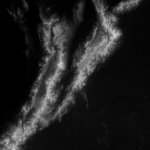
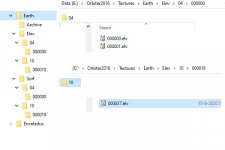
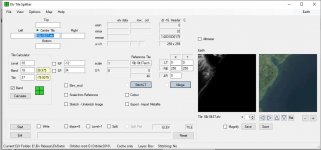
So, I now have an imported tile that meets spec. But there appears to be no way to save it in place of the previous tile. The save button stays greyed out and the old garbage tile (and if you have looked at that tile, you KNOW it is garbage -- it is incorrect in placement and in poor resolution) continues to be displayed, even after I rename it and replace it in the extracted tree structure. I have the display set to cache only, and this continues to be the case. Do I have to replace it in the archive? Tileedit sees the new tile just fine...
I am trying to puzzle out your response regarding the map. I'm hearing it is too big. Ultimately, of course, I probably only need a couple of tiles at level 16 or 17. I will look to re-scale the map per your recommendation, but I'm hearing that I'm doing something wrong. Do you have a recommendation?
I have read and re-read your documentation and continue to be baffled in places. I'm certain that you think I'm a complete idiot, but the case descriptions are not accompanied by a description of the process itself. I end up not understanding WHY you are doing what you are doing, and in some cases, exactly what you are attempting to accomplish. I keep trying things that you appear to be recommending and having the application just sit there and not provide an error message, but not do anything. Clearly, I'm extremely frustrated. I'm sure you have a fine tool here - but I can't seem to figure out how to use it.
---------- Post added at 10:14 PM ---------- Previous post was at 07:09 PM ----------
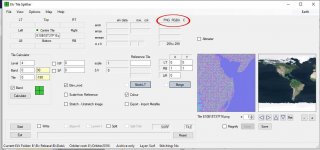
I admit that I had not attempted to follow the Mars examples until now, trying to move directly to using the tool on Earth. On Page 5, you mention this elevation file, col15bg0.elv. There is a very general description of how it was generated. But there is no example file, and the description is VERY general. Was it supposed to be included? I also have the old ElevTileSplitter and extracted it, too, but there is no elv file by that name. You also talk about using a tile for Ref Alt -- but that field is not available initially. I managed to surface it by dragging tile 000252 to the Reference Tile field and clicking Scale from Reference. At that point, I could do the Import from PNG step (something I have a lot of practice at, even if I can't seem to store the results...)-- but at that point, I was stopped by the lack of the col15bg0.elv file.
Was this file supposed to be provided?