Project D3D11Client Development

Well someone has to be first to do that :) I sincerely don't understand how you all guys (I mean those who use graphic clients) are landing without lighting... Or do you time your reentries so it will be day landing?

That is how I have been doing it. Only land during the day.
 
That is how I have been doing it. Only land during the day.
Well you don't have to anymore ;) Just install this client and enjoy :cheers:

I remember in the beginning of the thread I was told that this client will need some "special" features in order for players to start using it - so that's what I'm working hard on :) More cool stuff is coming, so stay tuned!

The only thing - D3D11Client is meant to be a high-level client designated for fast and modern high-end computers, but it will provide unparalleled level of picture quality, and I'm working to ensure that :)
 
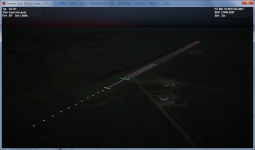
I've improved runway lighting. Here is what it looks like now:
runway_lights_improved.png

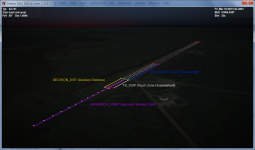
Also I've discovered that stock Orbiter's config file parser is smart enough to ignore parameters it can't recognize, which allowed me to add some client-specific attributes. Here is what they mean:
runway_lights_improved_manual.png
I was experimenting on a KSC runway, so I've set up custom paramaters for it. Here they are:
TD_DISP 257
TD_LENGTH 800
DECISION_DIST 300
APPROACH_START 1000
They are to be added in Config\Earth\Base\Canaveral.cfg file into first RUNWAYLIGHTS section after all standard ones. Of course they are being applied symmentically to both rwy ends, but they are only visible when you look at them in direction towards rwy center.
I'm planning to make approach lights blinking like "running lights" towards runway, but that will be a bit later :)
That's it for today :tiphat:
 
Last edited:
The blinking lights would look really great !

I have a suggestion, most of the current clients have some sort scalability built in for lower end computers and gpus(intel onboard :(), so would it be possible to support them by disabling some of the more powerful effects like HDR etc if needed.

Thanks
 
I've improved runway lighting. Here is what it looks like now:
View attachment 9085

Also I've discovered that stock Orbiter's config file parser is smart enough to ignore parameters it can't recognize, which allowed me to add some client-specific attributes. Here is what they mean:
View attachment 9086
I was experimenting on a KSC runway, so I've set up custom paramaters for it. Here they are:

They are to be added in Config\Earth\Base\Canaveral.cfg file into first RUNWAYLIGHTS section after all standard ones. Of course they are being applied symmentically to both rwy ends, but they are only visible when you look at them in direction towards rwy center.
I'm planning to make approach lights blinking like "running lights" towards runway, but that will be a bit later :)
That's it for today :tiphat:
Nice. If you want the real colors of the lights at the SLF: http://images.ksc.nasa.gov/photos/1976/high/KSC-376C-0042.22.jpg

http://images.ksc.nasa.gov/photos/1976/high/KSC-376C-0042.20.jpg
 
I have a suggestion, most of the current clients have some sort scalability built in for lower end computers and gpus(intel onboard :(), so would it be possible to support them by disabling some of the more powerful effects like HDR etc if needed.

Thanks
This client's minimum requirement is DirectX 10-level hardware, and this will not change. So for integrated garbageraphics - check this out: http://www.intel.com/support/graphics/intel915g/sb/cs-011807.htm.

Another question is that regardless of feature support, there is a huge variance in performance even among cards within one feature level. That is where settings will come into play, where you can disable MSAA and, let's say, post-processing effects. Right now this is less of an issue though, since even cheap videocard (costs $30) inside my work computer is fast enough to pump out solid 60 FPS even with all PP effects enabled - and it's fully DirectX 11-compatible for only $30!

And lastly - my personal opinion regarding integrated graphics - I'm sorry guys, but integrated graphics is not designed for games - it's designed so MS Office would look good, and that's about it. If you want some real graphics - get a system with discrete video card.
 
Last edited:
Yep I know. I have GMA 4500M which supports Directx 10 so should be ok. Cant change it as that means I have to get a new laptop.
 
And lastly - my personal opinion regarding integrated graphics - I'm sorry guys, but integrated graphics is not designed for games - it's designed so MS Office would look good, and that's about it. If you want some real graphics - get a system with discrete video card.

Tell me about it. I'm only just learning the limitations of the Intel HD3000 OpenGL implementation (using the word 'implementation' loosely)
 
Yep I know. I have GMA 4500M which supports Directx 10 so should be ok. Cant change it as that means I have to get a new laptop.
Well - every laptop is a compromise - it's either fast, but not quite "mobile" (in the sence that it's heavy and eats up battery almost faster than OS is able to boot up), or slow but mobile. I've got Alienware M17R3 laptop (i7, 16Gb RAM, GFX 460M 1.5 GB GDDR5, 3D-monitor, it costs nearly a fortune :(), so I know what I'm talking about :) But that's the thing - if you purchased a laptop to use MS Office - yes, it can be cheap and have quite long on-battery time, but no games. If you want to play games - you either get a desktop with discrete video card, or a laptop like the one I've got - because games are all about performance, gigahertz and gigabytes. Anyway, as I said, we will be supporting DirectX 10-compatible integrated chips to the best we can, but please keep in mind that running this client on such systems is just using the system for something it wan't designed for... Besides - it is a well-known fact that some of the best hardware designers are working in Intel (I know that for a fact, since my major is in Electronic Engineering), however their drivers are, politely saying, far from perfect - see below.

Tell me about it. I'm only just learning the limitations of the Intel HD3000 OpenGL implementation (using the word 'implementation' loosely)
It's their drivers - they are just a garbage. You should try using DirectX instead - their DirectX drivers are far better than those for OpenGL, possibly since Microsoft has very strict requirements for compatibility, while in OpenGL world there is no authority which would set and enforce quality standards.

---------- Post added at 10:26 ---------- Previous post was at 09:22 ----------

Thanks. Currently my lighting looks quite close to the real thing, allthough I see some incompliance with FAA regulations in your picture (I used them as a reference to implement lighting). Also there is no VASI on the photo - and I know for fact that it does exist there in a real life. I prefer to follow FAA standards - because this implementation is for all RUNWAYLIGHTS objects, not just specific for KSC - so it will look a bit different than your picture, but those of us who are fans of FSX (which I am :)) will be pleased with familiar picture, and should be able to understand its meaning right away, without reading any Orbiter-specific things :)

 
Last edited:
Also there is no VASI on the photo - and I know for fact that it does exist there in a real life. I prefer to follow FAA standards - because this implementation is for all RUNWAYLIGHTS objects, not just specific for KSC - so it will look a bit different than your picture, but those of us who are fans of FSX (which I am :)) will be pleased with familiar picture, and should be able to understand its meaning right away, without reading any Orbiter-specific things :)

FSX :thumbup:

But as the SLF, the VASI's are there, they just are not where you expect them to be, they are much further in front of the runway threshold.
 
FSX :thumbup:

But as the SLF, the VASI's are there, they just are not where you expect them to be, they are much further in front of the runway threshold.
Now you know what I meant when I was talking about "familiar picture" ;) If VASI is not where the pilot expects it to be - it's the same thing as its' absence :)
 
Now you know what I meant when I was talking about "familiar picture" ;) If VASI is not where the pilot expects it to be - it's the same thing as its' absence :)
Here's the VASI for the 33-end as it was seen by the STS-115 crew:
vlcsnap-00011.png


And here it is in Google Earth:
RWY33_Ball_bar.jpg


And here's the PAPIs for RWY33:
RWY33_PAPIs.jpg
 
Here's the VASI for the 33-end as it was seen by the STS-115 crew:
vlcsnap-00011.png


And here it is in Google Earth:
RWY33_Ball_bar.jpg


And here's the PAPIs for RWY33:
RWY33_PAPIs.jpg

I can't see these photos because our corporate firewall apparently thinks this site is where all internet porn resides :), but I know that they are there - that's why I was a bit puzzled by this photo, as there are no VASI nor PAPI visible. And there are red lights along the edges in the beginning of the runway, which is also wrong - red lights in the beginning are meant to mark out a "burnout" zone, which does not exist in KSC RWY33/07 for obvious reasons.
Anyways, in D3D11Client they WILL be there - I guarantee you that ;)
 
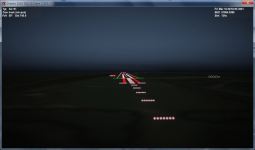
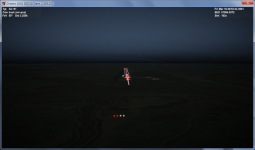
Another update - I've implemented VASI, PAPI and animating approach lights. And VASI and PAPI actually works like they are supposed to - meaning they are white when looking from above correct angle, and red, when seen from below.
VASI: runway_lights_VASI.png
PAPI: runway_lights_PAPI.png
Actually on the second (PAPI) screen you can see VASI all being white, that's because VASI in KSC RWY33/07 is set up for glideslope angle of 1.5 degrees, while PAPI is set up for Shuttle's glideslope of 20 degrees. And I already hear rant from FSX fans regarding PAPI positioning - well THAT is where it REALLY is in REAL life - I didn't believe that until I personally went to Google Maps and have seen it with my own eyes! Their parameters are set up in config file, so other runways looks more like you're guys used to :)
I've committed source code, binaries, also I've added modified Canaveral.cfg file. I think this concludes the subject of runway lighting as it is fully functional now.

By the way, if other clients' developers are planning to implement runway lighting in a way similar to the way I've done it - and trust me, that there is no "Rocket Science" - I would like to ask you guys - please use same custom parameters' names for runway lighting elements and don't change their meaning, so making config files compatible with your client as well as with ours.
 
Last edited:
I may be overlooking something you've posted, but is the glideslope angle configurable?
Yes, it is - it's a part of standard Orbiter's base config options for RUNWAYLIGHTS object - check out OrbiterConfig.pdf file in Orbiter's "Doc" folder, search for "RUNWAYLIGHTS" word - you'll see complete description of all standard properties for that object - among other things, you can change VASI and PAPI angles, their offsets from the beginning of a runway, aperture angle for PAPI, distance between two VASI blocks, etc. As I've said earlier, I've added some custom properties, but those are only for lighting configuration - since "stock" client just uses hardcoded lighting scheme - but VASI and PAPI support is a standard function.
 
Just checking here: How much complete is the client compared to the inline client and the D3D9Client by jarmonik?
 
Are csphere textures working? I could have sworn they worked before, but I can't get any alternate textures to turn on now. I can select them in the launcher, but they don't show up in game.
 
Just checking here: How much complete is the client compared to the inline client and the D3D9Client by jarmonik?

Not very complete
Any more than that is out of my league.
 
Back
Top