Project D3D11Client Development

Just checking here: How much complete is the client compared to the inline client and the D3D9Client by jarmonik?
It depends on what do you mean by "complete". If by "complete" you mean if it implements all features of stock client - then it's pretty close - at least I'm able to fly it with little to no isses - there are still some bugs, but it's playable. But we've got great plans beyond basic client :)

Are csphere textures working? I could have sworn they worked before, but I can't get any alternate textures to turn on now. I can select them in the launcher, but they don't show up in game.
This seems to be the bug in Orbiter's core beta 111105 - because "stock" client have exact same problem.
UPDATE: what I meant is the fact that launcher doesn't list other csphere textures. As for displaying - increase intensity in the dialog to, say, 0.5 - and you'll see it. Then slowly decrease it until you're satisfied with the result.
 
Last edited:
In light of the recent Coronal Mass Ejection, I wonder... how about improving the Sun to a 3D mesh like this :

Yohkohimage.gif


Lets talk about planetary textures now :P
 
Last edited:
Lets talk about planetary textures now :P

Speaking of, how about seasonal maps? Using a separate map for each month would use a lot of disk space, but bits are cheap. Something like a grayscale snow extent map could be used, but it wouldn't capture other seasonal changes as the whole landscape changes color.
 
This seems to be the bug in Orbiter's core beta 111105 - because "stock" client have exact same problem.
UPDATE: what I meant is the fact that launcher doesn't list other csphere textures.
Not a bug. You need to edit "Config\CSphere\bkgimage.cfg" file and add them there.
 
You guys are doing epic work here with D3D11. May I add a small request?

Would it be possible for the client to address the re-entry flame effect? Make it more in line with real life. The big example would be the plasma effect occurring at high speeds at high altitudes, as seen on the Space Shuttle?

As it stands now, you fly the Shuttle's descent profile, and you will never see flames.
 
You guys are doing epic work here with D3D11. May I add a small request?

Would it be possible for the client to address the re-entry flame effect? Make it more in line with real life. The big example would be the plasma effect occurring at high speeds at high altitudes, as seen on the Space Shuttle?

As it stands now, you fly the Shuttle's descent profile, and you will never see flames.
I don't like the way all current particle effects look like - reentry is just one of them - especially I hate this billboard for the sound shock wave - it's just way too obvious that it doesn't have a volume. So I was thinking about reimplementing this whole thing alltogether, but this time we can implement much more physics-accurate model due to available computing power.

So - your request is accepted. :)
 
I don't like the way all current particle effects look like - reentry is just one of them - especially I hate this billboard for the sound shock wave - it's just way too obvious that it doesn't have a volume. So I was thinking about reimplementing this whole thing alltogether, but this time we can implement much more physics-accurate model due to available computing power.

So - your request is accepted. :)

Epic. :thumbup:
 
Epic. :thumbup:
Thanks for the request. Actually if anyone who uses the client has any feedback regarding your experience with it, as well as your suggestions, feature requests, bug reports and any other things you would like to tell us - you are more than welcomed to post them here. At the end of the day, we're not developing this client just for ourselves, if we would - you would neven know about it :)

For me, at this moment I have a following short-term TODO list:
1. set up runway lighting parameters for the rest of the runways in game - that is going to be done today, since there are only three runways in the stock client, and one of them (SLF) is already set up.
2. figure out a way to and actually implement post-processing effects for DirectX 10-level hardware.
3. while I'm on it, implement lens glare and some other optical effects (like rays from the bright light sources).
4. figure out a way to implement self-shadowing for vessels - this also might be used for terrain self-shadowing once the terrain will be implemented.
5. improve/reimplement particle effects to provide for a greater realism, as now they don't look too convincing (this includes exthaust streams and reentry flames).

---------- Post added at 19:57 ---------- Previous post was at 18:19 ----------

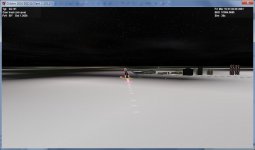
OK, first item is completed, I've included modified config files into SC, as well as latest binary. This is what Habana airport looks like now: runway_lights_Gabana.jpg
Much more familiar picture, isn't it? ;)
 
Last edited:
Looks much more familiar indeed. Fantastic stuff.

This is going to make landing at night so much less suicidal.
 
Looks much more familiar indeed. Fantastic stuff.

This is going to make landing at night so much less suicidal.
I actually manually flew between all airports so I could set up lighting settings accurately "on the spot". When I was flying from KSC to Habana, it took me about half of fuel tank, and IAS currently doesn't properly work - I guess that's because of wind... Another thing that bugged me was inability to set up HUD so it would display IAS instead of TAS, as former is much more useful during "cruise" stage of the flight... This wasn't possible in 2010 P1 either, so this sounds like a feature request for Martin :) But yea - landing is much easier now when you can actually see the runway and correct approach path. Still without joystick it's not an easy task, and there is no ILS CATIII autoland :) And cruising was a bit boring, since without cruise a/p I couldn't use time acceleration, but was forced to watch pretty boring scenery (it was a night flight, so nothing interesting outside)... But that's just default DG :)
BTW - do you guys know if there is place where we could post our experience with beta version, issues we've encountered, and stuff like that? Maybe a bug tracker, or some dedicated subforum...
 
I think this is what you are looking for...

http://www.orbiter-forum.com/project.php?projectid=1

---------- Post added at 09:44 PM ---------- Previous post was at 08:27 PM ----------

I have to say I am having trouble getting this to work. I just installed the Orbiter 111105 beta, dropped in D3D11, and it hangs up on the loading screen. Turning off AA completely results in more progress to occur on the load screen, but results in a hang nonetheless. Orbiter.log shows nothing amiss, so I am not sure what is going on. I am going to try another fresh install and see if things work better.
 
I think this is what you are looking for...

http://www.orbiter-forum.com/project.php?projectid=1
Thanks a lot!

I've just been taking off and landing for a couple of hours around Habana airport - I gotta say, I LOVE the lighting - the experience is so similar to FSX, it's amazing! I just wish DG would be more stable when airborne, 'cause I had to to 2 go-arounds before I've managed to align the plane perfectly to runway... But after that I was descending perfectly along 2 lights (these are PAPI lights) and touched down just perfect - nose up, ass down, vertical speed < 0.2 m/s :tiphat:

---------- Post added at 22:46 ---------- Previous post was at 22:44 ----------

I have to say I am having trouble getting this to work. I just installed the Orbiter 111105 beta, dropped in D3D11, and it hangs up on the loading screen. Turning off AA completely results in more progress to occur on the load screen, but results in a hang nonetheless. Orbiter.log shows nothing amiss, so I am not sure what is going on. I am going to try another fresh install and see if things work better.

OK, let's figure it out. First of all, have you installed DirectX update - link is in the readme file, and I've also posted it somewhere here. And what kind of hardware you've got?
 
I did install the Direct X update. The Jun 2010 update.

My card is a EVGA GTX 580, DirectX 11 compliant.

I did a fresh go of it, fresh install of 2010p1, then applied the beta update. Then loaded a DG scenario, and it does load, but then CTDs about a few seconds into it. Same deal for all the scenarios, and sometimes I even crash the graphics driver, so I am going to update that and see what happens. I may have let it get too out of date.

---------- Post added at 09:56 PM ---------- Previous post was at 09:54 PM ----------

The brief time it is open I do get a nice peak at the lighting bloom you have incorporated. Lovely stuff. Reminds me of flying in FSX with the ENBseries mod.
 
Just an update - there seems to be an issue with the implementation of post-processing effects, so for now I've committed a binary with PP turned off. I will try to resolve the issue ASAP and will let you know once I'll get a fix.
 
Can someone please tell how to download the binaries from the bitbucket repositories?

Never mind, missed the download links.
 
Last edited:
Latest release is solid here. Only issue noted is a weird black square around LC-39B. Clean beta 111105 with the latest DX11 client, no add-ons whatsoever.
 
Latest release is solid here. Only issue noted is a weird black square around LC-39B. Clean beta 111105 with the latest DX11 client, no add-ons whatsoever.
Thanks for trying it out. Yes, I know about that square - probably some issue with texture - I just never had a chance to actually figure it out. Will take a look!
 
Just tried the XR-2 in D3D11 client, and it is quite a sight.

picture.php


Messing about, I did notice the 2d panels are not quite right for me in the XR2. I wonder if we have to ask (nicely of course) for the XR2 to be brought up to speed for the D3D11 client like it was for the D3D9 client.

Here is what I mean:


Little odd things with the numbers displayed and the gauges.


I also installed a few MFDs to see how they display in D3D11 client. LTMFD displays fine. IMFD, Burn Calc, Attitude, Calculation, BaseSync, Aerobrake all display blank screens. The buttons show their titles correctly, but no display. I have not yet tried different settings in the launchpad, this is just what ever the default D3D11 settings are.

But the performance and the visuals are just fantastic with the D3D11 client. The runway lights are great. Great stuff! :thumbup:
 
Just tried the XR-2 in D3D11 client, and it is quite a sight.

picture.php
Yes it is - and by looking at your screenshot I can see that you haven't enabled normal/bump maps - it would look even better with them.

Messing about, I did notice the 2d panels are not quite right for me in the XR2. I wonder if we have to ask (nicely of course) for the XR2 to be brought up to speed for the D3D11 client like it was for the D3D9 client.

Here is what I mean:


Little odd things with the numbers displayed and the gauges.
Honestly I fail to what exactly is wrong with the screenshots... Can you please mark problem areas with in a some way (like use MS Paint and outline issues with a pen or something like that)?

I also installed a few MFDs to see how they display in D3D11 client. LTMFD displays fine. IMFD, Burn Calc, Attitude, Calculation, BaseSync, Aerobrake all display blank screens. The buttons show their titles correctly, but no display. I have not yet tried different settings in the launchpad, this is just what ever the default D3D11 settings are.
That's because by default the client doesn't allow using GDI for MFDs. I've tested all stock MFDs and they all work just fine with that. And so is transx for that matter. But Aerobrake, IMFD and some others require GDI since their authors for some unknown to me reason does not follow Martin's recommendations to use Sketchpad instead of GDI, so they require user to set "Sketchpad mode" to "D3D11Pad for back buffer only" or "GDI only" mode in D3D11Client Configuration dialog. There are some issues with that mode (like overlapping text when you press "SEL" button to choose MFD. So I'd suggest you to stick to default "D3D11Pad only" mode unless you really can't live without GDI-enabled MFDs. The text overlap artefacts only show up when you choosing MFD, after you've chosen one - everything works just fine.

But the performance and the visuals are just fantastic with the D3D11 client. The runway lights are great. Great stuff! :thumbup:
Thanks for the feedback!
 
Last edited:
back buffer only option makes all the MFDs display fine.

I highlighted what is off in the XR2 2d panels. It is essentially anything that changes on them. The switches that can be pressed, the numbers in the digital readouts are all displayed with a white layer on them. As if the transparency in the image is not being worked out right. And the standby artificial horizon is just not displayed at all.
picture.php

picture.php


And it seems my XR-2 beauty shots are loosing quality and resolution as I post them up here. This might be a better one, with a bit more light on the hull, and the strobe lights on. Another fantastic effect indeed.
picture.php

picture.php
 
Last edited:
Back
Top