Problem Logitech X52

NorbertWoller

Donator
Donator
Joined
Apr 11, 2016
Messages
64
Reaction score
98
Points
33
Location
Freigericht, Germany
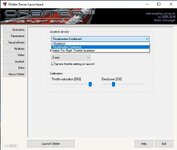
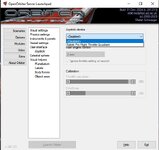
Hello, I teach space flight courses for children aged 9 and 10. I use the Orbiter 2016 for this. After the course, I always send the parents the download link so the children can continue flying at home. Now someone is having problems with the Logitech X52. It's not recognized in Orbiter, but it is recognized in other applications. They've already installed the latest driver, but unfortunately, that didn't help. Does anyone use the Logitech X52 and can help?

Thanks very much and best regards
Norbert
 
In windows control panel for the joystick is a setting to make the joystick the primary stick for older apps. If you have the throttle it may be showing as the primary stick.
 
Hello, the problem is solved. Even though I sent him the link to the Orbiter 2016, he downloaded the Orbiter 2024. The Orbiter 2016 recognizes his Logitech X52 joystick ;)

Thank you for your help!
 
Do we have a defect in 2024? :unsure: o_O
 
That could be it. I have a similar error:
 
Same... Saitek X52. It just doesn't show up in the dropdown in options/joystick.
 
Is it maybe registered as a different device type?
 
Shows up in windows normally under game controllers, all axes and buttons registering... 🤷‍♂️
 
Shows up in windows normally under game controllers, all axes and buttons registering... 🤷‍♂️

Yes, but there are many different types of game controllers, AFAIR. Maybe it registers as one type, that Orbiter doesn't search for.

Currently we look for DI8DEVCLASS_GAMECTRL with the restriction DIEDFL_ATTACHEDONLY. Maybe the latter one is not valid, maybe it registers as a different device type. Before Gondos changes, we looked for DI8DEVTYPE_JOYSTICK, but didn't find it as well. When it still worked, we searched for DIDEVTYPE_JOYSTICK.
 
Last edited:
Could maybe adding the option DIEDFL_INCLUDEALIASES solve the problem?
 
Can I look that up in the windows config somewhere?

I'd try the Windows registry, but I don't know the exact path. Maybe searching for the joystick name helps.
 
I have X52 just don't use it in Orbiter
I use just throttle + MS FF Sidewinder 2 stick it some 'more complex' flight sims, such as MSFS 2024, Il2 Sturmovik: BoS...
for Orbiter and some 'lighter' flight sims I use a plain Logitech Extreme 3D. works perfectly fine (y)
 
Back
Top