News Windows 7 is setting its sun on 14 January 2020

Sbb1413

Well-known member
Joined
Aug 14, 2018
Messages
1,013
Reaction score
401
Points
98
Location
West Bengal, India
Preferred Pronouns
he/his/him
This is a sad news to everyone who use Windows 7 or older operating software. After 10 years, support for Windows 7 is coming to an end on 14 January 2020. While you could continue to use your PC running Windows 7, without continued software and security updates, it will be at greater risk for viruses and malware.

Microsoft recommends you to buy Windows 10. However, for those who cannot be able to afford that, I recommend to buy Windows 8. Although my signature says that I will be inactive on that week, I will be partially active on my smartphone.
 
Its about time to leave Windows 7 behind. When I return back to work, I have just one Windows 7 machine left in my TODO list, silently doing its job somewhere far away from civilization. Sadly connected to the large enterprise LAN as well as the test stand network - otherwise I could have ignored it.

There had been some issues with the enterprise software on those machines with Windows 10, but after half a year of real time to test Windows 10 and maybe 20 hours of work to remove incompatibilities (one involved the MORE command of MSDOS), all looks great.
 
Though my feelings about windows are generally mixed, fair play to Microsoft for continuous support for 7 for as long as they have done. Evidently it doesn't fit wit their current vision for what Windows should be, but it's no small undertaking to provide support and security fixes for nearly ten year old software, so kudos for that.
 
Go on now... Get some rest, sweet one. You did your job and you did it well. The XP of your time. You will be missed, but every story has to have an ending.

Good night, Windows 7.
 
For many enterprises, there is at lest another 2 years of Windows 7 migration work still underway. My shop - we are at around 75% done now, and looking good to eliminate in 2020. Note that there is something called ESU (Extended Security Updates) for the next couple of years, so it's not like you have zero security support. But yeah - time to move 10 years into the future in terms of OS design. Windows 10 is cool.
 
It would have been easier if there was more options for Windows.
I still use Windows XP in a virtual machine to run a certain WINE-incompatible program, and use XP instead of 7 because it takes 10 times less space.

No idea how to even approach this if i only had Win 10 available.
 
https://www.zdnet.com/article/heres-how-you-can-still-get-a-free-windows-10-upgrade/

You can still update from Windows 7 to 10 for free. Did this just last week on my dad's work computer. No sweat, took two hours. Only had to reinstall the printer software, and run one program from 2008 in win7 compatibility mode.
10/10, would recommend :)

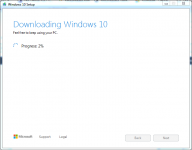
I am upgrading my Windows 7 Ultimate to Windows 10:
Win10.PNG
Edit: I have aborted the upgrade because I am quickly running out of internet! I will buy a computer instead.
 
Last edited:
I am upgrading my Windows 7 Ultimate to Windows 10:
View attachment 16924
Edit: I have aborted the upgrade because I am quickly running out of internet! I will buy a computer instead.

BTW, don't forget that you can purchase Windows 10 on a flash drive or DVD for a lot less than the price of a new PC. :tiphat:

Another alternative would be going to a local Internet cafe and doing your free Windows 10 upgrade there.
 
Hm, it's been a while since i saw software sold on physical media.
Music and databases on thumbdrives, but not software.
I wonder what's the cost per Gb is nowadays.
 
I have Windows 10 in my desktop unit but still have Windows 7 in my laptop. I know that MS will not be supporting it, but it just simply works well for me. Will I have to upgrade the laptop to Win 10 or just leave it at 7?
 
I have Windows 10 in my desktop unit but still have Windows 7 in my laptop. I know that MS will not be supporting it, but it just simply works well for me. Will I have to upgrade the laptop to Win 10 or just leave it at 7?

I'm not sure about "have to", but if it's at all connected to the Internet, it would be inadvisable not to.
 
Did the free upgrade today. My laptop is an HP 8540w and the upgrade took 5 hours. So far everything works fine though I haven't checked the printer yet. Just a reminder to others going this route, it is highly advisable to make a repair and recovery disc when you are finished.
 
Back
Top