Advanced Question Drawing on a texture in VC

OK. so on the settings

debugsetting1_zpscig5obzq.jpg


But then I click on Endurance.dll but nothing happens
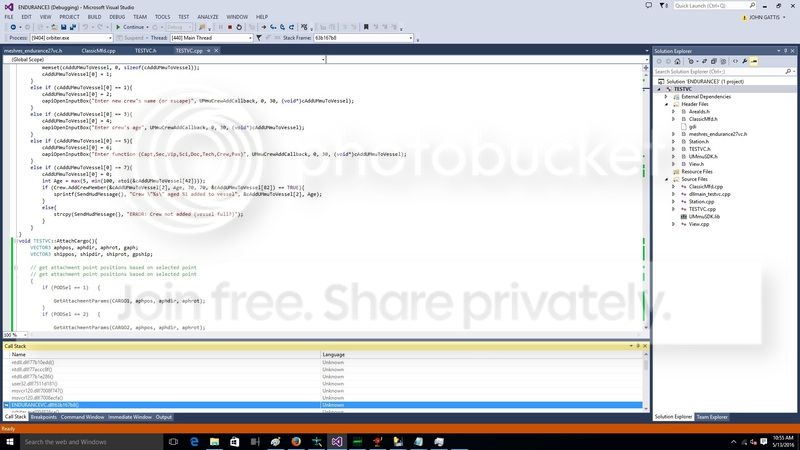
debug6_zpsmgnu4cnj.jpg
 
Can't read anything on those images.
 
Are any breakpoints triggered when you set them in your module (the best in some initialization functions/methods, so it can be tested easily)?

You said earlier something about disassembly being shown instead. If debugging symbols are indeed generated, are you linking your module against some static library which is an external dependency?
 
Can't read anything on those images.
Just click on the magnifying glass in the top right corner of the image to zoom in. Things should be more readable then.
 
Just click on the magnifying glass in the top right corner of the image to zoom in. Things should be more readable then.

Was only available for one image, but I managed to make the other picture visible via that one, thank you.

---------- Post added at 07:04 PM ---------- Previous post was at 07:03 PM ----------

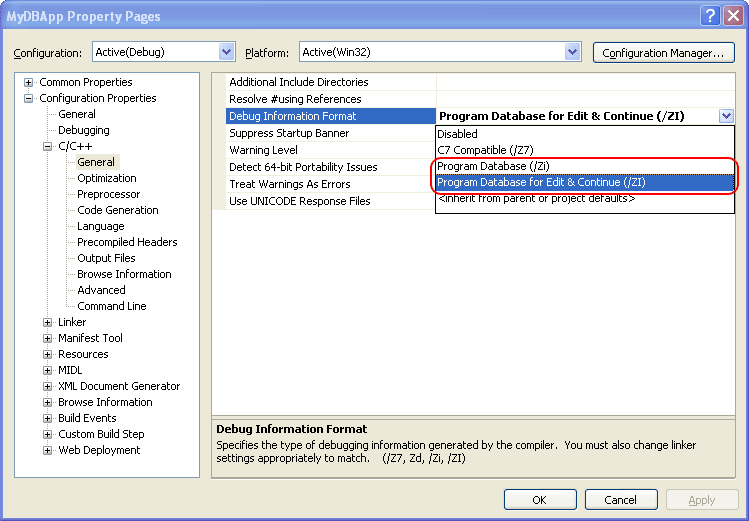
I can't really help with a screen shot because I use a German VS, but: Do you have parameter /ZI set in Debug configuration?
 
While testing a new piece of the cargo management system, every time I exit orbiter I get a "orbiter.exe has stopped working" error. The new system works as intended at it's current stage, and it's not doing the "Critical Error: Check Orbiter.log" message at all.
 
yes i have that.

I did notice when i click it pulled testvc.pbd not loaded
debug7_zpsfcum7xqb.jpg


---------- Post added 05-14-16 at 05:57 AM ---------- Previous post was 05-13-16 at 03:20 PM ----------

Any ideas on why the pdb isn't loading.

---------- Post added at 07:20 AM ---------- Previous post was at 05:57 AM ----------

ok. I got it to display the issue. not sure how to fix though? I change the name to match the dll name and it loaded the symbols.

Code:
DLLCLBK VESSEL *ovcInit(OBJHANDLE hvessel, int flightmodel)
{
	return new TESTVC(hvessel, flightmodel);
}

DLLCLBK void ovcExit(VESSEL *vessel)
{
	if (vessel) delete (TESTVC*)vessel;//this is the issue
}

debug8_zpsehhtklny.jpg
 
Last edited:
ok. I got it to display the issue. not sure how to fix though?

Click the line (inside the callstack window) above the one shown in the screenshot. It should show you which delete-call inside the destructor is the culprit.
 
Right direction, wrong interpretation: Further up the call stack, you have a second line of your own code, inside your destructor, trying to delete a resource.
 
Thanks.
So here are the 2 lines in the Call stack:
HTML:
>	ENDURANCEVC.dll!TESTVC::`scalar deleting destructor'(unsigned int)	C++
 	ENDURANCEVC.dll!ovcExit(VESSEL * vessel) Line 17	C++

So if I double click this line "ENDURANCEVC.dll!TESTVC::`scalar deleting destructor'(unsigned int) C++"I get source unavailable.

If I open the dissambly
I get:
60763B9B call TESTVC::`scalar deleting destructor' (6075129Eh)
60763BA0 mov dword ptr [ebp-0E0h],eax


So how do I fix it?
 
Thanks.
I do have this in the h:
Code:
class TESTVC : public VESSEL2 {
public:
	TESTVC(OBJHANDLE hVessel, int flightmodel);
	~TESTVC();
in the cpp:
Code:
// --------------------------------------------------------------
// Destructor
// --------------------------------------------------------------
TESTVC::~TESTVC() {
	delete viewController;
	delete mfdController;
	

}
 
Are viewController and mfdController always containing a pointer to some instance created by new?
 
Thanks. Not sure what you mean though.

Code:
TESTVC::TESTVC(OBJHANDLE hObj, int fmodel)
: VESSEL2(hObj, fmodel)
{
	viewController = new Station::Controller(this);
	mfdController = new ClassicMfd(4,
		g_Param.hFont[0], g_Param.col[0], g_Param.hBrush[0], g_Param.hBrush[1],
		&MFD_BUTTONS_FN_DIM, MFD_BUTTONS_FN_RECT, &MFD_BUTTONS_SYS_DIM, MFD_BUTTONS_SYS_RECT);

Code:
	mfdController->HandleLoadMesh(meshi_VC, meshhg_VC);
Code:
bool TESTVC::clbkLoadVC(int id) { // ID is the Preset Camera Position
	SURFHANDLE const tex3 = oapiGetTextureHandle(meshhg_VC, 4);


	viewController->HandleLoadVC(id);
	mfdController->HandleLoadVC(id);	
	oapiVCRegisterArea(AID_FUELSTATUS, _R(0, 0, 486, 302), PANEL_REDRAW_ALWAYS, PANEL_MOUSE_IGNORE, PANEL_MAP_BACKGROUND, tex3);
	static VCHUDSPEC hud_pilot = { 2, 38, { 0, -16.023, 7.459 }, 0.338 };
	oapiVCRegisterHUD(&hud_pilot);
	return HandleLoadVC(id);
}
 
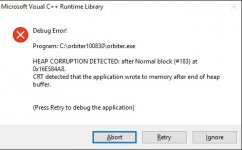
Ok. If I don't go to the vc The endurancevc.dll is NOT in the call stack. But not running the debugger. I get this error on closing:
 

Attachments

  • debug9.jpg
    debug9.jpg
    34.7 KB · Views: 8
Last edited:
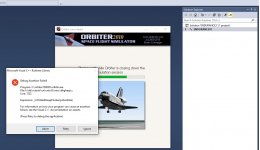
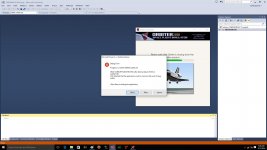
I rebooted and ran debugger. Now I get this errors. In the call stack the Endurancevc.dll does show up. the only ones is the ntdll.dll and msvcr120.dll.
 

Attachments

  • debug10.jpg
    debug10.jpg
    129.5 KB · Views: 6
  • debug11.jpg
    debug11.jpg
    220.7 KB · Views: 6
I rebooted and ran debugger. Now I get this errors. In the call stack the Endurancevc.dll does show up. the only ones is the ntdll.dll and msvcr120.dll.

Yes - did you already read what heap corruption means?
 
Well I looked it up.

http://www.informit.com/articles/article.aspx?p=1081496&seqNum=2

---------- Post added at 02:52 PM ---------- Previous post was at 07:18 AM ----------

At a lost. Not sure why I get that heap corruption error.

---------- Post added at 07:39 PM ---------- Previous post was at 02:52 PM ----------

I saw this:
http://orbiter-forum.com/showthread.php?p=370317

I added this to my code and ran the debugger. The only thing in the call stack was ntdll.dll and msvcr120d.dll

Code:
DLLCLBK void InitModule(HINSTANCE hModule)
{
	
#ifdef _DEBUG
	// NOTE: _CRTDBG_CHECK_ALWAYS_DF is too slow
	_CrtSetDbgFlag(_CRTDBG_ALLOC_MEM_DF |
		_CRTDBG_CHECK_CRT_DF |
		_CRTDBG_LEAK_CHECK_DF);
#endif

IS it how I am compiling? meaning setting or a code issue?
 
Back
Top