- Joined
- Feb 2, 2012
- Messages
- 1,664
- Reaction score
- 115
- Points
- 78
Will try! Can you display those shortcuts inside VB ? It would help
I'd like to prepare an help file to be opened during sim with all the information. But it requires time, especially because I'm not familiar with chm files... it's in the to do list but it will be the last step of course.
Connect an animation to a vessel parameter. Ex: a fuel indicator that moves based on an animation, where the step is related to fuel amount.
this in theory is possible even though not so easy to make it controllable. At the moment is a bit beyond what I had in mind, because this is the final setup for virtual cockpit basically, but to mention gattisplot, there is a limit from where a user should start to code in c++ :lol: so for sure it will not be in the first version. For future implementations why not, let's not limit ourselves and we'll see, request noted.
* I'm just sharing my enthusiasm, not trying to burden you with work.
I'm happy with what you are giving us!
sure, suggestions are welcome and I like the enthusiasm: it proves that orbiter is still alive and that my work is appreciated, so no worries at all!

Having an issue with thrusters. Pitching up/dn affects perapsis/apoapsis. Is this a bug, or am I doing something wrong ?
It depends on how you did define the thrusters, maybe they induce also a linear momentum. Could you post the cfg of your addon here so I can give it a look and see if I can be of assistance? At least the thrusters/thrustergroups sections
---------- Post added at 23:43 ---------- Previous post was at 22:54 ----------
I'd like to address an issue relevant to reconfigurations. The good part is that the system works. The bad part is that some aspects of the dialog implementation might be impossible but just a specific set of things.
The issue is the following: section reconfiguration can involve inter-section dependency. For example when I define animations I refer to a certain set of meshes, that can belong to any configuration. Since the developer will have the possiblity to switch from 1 configuration to the other freely, he is the ONLY one to know the exact sequence of vessel configurations, and therefore when an animation is defined, which set of meshes it refers to.
An example:
I make my vessel with a default configuration of mesh_0 and animation_0
in reconfiguration 1 I delete the animation_0
in reconfiguration 2 I change the mesh_0 to another mesh, mesh_1
in reconfiguration 3 I define a new animation referring to mesh_1
the developer then sets the events so that the final user will be able to cycle through configurations doing the sequence 0(default)->1->2->3 and then getting back to 0->1->2->3 ... etc.
now this works, it's not the issue. The issue is that when I'm going to implement the dialog update function (so what to display in the dialog), for non active configurations I have no way to know which mesh an animation is referring to.
The story is different for active configurations, since for active configurations I just take data from the live simulation.
So, probably I made it very complicated, but in the end I think that the solution might be to have for active configurations the full dialog available, while for non active configurations just the section names, as a reminder of which sections are reconfigured. Then, in order to check or modify the data contained in a section the user will have to switch to that configuration and everything will appear.
This would also mean an enormous code semplification, which is also a very good thing.
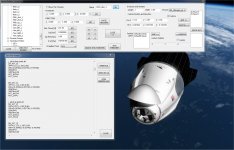
so basically the example above will see in the dialog when in default configuration:
VESSEL
- MESHES : MESH_0
- ANIMATION : ANIMATION_0
RECONFIGURATION 1
- ANIMATION
RECONFIGURATION 2
- MESH
RECONFIGURATION 3
- ANIMATION
then if you switch to reconfiguration 2 it will become:
VESSEL
- MESHES
- ANIMATION
RECONFIGURATION 1
- ANIMATION
RECONFIGURATION 2
- MESH : MESH_1
RECONFIGURATION 3
- ANIMATION
To explain it: when I go to reconfiguration 3, since it is possible to go from configuration 0 to 3 directly, there is no way to know what meshes put in the dialog. Only the developer will know it... that is why I am choosing to just show the section names for non active configurations...
it's much much longer to say it than to do it and probably I was not very clear... but I think this is the only way this can work...
Last edited: