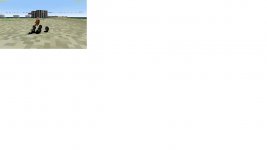
New Release UCGO Packable Rover (bz_MiniRover)

Buzz313th

New member
Joined
Jan 1, 2010
Messages
92
Reaction score
0
Points
0
So I have been working on a few different meshes for UCGO addons and this is one of em.

This is honestly my very first Orbiter addon and I definately plan on cleaning things up in the future as updates to the original. But it is releasable and I figured I would share it, as it comes in usefull being able to transport a rover in an UCGO cargo.

Things to do for version 1.2 release...
1. Texture the instrument panel
2. Add more detail to the flat textures
3. Dirty up the textures
4. Add a bit more on the model (details)
5. Fix a few small things on the textures

Now as soon as Orbiter Hanger finishes the server move I will upload it there. But for the meantime I will try to attach it here.

Credits...
Mesh and Textures by Me
UMMU Mesh and Textures by Dan Steph

Thanks to Dan Steph for UCGO which is a requirement for this addon to work.
UCGO can be found here..... http://orbiter.dansteph.com/

Update..............

Fixed all the issues that Dan found and I also added a Virtual Cockpit.

Just download the new version and unzip to orbiter dir. New files will overwrite old ones.

bz_MiniRoverBox-vi.jpg


JB
 

Attachments

Last edited:
Frankly ?

Great work !

To be finished it miss only a panel texture, there is a litle problem as the UMmu miss texture (512x512_textures\ were removed from UMmu 2.0, use the 1024, copy them with another name and reduce them to 512 if you want)
and you must adjust a bit the turn radius.

Parameters:
Code:
MaxWheelsAngle	= 40.0			; Max angle in degree that can take front wheel (visual so it match turn radius).

Appart that it's a great work ready for release on O-H !

Cheers

Dan

---------- Post added at 01:25 AM ---------- Previous post was at 01:22 AM ----------

ah , seem the camera point is a bit high also:

Code:
SetCameraOffset = xxx,yyy,zzz	; Driver's eyes point mesh local coordinate format= xx yy zz.

Dan
 
Yeah I just found the problem with the 512 textures... so your saying to switch to the UMMU 1024 testures then resize em...?

I don't undertand, why do I need to change turn angle? too much?

Where is the panel texture I'm missing?

I will update the addon to ver 1.1 as soon as fix those..

Thanks for beta testing it for me.. ;)
JB
 
I'm glad to test it for you, you're a good modeler, for your first addon it look really great.

Well, in fact the "512" folder was removed from UCGO 2.0 distribution. So peoples that didn't had UMMu 1.5 previously would have blank UMmu because they miss those folder/textures.

The only things you need to do is to copy/rename/distribute in zip the 512 texture you use yet (and reassign those one to your UMmu meshmodel) OR you can assign one existing texture from the UMmu directory (1024).


Turn angle: goe to 10km/h and turn at max wheel angle, your wheels are not in the turn radius angle they "skid" you must use trial/error to adjust angle. (MaxWheelsAngle)

Panel: well , this is just visual, a front panel with somes (fake) instruments would give a stunning look. As it is now there is only a gray surface and one may think it miss something.

Cheers


Dan
 
I'm glad to test it for you, you're a good modeler, for your first addon it look really great.

Well, in fact the "512" folder was removed from UCGO 2.0 distribution. So peoples that didn't had UMMu 1.5 previously would have blank UMmu because they miss those folder/textures.

The only things you need to do is to copy/rename/distribute in zip the 512 texture you use yet (and reassign those one to your UMmu meshmodel) OR you can assign one existing texture from the UMmu directory (1024).


Turn angle: goe to 10km/h and turn at max wheel angle, your wheels are not in the turn radius angle they "skid" you must use trial/error to adjust angle. (MaxWheelsAngle)

Panel: well , this is just visual, a front panel with somes (fake) instruments would give a stunning look. As it is now there is only a gray surface and one may think it miss something.

Cheers


Dan

Just uploaded the new version... (See original Post). It now has a VC, I adjusted the eyepoint, much easier to do when you have a VC. Fixed the UMMU texture issue, but I could not find the UMMU\1024 folder. My install only has textures in the UMMU folder. No other folders. I am running off a clean install of Orbiter 2006, the DGIV, Sound and UCGO.. I did not install UMMU, as I believe it is included with UCGO. Ok, now I understand what you mean about the turn angle...

I know that the texturing isn't finished. But I'm just a hair sick of modeling and texturing as I have done two full textured models in 3 days.. So I figured I would release it this way now and when I get the texturing motivation back I will complete everything.. Notice I didn't even dirty the textures up.. I just wanted to get into orbiter. ;)

Will fix the wheels and then upload another 1.1 ;)

JB

---------- Post added at 01:28 AM ---------- Previous post was at 01:14 AM ----------

Dan... is there a way where I can see the cargo in the back from the VC?

I remember some place in the SDK docs to set that variable, but I can't find it now.

JB
 
Last edited:
Ok found the showcargo variable... and fixed it.. uploading it now...

JB
 
For cargo you must use:

CargoShowInCockpit= 1 ; Force cargo to appear also in cockpit view (only external by default).

Last litle problem, when in VC you can see two Ummu's when there is only one aboard, you should see the doc page 11 "Crew in internal view"

As I said I would love personnaly to see a litle "fake" panel with some instruments but if you solve only the two point above you can considered it's finished and well done.

Congrat ;)

Dan
 
For cargo you must use:

CargoShowInCockpit= 1 ; Force cargo to appear also in cockpit view (only external by default).

Last litle problem, when in VC you can see two Ummu's when there is only one aboard, you should see the doc page 11 "Crew in internal view"

As I said I would love personnaly to see a litle "fake" panel with some instruments but if you solve only the two point above you can considered it's finished and well done.

Congrat ;)

Dan


I agree with you entirely about the panel. But to be honest, I feel like if I spend another minute in photoshop, that my head is gonna spin around till it falls off. :)

So I will finish all the eye candy details later for version 1.2.

Thanks so much for helping me finish it...

I think I understand a little better how much work it must be to develop software, even though I did zero coding on this.

JB
 
Very nice. I could not repack it once I unpacked it, is this by design? Other than that I was having a great time with it!
 
Very nice. I could not repack it once I unpacked it, is this by design? Other than that I was having a great time with it!

I do believe that it is a limitation of the UCGO SDK. It's mentioned in the docs that going from a UCGO cargo to a module, that you can't go back to a cargo again.

I'm glad you like it...

JB
 
Looks like a nice addon; very well done. Downloading now...
 
I just downloaded and tested it

I found 2 minor things (I don't want to call these bugs)...
- You can load 2 cargos in it, the second one is floating behind the car)
- When you zoom in in external view, you can see that the cargo is a little too high.

Other than that, it's a really great addon !
 
I just downloaded and tested it

I found 2 minor things (I don't want to call these bugs)...
- You can load 2 cargos in it, the second one is floating behind the car)
- When you zoom in in external view, you can see that the cargo is a little too high.

Other than that, it's a really great addon !

Thanks for finding those... I will have a new version of 1.1 uploaded in a few.. thanks again..

JB

---------- Post added at 05:45 AM ---------- Previous post was at 05:24 AM ----------

Ok limited the cargo to just 1 unit and lowered the grapple position...

Uploading the new zip now with the fixes.

JB
 
Great addon
Sometimes the visibility is flashing and the car looks invisible.
I uploaded the pic so you can see.
Will continue playing with it and see how it goes.
I have Win7 computer.
Thanks for the hard work!
 

Attachments

  • bzrover.jpg
    bzrover.jpg
    50.8 KB · Views: 64
I get the same problem.
 
That maybe du to contact point, make wheel 2cm higher than ground (problem with pad that are higher than ground, seem there is texture mix)
 
Looks great. Haven't tried yet but looks very nice.:thumbup:
 
Back
Top