misha.physics
Well-known member
- Joined
- Dec 22, 2021
- Messages
- 1,534
- Reaction score
- 2,326
- Points
- 128
- Location
- Lviv
- Preferred Pronouns
- he/him
Good news. I found the reason of the issue, that's the grey edge on the mask alpha channel:
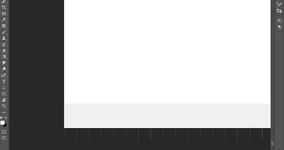
I don't now why it happens, it may be related with how ImageMagick crops my tiles.
I have to manually open mask tiles of levels 14-15 with Photoshop, go to alpha channel and paint these grey border with white. That's the solution (top right mask tile is fixed):
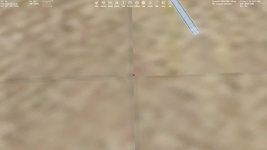
So it's not related to 512 and 1024 sizes. By the way, all these surface and mask four tiles (of level 15) have the same resolution of 512. So, the update is coming.
I don't now why it happens, it may be related with how ImageMagick crops my tiles.
I have to manually open mask tiles of levels 14-15 with Photoshop, go to alpha channel and paint these grey border with white. That's the solution (top right mask tile is fixed):
So it's not related to 512 and 1024 sizes. By the way, all these surface and mask four tiles (of level 15) have the same resolution of 512. So, the update is coming.


 .
.