misha.physics
Well-known member
- Joined
- Dec 22, 2021
- Messages
- 1,535
- Reaction score
- 2,327
- Points
- 128
- Location
- Lviv
- Preferred Pronouns
- he/him
Hi.
Maybe someone knows picture formats and picture properties, so could help me with the following.
I'm noticing some difference between *.dds surface tiles obtained in three different ways:
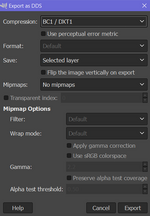
1) I export a *.dds tile using TerrainToolKit.
2) I export an *.jpg tile using TerrainToolKit and convert it to *.dds format using Photoshop.
3) I export an *.jpg tile using TerrainToolKit and convert it to *.dds format using ImageMagick.
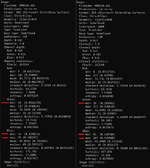
It seems like all these three *.dds files looks different in Orbiter. The best matching with surrounding tiles is for (1), whereas the worst matching is for (3) (in this case I see a blue rectangle which stands out against the background of the ocean).
Maybe someone could take a look and explain the difference between these three *.dds pictures.
I'm attaching the archive with three *.dds pictures, one *.jpg picture, and three screenshots from Orbiter for comparison. The priority is to convert the *.jpg file to a *.dds format using ImageMagick and get the result as in (1). I just think it can be better to find the difference, and then ask an advice on the ImageMagick forum.
Maybe someone knows picture formats and picture properties, so could help me with the following.
I'm noticing some difference between *.dds surface tiles obtained in three different ways:
1) I export a *.dds tile using TerrainToolKit.
2) I export an *.jpg tile using TerrainToolKit and convert it to *.dds format using Photoshop.
3) I export an *.jpg tile using TerrainToolKit and convert it to *.dds format using ImageMagick.
It seems like all these three *.dds files looks different in Orbiter. The best matching with surrounding tiles is for (1), whereas the worst matching is for (3) (in this case I see a blue rectangle which stands out against the background of the ocean).
Maybe someone could take a look and explain the difference between these three *.dds pictures.
I'm attaching the archive with three *.dds pictures, one *.jpg picture, and three screenshots from Orbiter for comparison. The priority is to convert the *.jpg file to a *.dds format using ImageMagick and get the result as in (1). I just think it can be better to find the difference, and then ask an advice on the ImageMagick forum.