Meshing Question Textures convert

gattispilot

Addon Developer
Addon Developer
Joined
Oct 17, 2007
Messages
10,540
Reaction score
4,372
Points
203
Location
Dallas, TX
How do i convert a .jpg or .bmp texture to a .dds format to work in default graphics? I have converted to .dds for d3d9. But they do not load in default graphics. In the log. it says they can not be found

 
The dimensions need to be a power of 2, and with one of the compression formats listed in the Orbiter Developer Manual.
 
What tool are you using to convert?
 
Thanks. I used Paint.net here are my converted textures that can not be found in default graphics
 

Attachments

Can confirm that they don't work with the inline client, can't see directly why but I re-saved as .dds DXT1 and it works. So it must be the .dds save settings.
Try this.
 

Attachments

Can confirm that they don't work with the inline client, can't see directly why but I re-saved as .dds DXT1 and it works. So it must be the .dds save settings.
Try this.

Also using Paint.NET ?
 
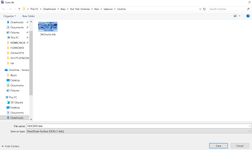
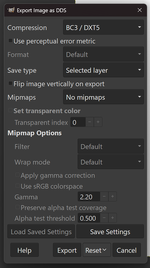
i just opened Paint.net all I see is to save a .dds nothing else
1772041198630.png
 
0559a.jpg
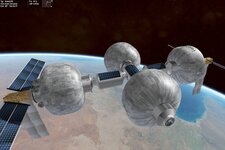
I used one of your textures on the Life hab station, and it loads without problems.

Suggest to check the spelling of the textures, and the folder location.
Look if the path of your textures is referring to a subfolder, like "Textures\MyVessel"
____
Edit: Ah, now I see. It loads in the D3D9 client, but not in the built-in graphics client.

Try to generate the dds-textures using the DxTex.exe 1772043087441.png
It was included in Orbiter 2016\Utils.
 
Last edited:
Try to generate the dds-textures using the DxTex.exe
1772043087441.png

It was included in Orbiter 2016\Utils.
Thanks. I got unexpected file format. But I got it to work using Dxtbmp.
 
OK so 'no mipmaps', that's one thing I was unsure about.
 
Back
Top