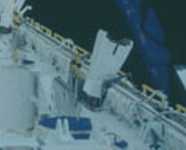
Project Space Shuttle Vessel

Yep, was about to post that.
In STS-101 the day should be 140. Again, the current day of the year is shown on panel O3.
I guess I am missing the info your getting about the number of day for that year . My 03 panel has the mission Time only. Am I looking at the wrong panel? I couldn't possibly have figured this solution out. Do I simply replace the "19" in the FDO config with 140?
 
I guess I am missing the info your getting about the number of day for that year . My 03 panel has the mission Time only. Am I looking at the wrong panel? I couldn't possibly have figured this solution out. Do I simply replace the "19" in the FDO config with 140?
No, just use the switch below the Digital Readout (DRO) to switch between MET and GMT.
 
I'll clarify it in the MFD and in the manual. Just an unlucky case I guess, usually one can just leave the year/day blank and the MFD will automatically use the current day as launch day, but if the first attempt at using the MFD is with an on-orbit scenario and you have to manually input the day then this can easily happen if one doesn't realize the day-of-year thing.
OK, so I will erase the DLO and have the config fill it in? I'll try it, of course, I'll let you know shortly if it cures the problem. Using the switch below was not on my radar either. Thank you for that. So to clarify, if I just switch from MET to GMT, that should cure the issue?
 
OK, so I will erase the DLO and have the config fill it in? I'll try it, of course, I'll let you know shortly if it cures the problem.

You want to manually change it to 140. The intended workflow is for the case where you start a mission from launch (or at least the launch day). Then you can open the MFD, click the DLO button and leave the input blank. But your scenario is already on May 24, so it would not choose the right launch day for you automatically.
 
You want to manually change it to 140. The intended workflow is for the case where you start a mission from launch (or at least the launch day). Then you can open the MFD, click the DLO button and leave the input blank. But your scenario is already on May 24, so it would not choose the right launch day for you automatically.
I did change the config and let the DLO empty. Afterwards, the number was 144 which coincides with the GMT time of 144 days on panel 03. The config also deleted the TLO. So I put that info back in and I am now running a deorbit with a new solution to see what happens.
 
I did change the config and let the DLO empty. Afterwards, the number was 144 which coincides with the GMT time of 144 days on panel 03. The config also deleted the TLO. So I put that info back in and I am now running a deorbit with a new solution to see what happens.

With the 140 I hope, not 144. Your launch day (which the config page wants as input) is day 140 of the year, May 19.
 
With the 140 I hope, not 144. Your launch day (which the config page wants as input) is day 140 of the year, May 19.
Ok, gotcha, 140 in the FDO config file. I shouldn't have to start a new mission, right? I just changed the config, backed out and reloaded the deorbit scenario I saved.
 
Ok, gotcha, 140 in the FDO config file. I shouldn't have to start a new mission, right? I just changed the config, backed out and reloaded the deorbit scenario I saved.
No new mission needed, just update the value, save and recalculate the deorbits.
 
With the 140 I hope, not 144. Your launch day (which the config page wants as input) is day 140 of the year, May 19.
Indy, you and Dave nailed it! excellent help, I ran the scenario with the new config FDO and it worked like a charm. I can't honestly say the landing was worthy of your efforts and guidance, but if it weren't for you, I would have never figured out your solution. Thanks to the both of you. Greatly appreciated. Oh, BTW, thanks for the FDO MFD, it 's a beautiful thing. Some of it is still a bit over my head right now, but I can read the manual.
 
No, just use the switch below the Digital Readout (DRO) to switch between MET and GMT.
Thank you, Dave. I really appreciated your help. You and Indy figured out a solution I would have never seen. Everything worked much better. Thank you. Cheers
 
When rendezvousing with a target using the FDOMFD, which burn would you typically stop using the FDOMFD, and begin using SPEC 34? I thought it would be the NH burn before the final NC burn, but I'm getting "interesting" results, and ran out of time last night to explore further.

Does this AI influenced description sound about right?

1. Phasing and Orbit Adjust Burns
  • NC (Phasing Burn): Adjusts the orbit size so the orbiter catches up to or lags behind the target.
  • NH (Differential Height Burn): Sets a specific, safe altitude difference (offset) between the orbiter and the target to prepare for the final intercept.
  • NSR (Coelliptic Burn): Shapes the orbiter's orbit to make it roughly parallel (co-elliptic) and slightly below the target's orbit, establishing a standard approach geometry.
  • NPC (Plane Change Burn): Adjusts the orbital inclination to eliminate any planar differences, ensuring the orbiter’s orbital path directly aligns with the target.

2. Terminal Phase Burns
Once close enough, radar data and the onboard flight computer using the Clohessy-Wiltshire equations refined the trajectory: [1]
  • TI (Terminal Phase Initiation): The critical, final major burn that places the orbiter on a direct intercept or looping trajectory to intercept the target.
  • MC (Mid-Course Corrections): Up to four smaller burns (MC1, MC2, MC3, MC4) that fine-tune the intercept path, correct velocity errors, and ensure a smooth approach.

3. Final Approaches
  • R-bar / V-bar Maneuvers: Minor Reaction Control System (RCS) thruster pulses to slowly creep along the approach axes (the R-bar is along Earth's radius, while the V-bar is along the velocity vector) for docking.
  • Rendezvous Pitch Maneuver (RPM): A visually distinctive burn/maneuver used during ISS visits, causing the shuttle to flip over so the space station crew could photograph the orbiter's heat shield for damage checks.
 
Last edited:
When rendezvousing with a target using the FDOMFD, which burn would you typically stop using the FDOMFD, and begin using SPEC 34? I thought it would be the NH burn before the final NC burn, but I'm getting "interesting" results, and ran out of time last night to explore further.

The day-of-rendezvous NC burn (usually named NC-4) would still be calculated by Houston. If it's a large burn then it can even be quite important to re-run the calculation after the NH burn, to take the actual trajectory into account. The NCC burn is the first one calculation onboard with SPEC 34.
 
  • Like
Reactions: GLS
Good day, Orbiteers. I hope this post finds you well. I was wondering if anyone knew of a way to turn off the crazy master alarm during playbacks? I had the most beautiful landing to the end of a long STS-107 Orbit and recorded the KSC33 approach. I had no alarms during the flight, but the playback produced one and I could'nt figure out how to silence it. Obviously, everything is unresponsive on playback with the exception of cameras. Is this a glitch? Anyone else experience this? Cheers
 
Good day, Orbiteers. I hope this post finds you well. I was wondering if anyone knew of a way to turn off the crazy master alarm during playbacks? I had the most beautiful landing to the end of a long STS-107 Orbit and recorded the KSC33 approach. I had no alarms during the flight, but the playback produced one and I could'nt figure out how to silence it. Obviously, everything is unresponsive on playback with the exception of cameras. Is this a glitch? Anyone else experience this? Cheers
Hmm, never used playbacks with SSV...
Could you try to save the scenario during the playback, and then post here the PrimaryCaution&Warning block of it? I'll take a look at it when I can to find out what triggered the alarm.
 
Hmm, never used playbacks with SSV...
Could you try to save the scenario during the playback, and then post here the PrimaryCaution&Warning block of it? I'll take a look at it when I can to find out what triggered the alarm.
Sure. Here you go

@SUBSYSTEM PrimaryCaution&Warning
INHIBITMEMORY 00802008008020000802008010040100
NCOUNTMEMORY 00000000000000000000000000000000000000000000000000000000000000000000000000000000000000000000000000000000000000000000000000000000
NCOUNTOVERFLOWMEMORY 00000000000000000000000000000000
RECALLMEMORY 00802008000000000802008000000000
PRIMARYCWTRIGGERMEMORY 00000000000000000000000000000000
LIMITVALUERAM 00000000000000000000d6000000000000000000d6000000000000000000000000000000000000000000000000000000c100000000d50000000000000000000000000000000000000000000000000000c8000000000000000000c800000000000000000000000000000000000000c8000000000000000000c80000cd000000000000000000000000000000900000000000000000009000000000000000000000000000000000000000000000000000000000000000b40000000000000000000000000000000000000000000000000000000000000000000000000000000000000000000000000000000000000000000000000000000000000000000000000000
PRI_CW_A 0
PRI_CW_B 0
CW_TONE_ENABLE_A 0
CW_TONE_ENABLE_B 0
BU_CW_TONE_A 0
BU_CW_TONE_B 0
BU_CW_LIGHT_A 0
BU_CW_LIGHT_B 0
SW_TONE_A 1
SW_TONE_B 1
ST_FAIL_1_A 1
ST_FAIL_1_B 1
ST_FAIL_2_A 0
ST_FAIL_2_B 0
@ENDSUBSYSTEM
 
  • Like
Reactions: GLS
The day-of-rendezvous NC burn (usually named NC-4) would still be calculated by Houston. If it's a large burn then it can even be quite important to re-run the calculation after the NH burn, to take the actual trajectory into account. The NCC burn is the first one calculation onboard with SPEC 34.
One more question while I've got you on the line so to speak. I've read the FDO manual about 20 times, and learn something new each time. What is the reason for making all of the saved files? I can see making the first save before OMS2 to lock in the TIGs for sunset timing, and Ti velocity sanity, but why keep saving after that? Once you do the first save before OMS2, should everything work out if you continue the mission all the way to docking uninterrupted without any further saves along the way?
 
One more question while I've got you on the line so to speak. I've read the FDO manual about 20 times, and learn something new each time. What is the reason for making all of the saved files? I can see making the first save before OMS2 to lock in the TIGs for sunset timing, and Ti velocity sanity, but why keep saving after that? Once you do the first save before OMS2, should everything work out if you continue the mission all the way to docking uninterrupted without any further saves along the way?

If you calculate the sequence of maneuvers before OMS-2, then generate Maneuver PADs for all of them and just perform them like that for the rest of the mission, without ever calculating the maneuvers again, then you would never reach your target. You would have to perfectly null the DV of all maneuvers and expect that all the accelerations in Orbiter (gravity etc.) are exactly as the FDO MFD predicts them to be. That is why, after burning each maneuver, you have to make tweaks to the Maneuver Constraints Table (in the easiest case only deleting the maneuver you just burned) and re-calculate the rendezvous plan. Basically only using the Maneuver PAD for the first maneuver in the table. There might be exceptions to this where two maneuvers are scheduled so close to each other that there is no time (in Orbiter and in reality) to re-calculate the plan.

Assuming this workflow, you could of course save to the same file every time. But if you have to go back to an earlier scenario for some reason you then have no valid MCT for it anymore. That is why I think the best procedure is to save under a different file name after each maneuver has been performed, or rather after the maneuver that was just performed was deleted from the MCT.
 
1779752089647.png
Not sure if this would be better off in the payloads thread, but it seems there was a 3rd type of guide for the PRLAs that was super short to not hit the RMS. This shot is from STS-8. Not sure how much this was used and if it might just be better to not have the guides on that latch to avoid making something that was used once.
 
If you calculate the sequence of maneuvers before OMS-2, then generate Maneuver PADs for all of them and just perform them like that for the rest of the mission, without ever calculating the maneuvers again, then you would never reach your target. You would have to perfectly null the DV of all maneuvers and expect that all the accelerations in Orbiter (gravity etc.) are exactly as the FDO MFD predicts them to be. That is why, after burning each maneuver, you have to make tweaks to the Maneuver Constraints Table (in the easiest case only deleting the maneuver you just burned) and re-calculate the rendezvous plan. Basically only using the Maneuver PAD for the first maneuver in the table. There might be exceptions to this where two maneuvers are scheduled so close to each other that there is no time (in Orbiter and in reality) to re-calculate the plan.

Assuming this workflow, you could of course save to the same file every time. But if you have to go back to an earlier scenario for some reason you then have no valid MCT for it anymore. That is why I think the best procedure is to save under a different file name after each maneuver has been performed, or rather after the maneuver that was just performed was deleted from the MCT.
So for example, after MECO/dump you could set up everything for the OMS-2 burn, fix the sunset TIG and correct Ti DVZ, and then save these changes as a FDO config under a new name. You could then theoretically use the newly named config, by deleting maneuvers and recalculating as usual along the way as you progress through the burns, all the way to docking, without saving again. This way of "no sequential FDO config saving" other than the initial OMS-2/SS/Ti save would work for a single sim session, launch to docking. A single start to finish session is typically how I use orbiter; I rarely save and re-visit any mission.

Alternatively, if you want to save the FDO configs each time as you progress through the burns, you'd have to save a concomitant scenario as well, so that you could restart the scenario, and have the associated renamed FDO config available to load and match the saved state of the SSV?

Am I understanding this correctly?

 
So for example, after MECO/dump you could set up everything for the OMS-2 burn, fix the sunset TIG and correct Ti DVZ, and then save these changes as a FDO config under a new name. You could then theoretically use the newly named config, by deleting maneuvers and recalculating as usual along the way as you progress through the burns, all the way to docking, without saving again. This way of "no sequential FDO config saving" other than the initial OMS-2/SS/Ti save would work for a single sim session, launch to docking. A single start to finish session is typically how I use orbiter; I rarely save and re-visit any mission.

Alternatively, if you want to save the FDO configs each time as you progress through the burns, you'd have to save a concomitant scenario as well, so that you could restart the scenario, and have the associated renamed FDO config available to load and match the saved state of the SSV?

Am I understanding this correctly?

Sure, whatever works best for you. It's still easy to make a mistake with the MCT (e.g. changing an input in a wrong way and then not being sure what the value was before) and having files saved as backup can be helpful. Saving is optional though, just re-calculating the maneuver sequence before each maneuver is something I would not call optional.
 
Back
Top