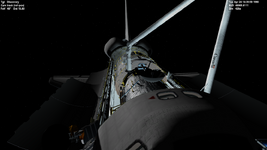
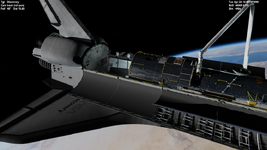
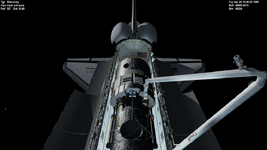
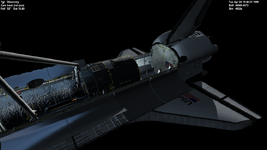
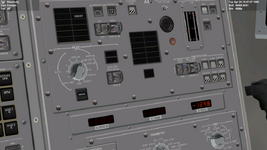
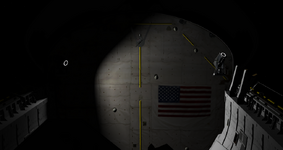
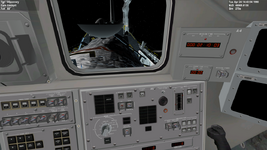
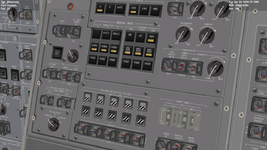
Project Space Shuttle Vessel

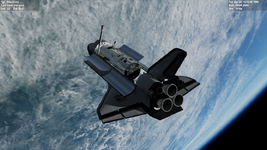
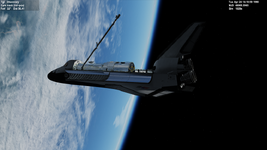
Another thing is that for unberthing and deployment, the orbiter was in biased +X Solar Inertial (BIAS +X SI) attitude, with the bias being a 30° pitch up above the sun. This was to protect the three Fixed Head Star Trackers (FHSTs, they're the two oval and one circular objects on the cylindrical Aft Shroud) on the telescope during the deployment activities.
 
So, 3 years of SSV deserves a quick update!

Almost done with the new CCTV cameras, but still some work left.
new_cctv.PNG

Expect a release sometime in the next few weeks, with the new CCTV, new PLB lights and more OMS improvements from indy91.

This "v1.x development cycle" will then have at least one more release, with the SPDS and probably some more small DPS work, probably later in the Spring. There could be more v1.x releases after, but the current path is to push the OMS/RCS rework thru, along with "compatibility breaking" DPS improvements. The OMS/RCS work should open the door for more on-orbit control options, OMS and RCS dumps, correct SERC, crossfeeds, SRB window protection and entry with just the aft RCS. It will also allow stuff that never happened (but could): the OMS kit.
This will all take sometime, but it should move the ball forward, so be patient.
 
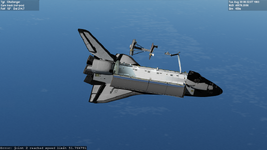
Starting to get the hang of things. Couple of errors popping up at the bottom...🤭 but I got it out of the Payload Bay and Deployed.

But doing the actual HST Mission I'm completely lost... 🤦‍♂️I just can't or don't know how to REL the AFT,MID and FWD latches and the Payload latches. I followed the checklist: https://www.nasa.gov/centers/johnson/pdf/492874main_PDRS_G_F_12.pdf but it doesn't seem to work for me or maybe I'm not following it correctly? Screenshot (71).pngScreenshot (75).png
Screenshot (69).png
 
I just can't or don't know how to REL the AFT,MID and FWD latches and the Payload latches.
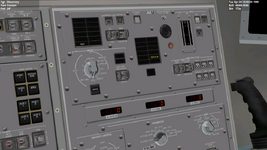
It looks like you got it, they are released in the image you posted, as indicated by the "REL" talkback in the image you posted. The 3 talkbacks on the side are the "Ready For Latch" (or "Ready To Latch") indicators, which tell you if the RMS is properly positioned on the MPM pedestal (gray output), thus allowing the latch hooks to hold the RMS. They will go barberpole when you raise the RMS.

The error output at the bottom, in old output related to the augmented modes reaching a limit. In reality you would get an alarm and the RMS would stop... eventually SSV will also do that.
 
It looks like you got it, they are released in the image you posted, as indicated by the "REL" talkback in the image you posted. The 3 talkbacks on the side are the "Ready For Latch" (or "Ready To Latch") indicators, which tell you if the RMS is properly positioned on the MPM pedestal (gray output), thus allowing the latch hooks to hold the RMS. They will go barberpole when you raise the RMS.

The error output at the bottom, in old output related to the augmented modes reaching a limit. In reality you would get an alarm and the RMS would stop... eventually SSV will also do that.
Screenshot (79).pngScreenshot (78).png
Ok, looks like there is progress according to the values at the bottom of the screen the Arm is moving and reaching speed limits, but the physical Arm is not moving... :unsure:
 
Ok, looks like there is progress according to the values at the bottom of the screen the Arm is moving and reaching speed limits, but the physical Arm is not moving... :unsure:
The augmented modes don't work when the RMS is certain positions (a joint is near the limit of motion or some joints are aligned). That is the case when the RMS is stowed, so you need to switch to Single joint mode, and move each joint individually to uncradle the RMS. That is described in the PDRS checklist, SECTION 2: RMS PWRUP, step 7: ARM UNCRADLE. Just follow the table, moving each joint in order, and you should end up in a position where the augmented modes can work.
 
The augmented modes don't work when the RMS is certain positions (a joint is near the limit of motion or some joints are aligned). That is the case when the RMS is stowed, so you need to switch to Single joint mode, and move each joint individually to uncradle the RMS. That is described in the PDRS checklist, SECTION 2: RMS PWRUP, step 7: ARM UNCRADLE. Just follow the table, moving each joint in order, and you should end up in a position where the augmented modes can work.
Awesome thank you...:D (y)
 
Hi,
Aligning up with the Grapple point it doesn't seem that I can Capture the Grapple point... :unsure: Screenshot (95).pngScreenshot (96).pngScreenshot (97).png
 
I think the orientation of the EE is wrong: the top (with the camera and light) should be on the forward side of the PLB, so the camera sees the GF target. If you rotate the EE 90º to the left, that should do it.
 
I think the orientation of the EE is wrong: the top (with the camera and light) should be on the forward side of the PLB, so the camera sees the GF target. If you rotate the EE 90º to the left, that should do it.
Ok, I have turned it towards the GF target but I still don't get it to capture... 🤦‍♂️ Screenshot (98).pngScreenshot (99).pngScreenshot (100).png
 
I seem to remember somebody had a similar problem with that addon, and the source was the attachment parameters being 180º from what SSV uses (SSV has the orientation vector "up" towards the GF target).
If the attachments are defined in the .cfg file, you can change the signs on the last vector, otherwise you have to attach with the EE "upside down", so camera and light towards the aft of the PLB.
 
I seem to remember somebody had a similar problem with that addon, and the source was the attachment parameters being 180º from what SSV uses (SSV has the orientation vector "up" towards the GF target).
If the attachments are defined in the .cfg file, you can change the signs on the last vector, otherwise you have to attach with the EE "upside down", so camera and light towards the aft of the PLB.
Ok, so turning the camera and light towards the aft of the PLB it still doesn't capture. How do I change the signs on the last vector in the cfg file?
 
Ok, so turning the camera and light towards the aft of the PLB it still doesn't capture. How do I change the signs on the last vector in the cfg file?
If it still doesn't grapple with the camera aft, then it might be a bit harder to solve.... are the attachments defined in the cfg file?
 
If it still doesn't grapple with the camera aft, then it might be a bit harder to solve.... are the attachments defined in the cfg file?
No. It's all in the HST_EX vessel module and the source code is not available.
 
This in the .cfg file should make the RMS grapple correctly both GFs:
Code:
; === Attachment specs ===
BEGIN_ATTACHMENT
P   1.03616 -1.410497 0.986405   0 -1 0   0 0 1   GF
P   -1.03616 -1.410497 0.986405   0 -1 0   0 0 1   GF
END_ATTACHMENT
 
Hi,

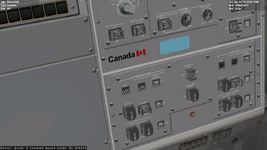
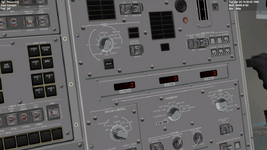
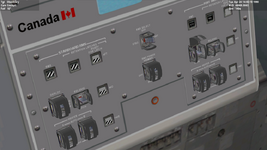
The ready-for-latch talkback has two indications: gray when a payload is present and/or latched, and barberpole when payload is deployed. If power is not on, both system talkbacks will show barberpole. The Payload retention logic power, the two retention system switches which power the midmotor control assembly logic. Both logic power switches must be on to drive both motors on each latch simultaneously. Which only system 1 drives both talkbacks.

I have switched both switches to the on position, and the Payload Select to System 1 but still nothing happens on the talkbacks am I missing something?

Screenshot (108).png
 
I have switched both switches to the on position, and the Payload Select to System 1 but still nothing happens on the talkbacks am I missing something?
Look to the left, panel R13L, PL BAY MECH PWR switches (which also have to be on for MPM latch/release).
But that might not be it, as I notice that there are no PRLAs installed... did you put HST in the PLB using the Mission Editor?
 
Back
Top