new pads
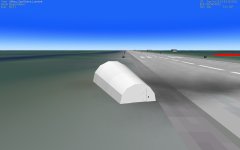
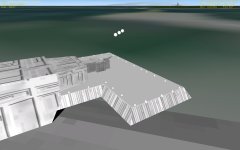
Here are 2 new pads.
http://www.4shared.com/file/LH_FssrG/NEWPADS.html
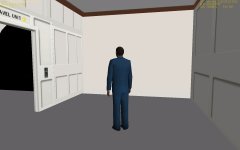
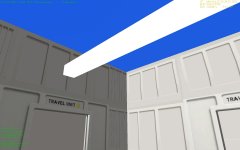
1 is the low profile T pad which was near NDA2. It had no elevator for the pad. 2 is Alphapad which is a stand alone hanger from my Moonbase Alpha. But both have the new TCar. The TCar module is a modified Teleporter module from Computerex. But the range is limited to 2 meters. So you have to walk to the center of it. Switch focus F3 to which Tcar you are in and press [ (left bracket) and type in the target and then press G to turn it on and then press G to turn it off. You have to turn it off or your ummu will not move. When you turn it on/off you are changing the distance from 0 to 2. TCAR1 is attached to TPAD and TCAR2 to AlphaPAd. The Tcar mesh is basically the same mesh used in the Moonbase.
It would be nice to display all TCAR vessels on a list so you could see what was available. But that is beyond my programming skill.
Both use attachment to attach the Eagle 3 or any vessel with the correct attachment info.
Key G move the docking tube
Key O opens/close the docking tube doors
Key W switches the Camera
Ummu opens all doors and lowers the elevator in the alphapad.
The cone station will be next and then the depot will have to be rescaled to allow the tcar into the lower level.
Let know how it works. I think a nav beacon needs to be added in the cfg so you can naviagate to them.
Any suggestions?
Here are 2 new pads.
http://www.4shared.com/file/LH_FssrG/NEWPADS.html
1 is the low profile T pad which was near NDA2. It had no elevator for the pad. 2 is Alphapad which is a stand alone hanger from my Moonbase Alpha. But both have the new TCar. The TCar module is a modified Teleporter module from Computerex. But the range is limited to 2 meters. So you have to walk to the center of it. Switch focus F3 to which Tcar you are in and press [ (left bracket) and type in the target and then press G to turn it on and then press G to turn it off. You have to turn it off or your ummu will not move. When you turn it on/off you are changing the distance from 0 to 2. TCAR1 is attached to TPAD and TCAR2 to AlphaPAd. The Tcar mesh is basically the same mesh used in the Moonbase.
It would be nice to display all TCAR vessels on a list so you could see what was available. But that is beyond my programming skill.
Both use attachment to attach the Eagle 3 or any vessel with the correct attachment info.
Key G move the docking tube
Key O opens/close the docking tube doors
Key W switches the Camera
Ummu opens all doors and lowers the elevator in the alphapad.
The cone station will be next and then the depot will have to be rescaled to allow the tcar into the lower level.
Let know how it works. I think a nav beacon needs to be added in the cfg so you can naviagate to them.
Any suggestions?