Orbiter Screenshot Thread

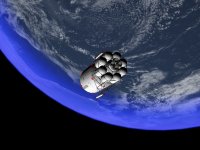
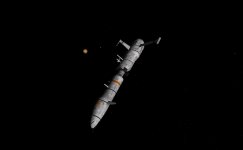
Here's my latest:
 

Attachments

  • orbiter0050.jpg
    orbiter0050.jpg
    87.6 KB · Views: 102
  • orbiter0051.jpg
    orbiter0051.jpg
    92.7 KB · Views: 102
Wow... Those are beautiful. It's probably been asked before, but what graphics enhancements are you using in those?
 
Wow... Those are beautiful. It's probably been asked before, but what graphics enhancements are you using in those?

Paint.NET
 
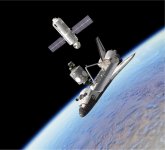
Commemorating the launch of STS-88, eleven years ago today.
 

Attachments

  • 88rendezvou.jpg
    88rendezvou.jpg
    73.6 KB · Views: 66
Did they actually dock the Unity to the ODS and then mate it to the Zarya?
 
And how exactly do you create these effects? Do you use any external plugins. A small tutorial would be nice, so everyone could try to achieve this cool look. :)

It's Probetastic! :probe:

Follow these steps:

Code:
1) Open the image you wish to edit.
2) Under adjustments, chose hue and saturation, set to the following:
     Hue: -15
     Saturation 60
     Lightness -10
3) Under Effects, select Photo, then Glow, set to the following:
     Radius: 10
     Brightness: -10
     Contrast: 25
4) Under Effects, select Photo, then Soften Portrait, set to the following:
     Softness: 10
     Lighting: -20
     Warmth: 15
5) These settings produce a middle-ground effect, try with my settings, then adjust to taste.
 

Attachments

  • return from moon.jpg
    return from moon.jpg
    424.7 KB · Views: 65
  • return from moon edit.jpg
    return from moon edit.jpg
    167.8 KB · Views: 58
Did they actually dock the Unity to the ODS and then mate it to the Zarya?


Yes, Cdr. Robert Cabana manuevered the shuttle's cargobay to within a few feet of Zarya, then MS Nancy Currie grappled Zarya, raised it above Unity to within a couple inches from the docking mechs, then the commander fired Endeavour's RCS to complete the docking sequence.
 
Last edited:
Yes, Cdr. Robert Cabana manuevered the Endeavour to within a few feet of the cargobay, then MS Nancy Currie grappled Zarya, raised it above Unity to within a couple inches from the docking mechs, then the commander fired Endeavour's RCS to complete the docking sequence.

Cool. I tend to get lazy and not bother with the Shuttle's arm, I'll just dock whatever my module is to the ODS and use the RCS to move it into place on the station, and was wondering if NASA ever does anything like that.:thumbup:
 
A Delta-glider is delivered to Overton Island

dg-delivery.png


Frigate is from Ariane 5 pack and configured via UCGO, Harbour is Woo482s mesh and the DG is stuck to the frigate via UCD
 
ohmygodohmygodohmygod!

Do you have a link to those addons, I've been wondering how to get modules and ships and things to my far away island bases. That's awesome!
 
well 1.The Ariane 5 can be found here 2. UCGO is currently in beta testing 3. I can release the harbour mesh on request and Universal Cargo Deck can be found here
 
sweet. I've had Ariane 5 for a long time and never knew there was a frigate. Also, I'd love to add your mesh to Wideawake and Overton, would you mind releasing it?
 
The frigate is a mesh file called Bat-Prairial.msh in the ARD-CTV directory. I used a UCGO config file to make it 'driveable' but there are a few funnies with it. Because the mesh was exported the wrong way round the Frigate has to be driven in reverse :lol:

There are actually two ships included in the Arianne pack but they are not vessels, just static scenery. This is both of them converted to be UCGO 'cars':

two-ships.png
 
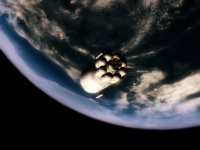
UCGO before orbit insertion to Mars.
 

Attachments

  • UCGOMarsApp.JPG
    UCGOMarsApp.JPG
    88.1 KB · Views: 90
This may sound like a sort of dumb question but how do you take a screen shot?

I use Print Screen key and then paste it to bitmap editing program: Paint / GIMP etc.
 
Hit Print Screen. Exit Orbiter. Open up your preferred image editing program. Hit Ctrl-V. The image is then pasted into the editor. Save as you wish.

However, this addon allows you to take pictures much more easily.
 
Back
Top