Request More planes

Thanks. I wonder how hard it is to on convert to orbiter. I know there some lua copter code for 2024

 
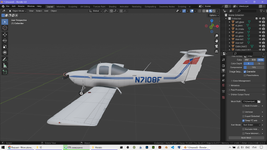
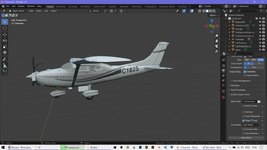
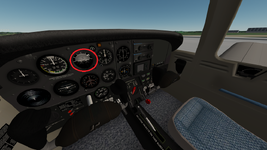
There is an import add-on for Blender that allows to open 3D models in the FlightGear format (*.ac), namely AC3D:


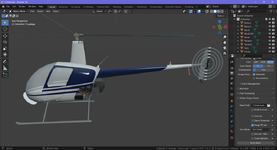
It allowed me to open the models in Blender:

Без імені.pngБез імені2.png

Then I think it may be easy to convert for Orbiter. It looks UV maps and textures are imported correctly.
 
@gattispilot, I am not sure if you are using Blender, but if yes, then there is the plugin that allows to open (import) *.ac files in Blender:
3D models (and textures) are located in the Models folder of the FlightGear add-on I linked above and have format *.ac.

If you do not use Blender, then I might try to convert all needed meshes to another format like *.obj, for example, so you could open it in a 3D program that you are using.
 
Thanks. I don't use blender very much. I wonder which version I should use. I think I have an older version.

So I guess you load the ac model and the convert to msh?
 
Thanks to @misha.physics
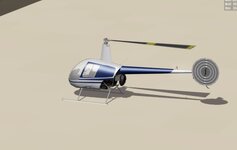
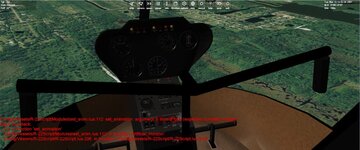
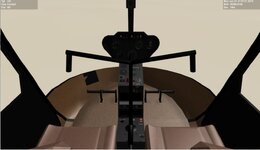
I was able to get this R22 copter into orbiter.
I know there is a LUA copter. I know very little about LUA. I try to make a 2016 DLL copter.
So Not sure what to do with this guy?
 

Attachments

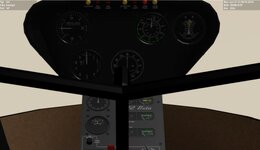
  • r22cockpit3.jpg
    r22cockpit3.jpg
    47.5 KB · Views: 4
  • r22cockpit4.jpg
    r22cockpit4.jpg
    42.5 KB · Views: 4
  • r22cornranch.jpg
    r22cornranch.jpg
    26.2 KB · Views: 4
What I did is copy r4 script and make changes.

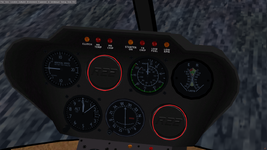
This copter has no artificial horizon, no collective gauge. Maybe the collective is the rotor rpm?

The gauge animation needs work.

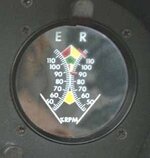
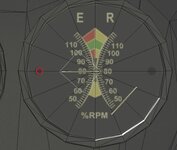
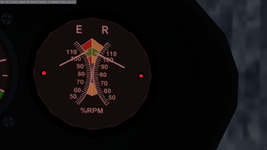
The one gauge I don't understand is the rpm gauge. on this gauge I assume it is a pivot/rotation. but not sure where the pivot point should be?
 

Attachments

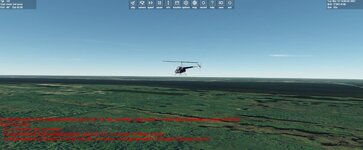
  • r22flight.jpg
    r22flight.jpg
    63.7 KB · Views: 6
  • r22cockpit5.jpg
    r22cockpit5.jpg
    89.2 KB · Views: 6
  • R22_tach.jpg
    R22_tach.jpg
    8.2 KB · Views: 6
This copter has no artificial horizon
It is really absent. But I think you can place the artifical horizon into one of the empty spaces:

Без імені2.png

You can take the artifical horizon from another add-on, for example, here: https://github.com/awall086/pa38. I used it for the PA-38-112 add-on:

2.png
The one gauge I don't understand is the rpm gauge. on this gauge I assume it is a pivot/rotation. but not sure where the pivot point should be?
Looking at its animation I can conclude, that those two indicators (arrows) are rotating around these two red points (approximately):

Без імені.png

Coordinates of these two point and coordinates of a normal vector that defines the rotation plane in the vessel coordinate system depend on the position and orientation of the mesh. These coordinates can be get in your 3D program. I know how to do it in Blender, but I am not sure about Anim8or.
 
Thanks. thats what I though
looking at flight gear
<animation>
<type>rotate</type>
<object-name>RPM.Eneedle</object-name>
<property>engines/engine/n1</property>
<interpolation>
<entry><ind>0.0</ind><dep>0</dep></entry>
<entry><ind>110</ind><dep>85.0</dep></entry>
</interpolation>
<axis>
<x>1</x>
<y>0</y>
<z>0</z>
</axis>
<center>
<x-m>0</x-m>
<y-m>-0.027</y-m>
<z-m>0.0</z-m>
</center>
</animation>

I think the lines would hit in the center with the other gauge. I will adjust the needles so that do not
 

Attachments

  • rpmscreen.jpg
    rpmscreen.jpg
    51.6 KB · Views: 2
Back
Top