Discussion Mesh making with Blender

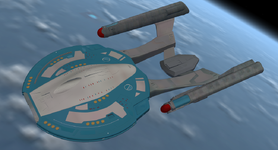
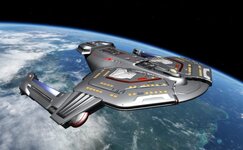
Hello everyone, I've figured out why the mesh export sometimes goes wrong. The best way is to use the same texture for every part of the ship. And then there are no more export problems.

I flipped all the parts upside down and filled in the gaps in the mesh.

It's 41 MB but it looks great.
Now I'm thinking of using the texture painting method, which I've improved in.8.png9.png
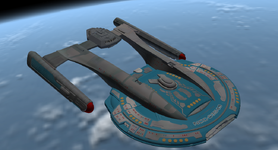
 
Hello everyone, I've figured out why the mesh export sometimes goes wrong. The best way is to use the same texture for every part of the ship. And then there are no more export problems.

I flipped all the parts upside down and filled in the gaps in the mesh.

It's 41 MB but it looks great.
Now I'm thinking of using the texture painting method, which I've improved in.View attachment 48525View attachment 48526
Good job on the Akira, although I'm pretty sure the blue parts are supposed to be grey, just like the rest of the vessel.
 
No, I have little time between my professional life and the upcoming Pictown II.

And I want to find a good working method for this first ship.

And pass this on to others.
At the very least, could you provide gattispilot with some tips and advice regarding Blender?
 
Last edited:
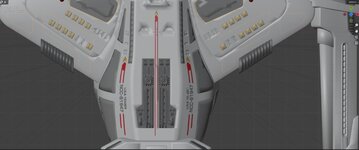
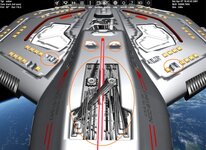
So on the Saber. I think the name and number would be better as a texture. in the image it has the name of the vessel on the top front. But the model doesn't have that.

But then I would need to figure out how to apply that texture.
 
Here's a technique using texture painting from high-resolution photos or images by creating multiple UV files that are then combined into a master image. I used this technique ten years ago to apply real-world textures to vehicles and other objects.

It has evolved, but the process remains the same.

Here's a tutorial for the current version of Blender.

10.png
 
Last edited:
Here's an example with a simple UV unwrapping by projection.
You can switch from cloning the image (clonefrom paint slot) by unchecking the tab to reusing textures from the MainTexture (Shift + right mouse button) to modify or correct parts of it.
 

Attachments

It is probably better to use Blender version 4.2.20 for work intended for Orbiter. AFAIK the Blender tools for Orbiter have not been updated to Blender 5.
 
Blender 4.2 LTS is the latest 'official' release. I see there is now a 4.5 LTS release, I'll take a look at that.

My goal is to support the latest Blender LTS release. That said, I have been using 5.0 and have not found any issues.
 
Though I can't be specific, I had noticed some difficulties when using 5.1.1, so I went back to 4.2.20. Just a heads up but Blender 5.2 will be released in July and it will an LTS release.
 
As for the LTS versions, I'm not worried about them.

The important thing is that it works for our purposes.

And it works with 5.0.1 and others.

However, something very interesting for developers is that V-Ray is currently available for free with over 14,000 assets.

And that's with version 5 up to .0.1.


The link for V-Ray: https://www.chaos.com/vray/blender/co...
 
I just justed a gray and dark gray texture. But not sure how to fix this.
 

Attachments

  • saberblend3.jpg
    saberblend3.jpg
    52.9 KB · Views: 3
  • saber2A.jpg
    saber2A.jpg
    104.7 KB · Views: 3
  • saber2.jpg
    saber2.jpg
    87.8 KB · Views: 3
Back
Top