Discussion Mesh making with Blender

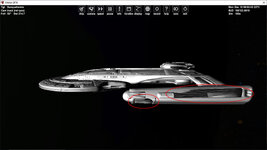
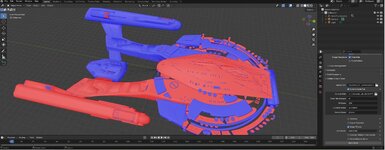
So in the mesh there are holes. It is like some sides are flipped?


Not sure how to load the textures also. But can google that?
 
So I flipped one section. and saw more hole and flipped. I think I got them all. Try this mesh and textures. No cfg. I used VB just to load the mesh.

Size is supposed to be 440M. I wonder how to check that in Blender?
 

Attachments

  • flippednormals.jpg
    flippednormals.jpg
    74.4 KB · Views: 3
  • akiratest.zip
    akiratest.zip
    7.9 MB · Views: 4
So I flipped one section. and saw more hole and flipped. I think I got them all. Try this mesh and textures. No cfg. I used VB just to load the mesh.

Size is supposed to be 440M. I wonder how to check that in Blender?
If you can load the .msh file into blender (it will not load into 4.2.19 for me) you might try using the measure tool (eighth down in tool bar) or use snap measure.
 
Thanks. it is 639meter long. I rescaled. Here is the msh and the blend file
Once you've got the Akira finished, do you think you might have time to work on any of the other vessels? In particular, I'd really like to see the Prometheus and Olympic done eventually, simply because no one else has released those two in any form up to this point.

While you're at it, you should probably send Fast_toche the blend files for the Daedalus so he can help you out with the whole thing.
 
Last edited:
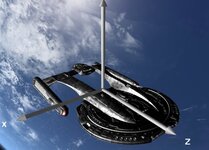
The textures were on previous zip. Which way should the front be?
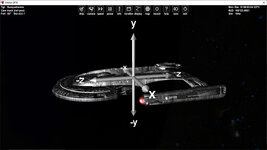
 
The textures were on previous zip. Which way should the front be?
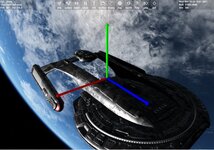
The saucer section should be at the front of the vessel, which it currently isn't.

AkiraAxes.jpg

Also, as stated earlier, I believe the main hull is supposed to be grey, similar to how it appears in the accompanying image in this post. The reflectiveness of the materials should also presumably be similar to how they appear in said image.
 
Last edited:
Try this guy. Rotated and fixed that issue. textures included with the blend file
 

Attachments

  • akiratest2.zip
    akiratest2.zip
    17.2 MB · Views: 4
  • defaultakira.jpg
    defaultakira.jpg
    75 KB · Views: 5
  • d3d9akira.jpg
    d3d9akira.jpg
    90.3 KB · Views: 6
@Fast_toche Can you make some adjustments to the blend file for the Akira, specifically with regards to the color of the hull and the reflectiveness of the materials? Both need to be set to levels similar to those seen in the accompanying image in this post.
 
Last edited:
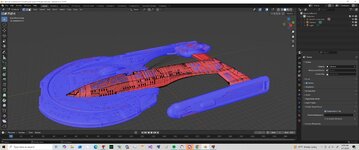
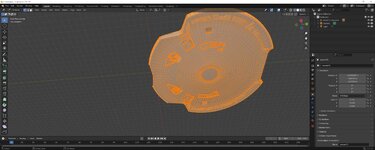
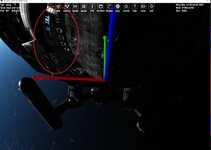
I found some holes. But not sure how to fix it. They are part of the main saucer. If I flip the saucer there are lots more issues
 

Attachments

  • akirahole2.jpg
    akirahole2.jpg
    66.4 KB · Views: 3
  • akirablend1.jpg
    akirablend1.jpg
    75.7 KB · Views: 3
  • akiraholes.jpg
    akiraholes.jpg
    47.7 KB · Views: 3
You don't need to flip normals for the all object. Just select some faces in Edit Mode and flip them.
 
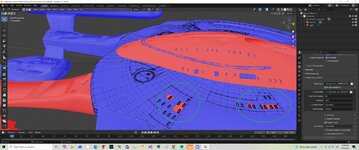
So how to select these faces and flip?
 

Attachments

  • akirahole3.jpg
    akirahole3.jpg
    89.3 KB · Views: 3
Press "3" to choose faces, select the faces with mouse, flip their normals (try Alt+N).
 
Thanks. So can you have multiple blender windows open?
For the saucer I copied and pasted in a new window but I wan to fix it and paste in back into the main one. It seem when I switch it wants to save and close the window
 
Back
Top