Discussion Mesh making with Blender

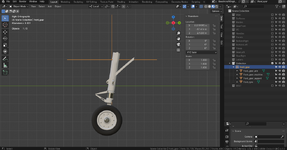
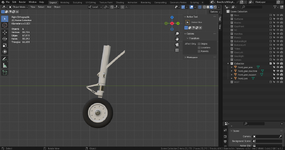
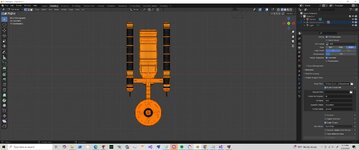
I need some help with Blender. I'd like to remove the selected cross object, but gear meshes shift a little after deleting:

1.png2.png

How can I delete the cross and keep the gear position?
 
Last edited:
If the meshes shift it means that a transformation is applied.

Try 'Ctrl-A' (Apply all transforms).
 
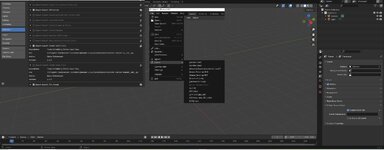
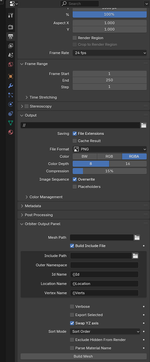
I am trying to get a object to export to a.msh I am using 4.0
I have the newest script installed.
 

Attachments

  • blender1.jpg
    blender1.jpg
    55.3 KB · Views: 8
I am trying to get a object to export to a.msh I am using 4.0
I have the newest script installed.

It doesn't work that way. Be sure to read the documentation that comes with the plugin.

The mesh is generated when you click 'Build Mesh' here. You really get used to it :

1771549762830.png
 
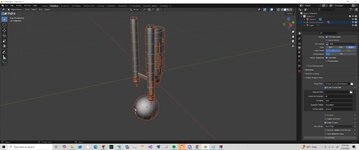
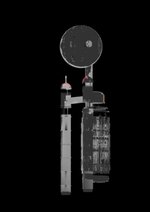
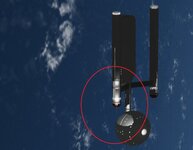
I tried to break this ship into pieces. I just made 1 arm and engine. It converted to a mesh but so many triangles mesh wizard can not read it.
i made it into an .obj and is about 15000kb.
 

Attachments

  • dd2.jpg
    dd2.jpg
    26.5 KB · Views: 5
  • dd1.jpg
    dd1.jpg
    26.8 KB · Views: 5
If you've got it in Blender, go to: Modeling- Mesh- Cleanup- Merge by distance. Also Delete Loose is a good idea, and further you can try the Decimate/Degenerate/Disolve, but be careful not to kill the geometry.
 
That helped. But still issues.
Need to figure the size of this guy
 

Attachments

  • blend4.jpg
    blend4.jpg
    37.1 KB · Views: 6
  • blend3.jpg
    blend3.jpg
    64.4 KB · Views: 7
Need to figure the size of this guy
Are you referring to the Bussard collector antennae? If so, then I'm pretty sure they're already the correct size, at least going by the screenshot.

Either way, you're doing pretty good so far. Hopefully once you've got everything figured out, you can start working on the other spacecraft whose 3D models I sent you.
 
The whole size of the ship. But it has issues. see thru meshs,.......
 

Attachments

  • dd3.jpg
    dd3.jpg
    48 KB · Views: 7
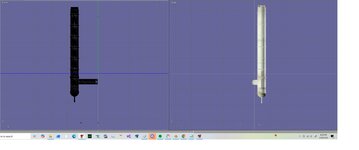
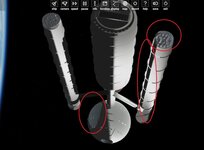
Hard to tell by the pics, blend4 looks like a smoothing problem, may have custom smoothing, happens a lot with imports. Check the the green triangle menu to the right (Object Data Properties), Normals and Geometry data- delete custom data and redo the smoothing.
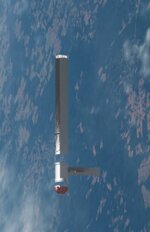
dd3 is either missing mesh? or normals facing the wrong way- flip the respective normals.

And just to note- I wouldn't reccommend applying vertex merge etc. on the whole mesh, but work through each object (piece), otherwise you may fuse unrelated vertices, depends a lot on how the mesh was made and also what the conversion and import did with it.
 
Thanks. I am afraid for me it might be easier to built a new model based off the .obj. Not sure if I am willing to built ALL the vessel asked for though
 
Thanks. I am afraid for me it might be easier to built a new model based off the .obj. Not sure if I am willing to built ALL the vessel asked for though
In that case, we might as well just abort the whole process, since I was asking for someone to convert those specific models for use in screenshots. That being said, there are a few vessels using 3D models by other users that may be more within your area of expertise.
 
In that case, we might as well just abort the whole process, since I was asking for someone to convert those specific models for use in screenshots. That being said, there are a few vessels using 3D models by other users that may be more within your area of expertise.

Can't you let him make simpler models as "temporary" replacement until somebody can get and convert better models or his skills improved? After all, its better than nothing, right? And having more vessels in Star Trek can help make it feel right.

Also I perceive your reply is a bit "utilitarian" and not very nice towards @gattispilot considering his honest efforts to help you. I am sure, that was not your opinion or intention there.
 
Back
Top