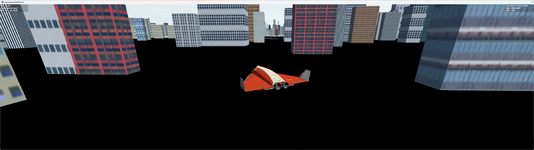
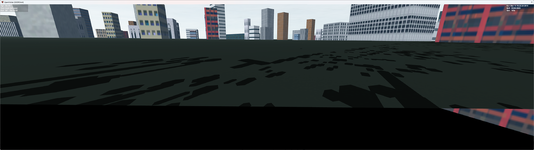
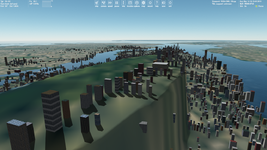
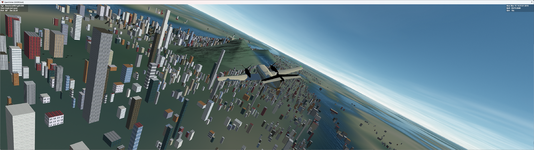
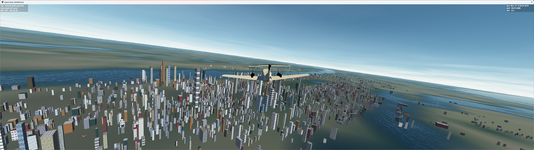
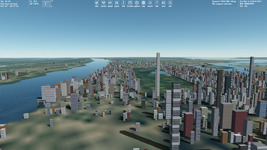
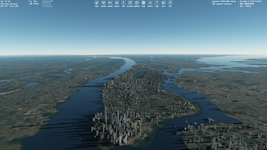
Hey all. I generated a Manhattan.cfg using openmaps. I am not sure if I am making a mistake. It's causing a ton of glitches. From air buildings look as if they are floating off ground but it's really their shadow making it look like that. Very bizzare bugs. I have attached the cfg.
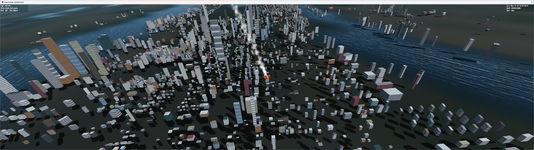
I thought to post it in the D3D9 Client thread, but decided to create a new thread about shadows.
I'm not sure, maybe this was always, but I'm noticing the object shadows problems both in Orbiter 2016 and OpenOrbiter. The shadows aren't exactly on the ground. They can be either above or below the surface. It appears even if the surface elevation is disabled, but the problem is less noticeable. There's the difference between shadows from the pre-defined objects (like BLOCK) and shadows from objects with a custom mesh. I see that the shadows behavior depends on:
1) Default objects or custom...
You could try to use a FLT file for terrain flattening for the Manhattan area. Disabling surface elevation makes shadows to be displayed correct.
And, please, try to make more bases with buildings like this. I tried to make the same earlier (using some generators), but I didn't reach such the good results as you!
Are you set linear interpolation, not cubic for surface elevation in options? Cubic interpolation is broken somehow, but linear one seems to work correct. I made a test. Shadows of builgins on the flatted area look good. I don't know why, but shadows of the rest buildings dissapeared when I use FLT file:
I am using Build 21 Dec 2024, included D3D9Client. When I set surface elevation to linear (it was on cubic) and set this to my flt file:
ELLIPSE 500 -73.9712 40.7813 400 1200 -40 10
I got this monstrosity:
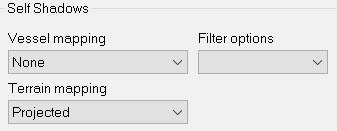
Right now I have set surface elevation to linear, set self shadow terrain mapping to none. It's extreme but that's the only way I can get it to not look totally buggy
Code:
ELLIPSE 0 40.7798 -73.9591 11131 4967 0 15
My FLT file. I am generating tokyo/dubai/paris/hong kong.
This site uses cookies to help personalise content, tailor your experience and to keep you logged in if you register.
By continuing to use this site, you are consenting to our use of cookies.