General Question Generic base objects

Hlynkacg

Aspiring rocket scientist
Addon Developer
Tutorial Publisher
Donator
Joined
Dec 27, 2010
Messages
1,868
Reaction score
4
Points
0
Location
San Diego
I'm not sure if this is the right forum but...

Is it possible to modify (or better yet) define new generic base objects?

I'm starting to get into Mesh-editing and addon development and my initial idea was to mod up some Dry-lake-bed style VTOL pads and a Runway for an Edwards AFB/Groom Lake addon. I would like to be able to the custom landing pads without over-writing the current ones.

It would also be nice to add some domes and antennas to the basic base building blocks and incorporate texture support into the HANGAR3 object.
 
Last edited:
I'm not sure that i understand precisely your project but...

There is, for example, a lot of runways textures coming as addons on orbithangar. Sometimes and maybe always, their names are the same as the generic runways textures and in that case there is, always i hope, something in the readme coming with them ( and often on the presentation of the addon, on OH), a notice saying that that runway dds, that texture, will overwrite, the generic - or actual if it's name is the name of the generic's one - texture for runways, and, by the fact, a warning to the user, to save the generic texture, before the install of the addon.

But the addon can come with a different name and in that case, you will have to change in the cfg for a base, or for all, the name of the dds used for runways ànd create it in Base.cfg.

It can be the same for all generic objects coming with Orbiter.

If you create a new object, you only have to put it's name in the Base.cfg ( Orbiter/config ), and in the bases of your choice ( canaveral.cfg, Brighton Beach.cfg...) for a runway, a lpad, a block, a tank...as texture, and you will see it in Orbiter
 
Last edited:
You mean, like adding a generic type additionally to existing: MESH, BLOCK, HANGAR, HANGAR2, HANGAR3, SOLARPLANT, TANK, TRAIN1, TRAIN2, BEACONARRAY, RUNWAYLIGHTS, RUNWAY, LPAD1, LPAD2A, or extending them by additional parameters which would allow for example aforementioned HANGAR3 texture? No, they are defined in the Orbiter's code, and to extend them you'd need to change that code inside of orbiter.exe. But that would overwrite the default functionality.

Every custom object that doesn't fit in categories other than MESH you put either in the MESH block, which is for custom static objects, or define as a vessel, if you need to animate them (in scenario).

To define a mesh as a launch/landing pad, you can either use LPAD flag of the custom MESH entry, or put a custom mesh in MESH entry without that flag over a LPAD2 entry (flat square) which you define as very small or hidden by that custom mesh (just below its surface).

All available base object types are described in Doc/OrbiterConfig.pdf.
 
Are you planning on making an Area-51 base addon? I've got a set of surface tiles that I'm trying to match to the new textures. But I need to get permission from the author to release them.
 
You mean, like adding a generic type additionally to existing: MESH, BLOCK, HANGAR, HANGAR2, HANGAR3, SOLARPLANT, TANK, TRAIN1, TRAIN2, BEACONARRAY, RUNWAYLIGHTS, RUNWAY, LPAD1, LPAD2A, or extending them by additional parameters which would allow for example aforementioned HANGAR3 texture?

Yes, that is what I meant.

No, they are defined in the Orbiter's code, and to extend them you'd need to change that code inside of orbiter.exe. But that would overwrite the default functionality.

...and that is what I was afraid of. Thank you for the suggested work-arounds though. They are much appreciated.


@C3PO
Short answer: Yes

Long answer: After completing AR81's (Pablo Luna's) base tutorials I started to look around for somthing that hadn't been done yet. It's been bugging me that so many of the bases in Earth.cfg were "Blank" and I was surprised (considering the history) to see that nobody had made a desert tileset to represent Edwards, Mojave, China Lake, and yes even Area 51.

Besides, such an addon would be a perfect compliment to cigdriver's Hyper Dart.

http://www.orbiter-forum.com/showthread.php?t=3517&highlight=Hyper+dart
 
Last edited:
We've had Area 51 for some time now. The first version was a version 1 base. And that's old!:lol:
But it was never released as a complete addon.
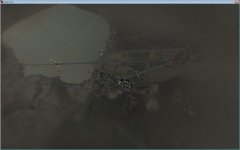
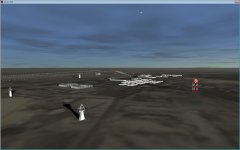
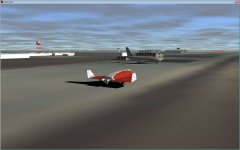
This is what my current version looks like:
Image1.jpg

Image2.jpg

Image3.jpg

Development stopped when the new tiles arrived, because the alignment was off. Then a Orbiter 2010 came along with new textures, so the project kinda halted.
I guess I could put it on orbithangar if anyone is interested. But I still want to finish the base with the new tiles.
 
Well if you want to finish it, do so.

If not, send me the files and I'll work them into what I've already done. I promise to give you proper credit in the readme.

---------- Post added at 03:01 AM ---------- Previous post was at 02:59 AM ----------

I'm gonna have to put in the mountains though, it just doesn't look right flat.

I've currently got surface tiles, a basic Hangar Mesh, and some landing pad textures.

---------- Post added at 03:09 AM ---------- Previous post was at 03:01 AM ----------

PS: the actual name is "Out-Lying Facility Groom Lake" IA (Impact Area)-51 is actually the valley to the South-east
 
Last edited:
More base object questions.

1:
Is it possible to incorperate lights/animation into an object or mesh defined in the "base".cfg? Say a rotating beacon or lighthouse for instance.

2:
Is it possible to define different "Skins" for the same mesh in "Base".cfg? Like if I wanted to load a 5 Billboard meshs but wanted each to display a seperate ad, would I need 5 seperate meshes or could I get away with one mesh and multiple textures?
 
1:
Is it possible to incorperate lights/animation into an object or mesh defined in the "base".cfg? Say a rotating beacon or lighthouse for instance.
No. You need to create those objects as vessels.


2:
Is it possible to define different "Skins" for the same mesh in "Base".cfg? Like if I wanted to load a 5 Billboard meshs but wanted each to display a seperate ad, would I need 5 seperate meshes or could I get away with one mesh and multiple textures?
Yes. It's possible with using TEX property of the MESH object, but all the textures that will be used need to be included in the base.cfg.
 
Thank you for the prompt reply.
 
Just to add to the previous answer.

1. Loading a vessel as a base opens up a world of possibilities to you (especially with the new lighting toys in 2010), but you will always have to have the base present in the scenario file for it to appear. This is good in that people can easily choose whether to include it in the scn, but bad because if they forget, the base will not appear. The other option is to have the base vessel loaded by a module, as I am doing with the new WIN, but that is a C++ thing, so maybe out of your scope atm.


2. You can load custom textures in 2 ways in the cfg file.

a. defining the TEX property on a default object, like this:
Code:
    Block
    POS 550 67 1840
    SCALE 60 10 20
    ROT 241.5
    TEX1 Wall_obs 3 1
    TEX2 Wall_obs 2 1
    TEX3 roof_hangar 2 1
    END

b. You can use a custom mesh, with it's own texture loaded in the mesh file itself:
Code:
    MESH
    FILE Test/Test_mesh
    POS -2463.2	0.6	-1457.6
    SCALE 1 1 1
    ROT 230
    PRELOAD
    UNDERSHADOWS
    OWNMATERIAL
    END
 
We've had Area 51 for some time now. The first version was a version 1 base. And that's old!:lol:
But it was never released as a complete addon.
This is what my current version looks like:
View attachment 6579

View attachment 6580

View attachment 6581

Development stopped when the new tiles arrived, because the alignment was off. Then a Orbiter 2010 came along with new textures, so the project kinda halted.
I guess I could put it on orbithangar if anyone is interested. But I still want to finish the base with the new tiles.

That looks really good :3
I'd use the base if you upload it, but yeah take your time to realign it with the new tiles!
 
Last edited:
b. You can use a custom mesh, with it's own texture loaded in the mesh file itself:
Code:
    MESH
    FILE Test/Test_mesh
    POS -2463.2	0.6	-1457.6
    SCALE 1 1 1
    ROT 230
    PRELOAD
    UNDERSHADOWS
    OWNMATERIAL
    END
Custom meshes can use the TEX property as well. You don't define OWNMATERIAL then but "TEX texture", and in the mesh you create a UV map for TEXTURE 0 (but without adding that texture's file name to the list of textures in the mesh).

----------

This is good in that people can easily choose whether to include it in the scn, but bad because if they forget, the base will not appear. The other option is to have the base vessel loaded by a module, as I am doing with the new WIN, but that is a C++ thing, so maybe out of your scope atm.
Just to add, I was working on something like this for extended parameters of base configuration files - Enhanced Bases Environment. It kinda works in my test version at home, but in the meantime I added a bugged vessel hider (which among other things would prevent saving the vessel objects added from configuration files to saved scenario, which is saved otherwise and vessels are created multiple times if such scenario is reloaded), and haven't finished that. The work is currently on-hold, but I'll get back to it eventually. :thumbup:
 
Custom meshes can use the TEX property as well. You don't define OWNMATERIAL then but "TEX texture", and in the mesh you create a UV map for TEXTURE 0 (but without adding that texture's file name to the list of textures in the mesh).

Well I didn't know that, thanks for the info.


Just to add, I was working on something like this for extended parameters of base configuration files - Enhanced Bases Environment. It kinda works in my test version at home, but in the meantime I added a bugged vessel hider (which among other things would prevent saving the vessel objects added from configuration files to saved scenario, which is saved otherwise and vessels are created multiple times if such scenario is reloaded), and haven't finished that. The work is currently on-hold, but I'll get back to it eventually. :thumbup:
Looks interesting! Let me know how dev foes, if it goes at all! ;)
I'll be opening up the new WIN for closed Beta soon, so if you want to see what Face has done with the back end, feel free to sign up. I'm sure he'd be happy to share the source.
 
Custom meshes can use the TEX property as well. You don't define OWNMATERIAL then but "TEX texture", and in the mesh you create a UV map for TEXTURE 0 (but without adding that texture's file name to the list of textures in the mesh).

Block
POS 550 67 1840
SCALE 60 10 20
ROT 241.5
TEX1 Wall_obs 3 1
TEX2 Wall_obs 2 1
TEX3 roof_hangar 2 1
END

Forgive me if I'm being dense but how do I define which of these textures go where in the *.msh file? I've tried loading "TEX" as opposed to "OWNMATERIAL" but it re-paints the entire model and I only want to re-paint a portion of it. The intent (if you look in my addon thread) is to be able to paint the outer walls of the launch berms in an location oppropriate color (IE Regolith Grey for the Moon, Rust Brown for Mars) without over-writing the inner wall's texture.
 
The quoted object is a BLOCK which is a cuboid and not a custom mesh. The MESH only allows one TEX entry. What will be textured in which way is defined by UV map. If you want a part of mesh to use a single color, but texture is for example a 256x256 multicolor image, you find a pixel or group of pixels of that color you want and set the same UV coordinate of the pixel/group of pixels using that color in the texture for all vertices of the face you want in this color. The texture is for the entire model. The texture may contain all components of the building you create, interior and exterior and all walls, ceiling, floor, some markings, and other things the model includes. How the mesh is textured depends on the UV map applied in the mesh. If you want interior and exterior textured, you need a single texture having defined interior and exterior.

For the example Regolith Grey or Rust Brown outside and blue inside you create one texture having Regolith Grey exterior parts and blue interior parts, and another having Rust Brown exterior parts and blue interior.
 
Ok I think I understand now.
 
Originally posted by orb

"Custom meshes can use the TEX property as well. You don't define OWNMATERIAL then but "TEX texture", and in the mesh you create a UV map for TEXTURE 0 (but without adding that texture's file name to the list of textures in the mesh)."

And, tell me if i'm wrong, but if one use the ownmaterial tag, there will not be any possibility to have a night version texture for that meshe ( except maybe through the meshe section in the base cfg that Notebook use sometimes but about wich one - that section - i've never read anything in the docs - maybe an old implementation in Orbiter - or understood the use )

( But on another side: access to different properties for the meshe - transparency, reflectivity, colors... and things like that at the end of the meshe text - that one cannot have directly or cannot have at all with the TEX property )
 
Last edited:
And, tell me if i'm wrong, but if one use the ownmaterial tag, there will not be any possibility to have a night version texture for that meshe.
If you mean that orbiter core won't auto switch for you, based on a tex_n.dds alpha, then yes, that is my experience from making WIN.
 
And, tell me if i'm wrong, but if one use the ownmaterial tag, there will not be any possibility to have a night version texture for that meshe.
Yes, that's right. If you use TEX property you can create a night variant of the texture having "_n" suffix. OWNMATERIAL doesn't allow this.

( But on another side: access to different properties for the meshe - transparency, reflectivity, colors... and things like that at the end of the meshe text - that one cannot have directly or cannot have at all with the TEX property )
That's right too. Meshes not using OWNMATERIAL but TEX property instead can only use the features of the texture (which includes transparency).
 
Back
Top