News Gallery of add-ons in development

Maybe an animation, with the rover as the moving part. Then, once the animation is over, create a new vessel.
Thanks. I may try that. I have thought about an moving attachment,....
I can add the rover mesh as extra mesh and animate it moving off and the create it and the end of the ramps.

Like to see others working on things
 
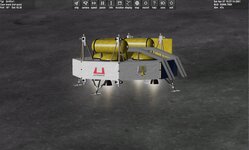
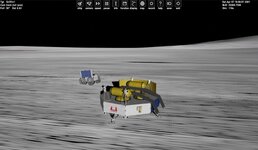
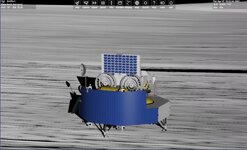
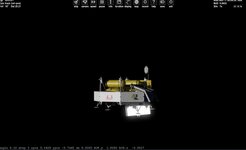
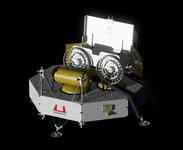
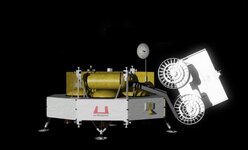
So trying to get the rover off. 2 methods. 1 method move a fake rover mesh to the spot and delete and create a vessel
2 which is easier make an attachment point and move the point and the rover vessel to the spot and release. The drawback to this is the wheel will not turn. I suppose I can make the wheels spin with out movement. Not sure how to tell the rover to spin wheels from the lander?

I think I will go with the attachment as I have tried the mesh and there are issues,......
 
I found some old code I did for a lander.
but I am getting weird issues.

deploystep seems to change.
int CAM,deploystage;
initialed deploystage = 0;
And then press "D" to start the deploy process

if ((key == OAPI_KEY_D) && !KEYMOD_CONTROL(kstate)) {

deploystage = 1;
}

and then move the attachment
SetAttachmentParams(LNDR, ROVERPOS, ROVERDIR, ROVERROT);
if (deploystage == 1)//move along z axis
{
ROVERPOS.z = (ROVERPOS.z + dc);//z axis
if (ROVERPOS.z > .4) {
ROVERPOS.z = .4;

deploystage = 2;
}
}

if (deploystage == 2)//tilt down
{
double df = simdt * 7;

angle = angle + df;
ROVERROT = _V(0, sin((angle) / 180 * PI), -cos((angle) / 180 * PI));
ROVERDIR = _V(0, cos((angle) / 180 * PI), -sin((angle) / 180 * PI));

if (angle >= .05) {
angle = .05;

deploystage = 3;

}

if (deploystage == 3)//move along rail
{
ROVERPOS.x = (ROVERPOS.x - dd);
ROVERPOS.z = (ROVERPOS.z + de);

if (ROVERPOS.z > 2.0)deploystage = 0;
}

}
 

Attachments

  • DEPLOYSTEPISSUE.jpg
    DEPLOYSTEPISSUE.jpg
    41.2 KB · Views: 7
So no idea why the rover is spinning. It should just rotate to the angle needed. and go to the next step which is just moving the position. But it keeps spinning.

if (deploystage == 2)//tilt down
{
sprintf(oapiDebugString(), "angle %2.2f step %d r3 %3.4f r2 %3.4f ", angle, deploystage, ROVERPOS.z, ROVERPOS.y);
double df = simdt * 7;
angle = angle + df;

ROVERROT = _V(0, sin((angle) / 180 * PI), -cos((angle) / 180 * PI));
ROVERDIR = _V(0, cos((angle) / 180 * PI), -sin((angle) / 180 * PI));

// if(angle > .05) angle = .05;
if (angle > .1) angle = .1;
if (angle == .1) deploystage = 3;//angle reached so go to next step
}

if (deploystage == 3)//move along the rail
{
//sprintf(oapiDebugString(), "angle %2.2f step %d r3 %3.4f r2 %3.4f ", angle, deploystage, ROVERPOS.z, ROVERPOS.y);
sprintf(oapiDebugString(), "angle %2.2f step %d zpos %3.4f ypos %3.4f de %3.4f ROT.y %3.4f ROT.z %3.4f ", angle, deploystage, ROVERPOS.z, ROVERPOS.y, de, ROVERDIR.y, ROVERDIR.z, ROVERROT.y, ROVERROT.z);

ROVERPOS.y = (ROVERPOS.y - dd);
ROVERPOS.z = (ROVERPOS.z + de);

if (ROVERPOS.z > 2.0)deploystage = 4;
}
 

Attachments

  • roverdeploy1.jpg
    roverdeploy1.jpg
    26.5 KB · Views: 4
So weird. I get the rover attachment point to tilt. Then it is just suppose to to translate. It does but the rover is rotating also.
if (deploystage>0 )SetAttachmentParams(LNDR, ROVERPOS, ROVERDIR,ROVERROT); if deploying then move attachment
if (deploystage == 1)//move along z axis
{
ROVERPOS.z = (ROVERPOS.z + dc);//z axis
if (ROVERPOS.z > .4) {
ROVERPOS.z = .4;

deploystage = 2;
}
}

if (deploystage == 2)//tilt down
{
sprintf(oapiDebugString(), "angle %2.2f step %d dir.y %3.4f dir.z %3.4f ROT.y %3.4f ROT.z %3.4f ", angle,deploystage,ROVERDIR.y, ROVERDIR.z, ROVERROT.y, ROVERROT.z);


angle = angle + df;
if (angle > .1) angle = .1;
ROVERROT = _V(0, sin((angle) / 180 * PI), -cos((angle) / 180 * PI));
ROVERDIR = _V(0, cos((angle) / 180 * PI), -sin((angle) / 180 * PI));


if (angle == .1) deploystage = 3;//angle reached so go to next step
}

if (deploystage == 3)//move along the rail
{
//sprintf(oapiDebugString(), "angle %2.2f step %d r3 %3.4f r2 %3.4f ", angle, deploystage, ROVERPOS.z, ROVERPOS.y);
sprintf(oapiDebugString(), "angle %2.2f step %d zpos %3.4f ypos %3.4f de %3.4f dir.y %3.4f dir.z %3.4fROT.y %3.4f ROT.z %3.4f ", angle, deploystage, ROVERPOS.z, ROVERPOS.y, de, ROVERDIR.y, ROVERDIR.z, ROVERROT.y, ROVERROT.z);

ROVERPOS.y = (ROVERPOS.y - dd);
ROVERPOS.z = (ROVERPOS.z + de);
//ROVERPOS.z = .5;

if (ROVERPOS.z > 2.0)deploystage = 0;
}
if it goes to stage 3 where it is just to translate it rotates the rover. But watching the values of the attachment point it isn't changing??
 

Attachments

  • GRIFFINROVER1.jpg
    GRIFFINROVER1.jpg
    37.5 KB · Views: 2
Last edited:
Closer
I made a robotic arm that the rover attaches too. No idea about the Lander spec though
 

Attachments

  • roverdeploy1.jpg
    roverdeploy1.jpg
    43.3 KB · Views: 4
Last edited:
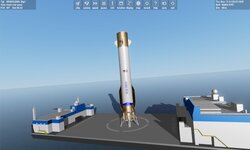
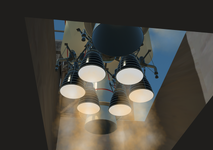
The first stage engines animations are quite an headache, but we'll get there. An integrated Inverse Kinematics solver would be very cool, if someone is good at that stuff...

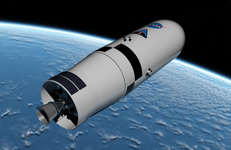
EDS (Earth Departure Stage), with that bad boy we can leave the Earth SOI and boldy venture into deep space :

(Have to add 4 separation SRMs for clean extraction from the long interstage, that stays fixed to the first stage)

1765079503158.png
 
Back
Top