
:compbash:


Oh, and Face - please merge in back to your branch.
Ok, whatever you prefer. Since there are just a few changes, if you want you can take my code and adapt it in so it would work and compile with 2010 P1 - it should be fairly simple. For convenience you can create a conditional compilation so it will be possible to build it against both beta and release versions.I'll do so, but I want to stay with the 2010P1 version, so it might take a while until I push the merge...


Thanks. I was about to start writing a converter for Celestia normal maps in order to test normal map support that I've already implemented.I put together a level_7 normal map for the moon a while back. (image source: LOLA Science Team)
I thought it might be of some use to Glider if he's working on planetary normal map support.
Assuming D3D11 will use the .tex format for planet normals.


Thanks. I was about to start writing a converter for Celestia normal maps in order to test normal map support that I've already implemented.
Currently it is able to work with up to L18 tile mesh resolution and performance similar to old tilemanager (it can render L19 and L20 as well, but float precision is too low for them to be rendered properly.) Though, L18 seems to be enough for detailed terrain.
Wow that's great news! I can't wait to see it in action!Thanks. I was about to start writing a converter for Celestia normal maps in order to test normal map support that I've already implemented.
BTW, I've already created new terrain code (for vegetation too, but that thing isn't debugged so far and will require a lot of work on textures and meshes) with support of normal, height and LCC maps. Currently it is able to work with up to L18 tile mesh resolution and performance similar to old tilemanager (it can render L19 and L20 as well, but float precision is too low for them to be rendered properly.) Though, L18 seems to be enough for detailed terrain.
Hmm, if I remember correctly, you said that you won't be using normals for L9+, but instead you will be using heightmaps + GS to generate terrain. In that case you won't need normal maps because you will caclulate normals inside GS...D3D11 will use _norm.bin for L9-LMAX texture offset data, _norm.tex for L1-L8, and _tile_norm.tex for L9-LMAX.
I used to be a good C++ developer, until I moved to .NET C# around 10 years agoHey, that's a programming task I might actually be able to handle. I'll give it a shot.( I speak c++ at a 4th grade level)
But I still remember how to write and use templates - that's a good sign!
I think I should add normal map support for all L that was found in files (so, users that don't want to enable terrain by some reason will still be able to use L10 or L12 normal maps), and use altitude (or other parameter. I still need to test it.) to switch between normal and heightmap (gradually) if user enabled terrain. So, while at 500 km orbit (it means that L8, L9 and L10 tiles will be used) you will see only normal mapped L9-L10 Earth textures on flat tiles, and when you are at 80km you will see real terrain. Also, I think that I will use VS to generate heightmapped tiles for FL10, and tesselate meshes in FL11 only, because FL11 hardware tesselation is much better than anything that can be done in GS.Hmm, if I remember correctly, you said that you won't be using normals for L9+, but instead you will be using heightmaps + GS to generate terrain. In that case you won't need normal maps because you will caclulate normals inside GS...
Well that might actually be a problem. Imagine you're descending somewhere around Everest mountain. As we all know, it's almost 9 km high, so when this transition occur I doubt you won't notice surface jumping to 9 km, unless it's REALLY far away. It's even worse in case of Mars - as there are [ame="http://en.wikipedia.org/wiki/Olympus_Mons"]mountains[/ame] as high as 21 km. So this consideration effectively demands heightmaps usage for L8 and higher levels, so no normals will be needed - even if you won't be using GS for tesselation, you can use it to dynamically caclulate normals since all primitive's vertices are available in GS.I think I should add normal map support for all L that was found in files (so, users that don't want to enable terrain by some reason will still be able to use L10 or L12 normal maps), and use altitude (or other parameter. I still need to test it.) to switch between normal and heightmap (gradually) if user enabled terrain. So, while at 500 km orbit (it means that L8, L9 and L10 tiles will be used) you will see only normal mapped L9-L10 Earth textures on flat tiles, and when you are at 80km you will see real terrain.
Indeed it is - that's why originally I was going to create FL11-only engine - since there are just too many things in FL11 that are well worth usingAlso, I think that I will use VS to generate heightmapped tiles for FL10, and tesselate meshes in FL11 only, because FL11 hardware tesselation is much better than anything that can be done in GS.
But since are trying to create FL10-compatible engine, I thing we still shall use GS for some tesselation - even in gs_4_0 you should be able to subdivide single triange into ~20-30 new ones, which would provide much better quality. And if you'll add GS instancing (multiple invocation of GS shader for the same input primitive) on top of that, you should be able to come adequatly close to HW tesselation, unless latter is used with 64x64x64x64 factors According to NVIDIA website your video card is DirectX 10-compliant, so it does meet minimun requirements to run the client.I just do as asmi said,but when I open orbiter.exe or orbiter_ng.exe,it crash to desktop.
My computer specs:win7sp1 and video card is nVidia 9800GT.
How can I do?
As far as I understand Glider is going to implement collisions with ground as part of this whole terrain thing. Otherwise it would look a bit stupid...If you are planning to add terrains would it be possible to make the height value available at each point on the surface so I can try to use it to collide vessels ?
Of course. All tiles have system memory copy of their heightmap, so it is possible to quickly find height and surface normal for any latitude and longtitude. Planets without heightmaps will have generated heightmaps for all L8 tiles + L9 and higher heightmaps will be created dynamically in the same way default Orbiter client loads tiles from _tile.tex files. (level that should be generated for whole planet and maximum dynamically generated level will be included in cofig files, so it will be possible to generate heightmaps for all L9 or L10 tiles too and not only L8)If you are planning to add terrains would it be possible to make the height value available at each point on the surface so I can try to use it to collide vessels ?
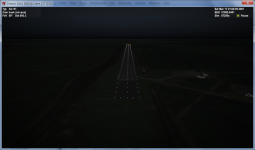
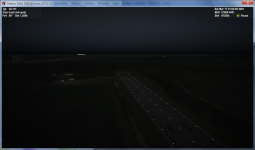

As I said - when I need something - I just go and take it, not wait until it will be given to meRunway lights in a graphics client? asmi, you da man.
It took me about a day to implement and debug config file parser, but this is a worthwhile investment, as there are some objects (like runway lights, beaconlights, solar arrays) that have to be read directly from bases' configs in order to be displayed...
Thanks for taking up the challenge of implementing runway lights in a graphics client! BTW, will sunrise/sunset effects like this one be implemented:As I said - when I need something - I just go and take it, not wait until it will be given to me
Besides, this is my end target when it comes to rwy lighting:
So I've still got work to do :tiphat:

Well someone has to be first to do thatThanks for taking up the challenge of implementing runway lights in a graphics client!
I sincerely don't understand how you all guys (I mean those who use graphic clients) are landing without lighting... Or do you time your reentries so it will be day landing?I was thinking about implmenting it when I was working on post-processing effect, but I couldn't find any whitepaper more or less completely covering physical principals of lens glare's appearance so I could code it appropriately - remember this is a simulator, so effects have to be real tooBTW, will sunrise/sunset effects like this one be implemented:
Currently all PP effects work only for FL11 (so only DirectX 11-compatible hardware, effects are automatically turned off if hardware is not DirectX 11-compatible), so I will get back to them after I'll be done with lighting, so yes - eventually this will be done one way or another.I started a new thread for putting together a package of planetary textures, normal maps, height maps, vegetation models, etc... for use in the D3D11 client.
http://orbiter-forum.com/showthread.php?t=26097


