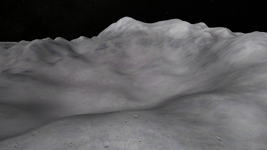
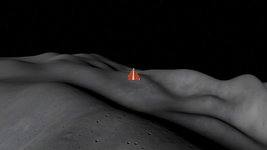
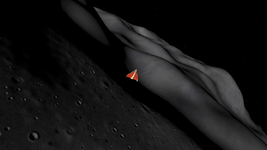
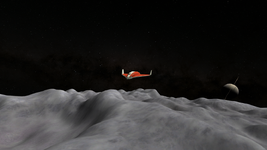
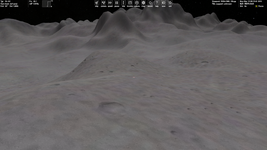
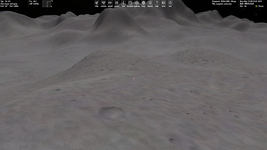
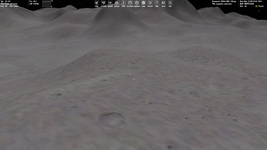
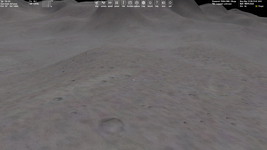
Question Custom Planet Elevation Maps for Orbiter 2016?

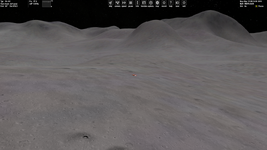
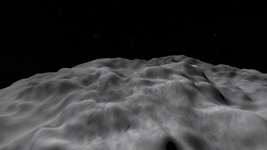
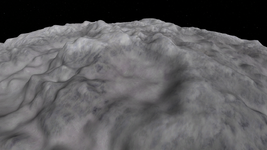
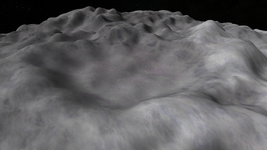
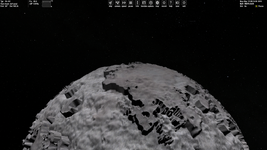
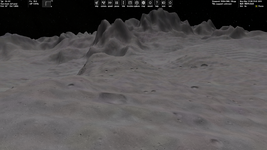
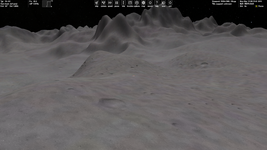
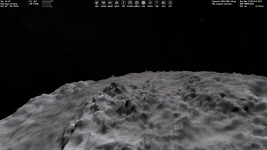
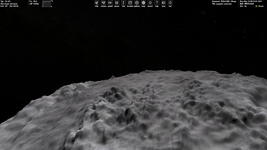
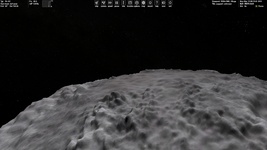
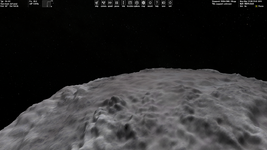
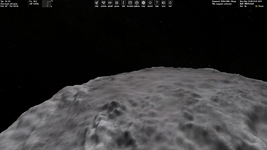
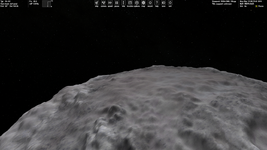
Sadly, for now I don't understand what causes these steps.
I've read your other posts too regarding the steps, I think that my issue was a combination of the source image I was using (not the file type, but the actual details in the image), and the ElevationResolution parameter. I found that removing that altogether helped reduce the steps.

As @N_Molson very kindly demonstrated with Blender, increasing resolution increases the number of vertices, which sounds like it would always be good, but if you do not have an appropriately high resolution heightmap level, then you will just end up seeing very detailed close-up pixels. At least I think this is what is happening...

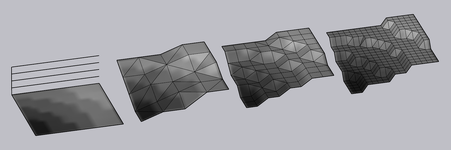
I have made a little diagram below which should explain this:
1765266767749.png
The leftmost image represents how a heightmap may look when 'zoomed in' (close to surface when using a lower patch resolution, level 7 for example) Notice how at this closeness, individual 'pixels' can be resolved.

The next three images represent two-fold increases in resolution (more points). The first image has an appropriate resolution for the elevation map's patch resolution (level), the second is getting too high, step artifacts can be resolved, and the last image is far too high, step artifacts are very pronounced.

There are other issues which can pronounce this step artifact even further. One would be a high relative relief. If the relief is high relative to the body's size (say Hyperion or Mimas), you're still only working with 256 variations in elevation (0-255 in a signed 16 bit image), so the differences between each variation become more pronounced. The other is I think what I was experiencing; stretching the image's histogram so I reduced these variations further (0, 2, 4, 6, ..., 255) essentially halving the number of variations I could work with. My case I think was a particularly niche and silly error, and I think most would be unlikely to encounter that.

My advice would be to entirely remove the ElevationResolution parameter, as I think most of the time Orbiter infers it based on the base level. Another thing I would suggest is try applying a significant blur to your heightmap, just to test. If blurring the image resolves the step issue, then I'd say you are facing simillar difficulties to those I was.

I will try your attached 'Elev.zip' and have a play too.
 
Last edited:
I will try your attached 'Elev.zip' and have a play too.
Update:
@misha.physics your attached heightmap looks great! I used it for Hyperion, following parameters:

Code:
; === Visualisation Parameters ===
TileFormat = 2
MaxPatchResolution = 22
HorizonExcess = 1000

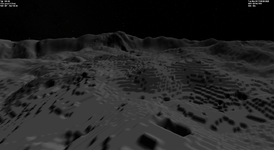
I did play with the ElevationResolution and found higer resolution yielded steps, as I theorised in my last post:
ElevationResolution = 100ElevationResolution = 1
1765268622069.png1765268697460.png

ElevationResolution values < 1 resulted in increasingly more strange results, as you demonstrated in your image (below).
1765269188464.png

Another update:
I think there is also something else at play here. Making the ElevationResolution value ludicrously high actually creates more pronounced steps with fewer elevation variations...

ElevationResolution = 2000:
1765269605830.png
 
Last edited:
@Mr Martian, thanks for the tests.
I did play with the ElevationResolution and found higer resolution yielded steps, as I theorised in my last post
So, I was wrong here, isn't it?:
Maybe the ElevationResolution parameter is just the distance (in meters) between "vertices" as in your Blender analogy. Then it is obvious that smaller values of the parameter give more detailed (smooth) landscape (more polygons).
Namely, I thought that larger values of the "ElevationResolution" mean lower resolution of elevations.

I blurred my source image using 5 pixels Gaussian blur in Photoshop and remade "Elev.tree". The steps disappeared. Also I commented "ElevationResolution":

Old:

0.png

New (blurred). It looks even better:

5.png

I should try less blurring (2-3 pixels). I attach the new file.
 

Attachments

:(

I haven't tested the batch file, have you tried using the "old" method?
When up/down-scaling in Photoshop are you using Bicubic? Somewhere noise is being added?

On a side note I found a free offline AI upscaler "Final2x-windows-x64-unpacked", but haven't tested it yet.
Just wondering, but do you know of anyone who can provide me with some surface tiles for the Paris region?
 
Just wondering, but do you know of anyone who can provide me with some surface tiles for the Paris region?
Elevation or surface? Surface tiles are relatively easy to make. Google satellite imagery would be the best place to start, but I am not sure on licensing surrounding that. If you are concerned about licensing somewhere like this might be a good place to start looking.
 
I should try less blurring (2-3 pixels). I attach the new file.
This does look better, but obviously with blurring you lose some detail. I think why the blurring helps, is if you have a lot of contrast between pixels (say a 255, 255, 255 next to a 213, 213, 213) then that will be more likely to cause steps. So blurring helps to ensure that each pixel is only brighter/darker by a point or two. Again, this is my experience. I am not sure if this is actually what is occurring, but extensive testing with layering different blurred imagery seems to prove it. So this is not an issue with Orbiter but rather your source image. Blurring obviously creates a loss in detail, so you can try having your original, unblurred image as a layer over the blurred one, with some transparency. This will help to soften sharp contrast between adjacent pixels. I did this a few times at different blur levels and overlaid transparency to find the sweet spot with Mimas.

So, I was wrong here, isn't it?
I'm not sure to be honest. I think you are right, as per Orbiter's manuals, but they do not discuss the parameter in much detail.
Orbiter User Manual:
▶ Planet config files: now parse ElevationResolution tag for rescaling elevation data to a target
resolution (exposed to graphics clients via oapiGetObjectParam)
Orbiter Developer Manual:
ElevationResolutionFloatTarget resolution of elevation data [m].

I feel like the strange results we see are a result of an overflow of some kind. Especially the strange sudden relief changes below. This looks how a mismatch in 8-bit vs 16-bit heightmap appears:
1765354574091.png

All I can confidently say is: Ensure your source elevation map is smooth, and omit ElevationResolution, or at least keep it along the lines of 1-50...

Black gap :cry:
Is this at the -180, 180 seam by chance? Make sure you apply any blurs to the base 2:1 image, not the padded image. Blurring the padded image will likely create variations in the padding on either side. I'd recommend working with a base 2:1 image and using the batch conversion tool I made to add padding to save time and ensure padding is added after any other editing.
 
This does look better, but obviously with blurring you lose some detail.
Yes. But, actually, those sharp peaks looked not very natural, whereas with blurring they're more smooth. I really find it better. But I'll try 2-3 pixels blurring when I get more free time.
I did this a few times at different blur levels and overlaid transparency to find the sweet spot with Mimas.
Transparency for ELV tiles? I even didn't know it's possible at all and I don't know how to do it. Actually, I think a little blurring without transparency gives preety good results.
Is this at the -180, 180 seam by chance?
I thought about it, but I didn't check it yet. I'll try to do it.
I'd recommend working with a base 2:1 image and using the batch conversion tool I made to add padding to save time and ensure padding is added after any other editing.
Yes, that's exactly how I did it.

By the way, your batch script is limeted by 9 LVL. Is it possible to add at least 10 LVL? Or will the conversion take a too much long time for 10 LVL?
 
Elevation or surface? Surface tiles are relatively easy to make. Google satellite imagery would be the best place to start, but I am not sure on licensing surrounding that. If you are concerned about licensing somewhere like this might be a good place to start looking.
Just the surface tiles.

In particular, I need some for the areas containing the Place de la Concorde and the Eiffel Tower.
 
Just the surface tiles.

In particular, I need some for the areas containing the Place de la Concorde and the Eiffel Tower.
As mentioned, you should be able to source satellite imagery of areas on Earth from some of the sources in this link I provided you with earlier.

I do not have experience with creating local elevation or surface tiles for bases in the Orbiter 2016-2024 format. Currently I am still trying to streamline a process for global elevation maps. I am hoping all of us in this thread can follow along and even out any confusion/issues to get a consensus/manual happening. I am working through the Saturnian moons in this process. After this, I will move onto local tiles for surface and elevation, so we can get a consensus on that, but it's not in my scope right now.

Maybe you could convert this one
If you have a go at converting that, feel free to share your process as that will be super helpful for us to develop a streamlined method. Elv Tile Splitter would be a good place to start, it does surface imagery too.

Good luck! I'll be doing local elevation tiles later, and I'll be sure to share my process when I do.
 
Transparency for ELV tiles? I even didn't know it's possible at all and I don't know how to do it. Actually, I think a little blurring without transparency gives preety good results.
Sorry I should have been more specific, I meant just in Photoshop. I had my base image, I duplicated the layer, blurred the bottop layer, then set the transparency of the top (original unblurred) layer to something like 25%, then I flattened the image and saved as a 16-bit greystyle png for use. This way I could blur the whole map, but still retain some of those finer details at a softer amount. Hope that makes sense.

By the way, your batch script is limeted by 9 LVL. Is it possible to add at least 10 LVL? Or will the conversion take a too much long time for 10 LVL?
Unfortunately since it takes a whole global image, level 10 would be 32768x16384 pixels, which throws an Image Magick error, the filesize is just too big to work with. At that point you'd have to break it up into two 16384x16384 images, but my batch script doesn't support anything like that at this stage.
 
This way I could blur the whole map, but still retain some of those finer details at a softer amount. Hope that makes sense.
Thanks, yes, now I understood.
Unfortunately since it takes a whole global image, level 10 would be 32768x16384 pixels, which throws an Image Magick error, the filesize is just too big to work with.
Yes. By the way, from my experience the ImageMagick can resize an image from 16384x16384 and crop an image from 32768x32768 (on my laptop).
 
@Mr Martian, I was going to ask regarding two imputs in your script: "Elevation scale factor (meters)" and "0-altitude offset". Could you please briefly explain what they mean?
 
Is it necessary to make and use low resolution levels for elevation tiles? I mean levels 1-3.
 
Comparison for 0, 1, 2, 3, 4 and 5 pixels blurring, respectively (far distance):

00.png11.png
22.png33.png
44.png55.png

Personally, I like the 5 pixels blurring. It gives less details, but more smoothness.

ElevationResolution is commented out.
 
Back
Top