Console mode

Gondos

Well-known member
Joined
Apr 18, 2022
Messages
514
Reaction score
707
Points
108
Location
On my chair
With the imgui update, the console mode is a bit broken. Trying to open dialog boxes won't work (since there is no graphics client loaded to display them).
Before making plans on how to fix it, it would be nice to know how/if people are using it or if it's just a fallback for the case when a GC has not been selected.
Some options :
  • remove it entirely
  • keep it but without the dialogs
  • hack something with a minimal graphics client to display the dialogs but hide the main window (least favorite)
 
I've never found it useful, just a fallback, as you say. Did the dialogues work in this mode before the imgui update?

Part of me did wonder if there was a possibility to use one PC to run the sim and send VIDEODATA to another computer running a GFX client, but I'm not sure if you can actually do that at the current moment (or why it would be beneficial to do so). In which situation, you'd probably want option 2.

I have however also been toying with the idea of setting the D3D9 client as the default selected option OOTB, which would also probably reduce the amount of complaints about unexpectedly landing in this mode.
 
I think it isn't too crazy to assume that D3D9 is the standard in 2025(6). And it just runs better, besides that.

My only concern would about the Debug mode, which seems to still use D3D7.
 
Console mode is very useful if you want to run a long-term scenerio without user intervention, or the overhead of running the graphics client.

Long-term state propagation, especially with fixed-timestep mode are how I tested the new gravity models. I have also used this for systems stability tests with NASSP.
Rendering frames takes a significant portion of the resources in each timestep. You can easily get 5-7kfps with the graphics client off (unless you use RK8 for all timestep lengths, and high order gravity models), so you can easily get through a lot of testing like this.

Please don't remove this feature. Maybe we could make it more command-line friendly though (ncurses, or seperate thread for text commands a la Hercules)

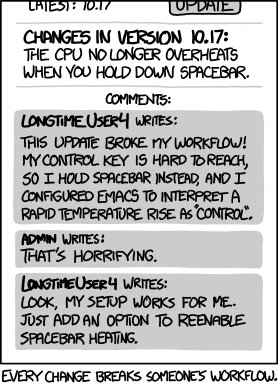
Also, sorry, the obligatory XKCD:
workflow.png


Part of me did wonder if there was a possibility to use one PC to run the sim and send VIDEODATA to another computer running a GFX client, but I'm not sure if you can actually do that at the current moment (or why it would be beneficial to do so). In which situation, you'd probably want option 2.

You'd need the client to send input back to the server too...but imagine if you had one computer running the orbiter core (server) and you had 2 (or more) graphics clients on seperate computers, with their own focus vessels...
 
Last edited:
Please don't remove this feature. Maybe we could make it more command-line friendly though (ncurses, or seperate thread for text commands a la Hercules)
I'd be content for it to stick around, but perhaps not as the default option out of the box. And there also remains the question of proper dialogue handling in this mode, since there is no renderer.
 
For linux support we'll need a renderer active from the start to display the launchpad. I don't think it's impossible to keep handling the GUI and bypass the 3D stuff that's CPU/GPU heavy.
If the dialogs are just used to complement commands that are unavailable in the console, we can just add those. In that case it may be possible to start without a GC, provided we add a command to start a scenario from the console (I think one can also automatically start a scenario from the command line, not sure if it still works).
Maybe I can hookup a Lua interpreter to have access to most of the OAPI from the console.
 
In that case it may be possible to start without a GC, provided we add a command to start a scenario from the console (I think one can also automatically start a scenario from the command line, not sure if it still works).
I have a memory of being able to start scenarios by passing them as command-line arguments? Not at my desk right now and I honestly can't remember it that's a real thing or not...
 
I have a memory of being able to start scenarios by passing them as command-line arguments? Not at my desk right now and I honestly can't remember it that's a real thing or not...
I have some ideas in mind that will probably need this so if push comes to shove I'll add what's necessary to make this work.
 
I have a memory of being able to start scenarios by passing them as command-line arguments? Not at my desk right now and I honestly can't remember it that's a real thing or not...
I remember writing about this in the manual.
 
I have a memory of being able to start scenarios by passing them as command-line arguments? Not at my desk right now and I honestly can't remember it that's a real thing or not...

From Orbiter's root:
Code:
> orbiter.exe -s "<absolute-path-to-root>\Scenarios\Demo\Dione.scn"
or
> Modules\Server\orbiter.exe -s "<absolute-path-to-root>\Scenarios\Demo\Dione.scn"
:)
EDIT: it works with both orbiter.exe or Modules\Server\orbiter.exe. Ref is here by Face.
 
Last edited:
Back
Top