Advanced Question Android version

Sbb1413

Well-known member
Joined
Aug 14, 2018
Messages
1,013
Reaction score
401
Points
98
Location
West Bengal, India
Preferred Pronouns
he/his/him
I know there are already a few Android games dedicated to spaceflight. But some of them need payment to install, while the freemium ones are in 2D and don't properly replicate aerodynamics and celestial mechanics. What I'm looking for is kinda like the Android equivalent of Orbiter.
I think it is theoretically possible to make an Android version of Orbiter. But the main problem is that the smartphone screens are too small for the simulator. Tablet screens are bigger and more suitable for such simulators. This is possibly why there's no Android version of the KSP as well.
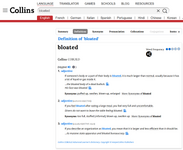
Another problem is that Orbiter gets bloated at each versions, which is not useful for a smartphone with limited space.
Not only that, add-on installation and uninstallation may be trickier in Android due to the way data files are handled in newer versions of Android.
Here is my vision of the Android version:
  • Visualization may be similar to Orbiter 2010 due to the bloating issues mentioned earlier.
  • There should be one or more throttles at the right for acceleration and deceleration.
  • There should be one MFD at a time to give space for the throttles.
  • Vessel steering can be handled by rotating the phone/tablet. There can be an option to use a virtual steering wheel (or arrows) to rotate the vessel instead.
  • External windows can behave like the windows of a computer emulator in Android.
  • The top icons may appear permanently.
  • Local console to install and uninstall add-ons.
Although the possible Android version may have limited features compared to the Win version, it might be better than the commercial spaceflight games. However, I'm not forcing anyone to develop the version. It is up to the individuals whether they can make Orbiter Android or not.
Side note: I have written the entire post above in an Android phone. I often use Android for off-topic discussions.
 
Last edited:
Don't forget that the inputs are also different on smartphone or tablet.

For creating add-ons, you would need some special import/deploy mechanism on it, since the security mechanisms otherwise block it. Easier would be a (curated?) marketplace.

Also, you need to pay more attention to battery life in games there. You can do great things on EXPENSIVE Android smartphones, but not for long. Also most people use middle-class or cheaper phones with less impressive graphics.

I would suggest using even a reduced graphics there compared to Orbiter 2010.

And don't call it Orbiter. Otherwise you create expectations you can't keep.
 
Another problem is that Orbiter gets bloated at each versions

Wow. I'm sure all the people involved in Orbiter development (which, again, they are doing on their free time) will appreciate that.
 

Attachments

  • bloated.png
    bloated.png
    151.1 KB · Views: 34
Wow. I'm sure all the people involved in Orbiter development (which, again, they are doing on their free time) will appreciate that.

I don't mind the term "bloated" which means in a software context "Software with generally useless features". But I would rather want to know then, WHAT feature actually could be removed and why?

In my impression, Orbiter has never been extended with features that were full undemanded or useless. Some more specific features might now have come into OpenOrbiter, but I don't feel like they are at least features that only a single loud user requests.

I consider Orbiter actually rather the other way around. It is sometimes still too minimal and pushes the responsibility to the add-on developer to use it. Also the user interface of Orbiter is very limited, which also could use some improvements.
 
I occasionally play games on my phone, a pretty much standard Samsung. There is a reason most ports fail to gain traction on mobile, and that is the lack of proper control options. Even on consoles, it's a bit of a stretch for some games, especially flight sims. You just can't beat mouse and keyboard, basically. Sure, there are ways to use a mouse and keyboard on a phone, but why bother? Nobody goes around carrying such kit for use witha phone
 
Although the possible Android version may have limited features compared to the Win version, it might be better than the commercial spaceflight games.
Actually I see a possible application:
As I am working on a version of persistent universe for multi-players (OMX, continued from OMP), once a user has oriented his/her vessel to some direction (with 1G-propulsion + other features...), the user disconnects and the vessel keeps flying. It would be good to have an app to monitor from time to time, if everything is good with the flying vessel.

Hence, essentially a renderer of inside or outside view with point of view's orientation and status + nav indicators, but no active control (that would require the user to re-connect to tkake back the control). I must say it is far from my top-priorities with OMX and I don't know anything yet about Android. But if somebody is inspired and skilled, let's talk.

However, I'm not forcing anyone to develop the version.
oh, don't worry :)
 
I occasionally play games on my phone, a pretty much standard Samsung. There is a reason most ports fail to gain traction on mobile, and that is the lack of proper control options. Even on consoles, it's a bit of a stretch for some games, especially flight sims. You just can't beat mouse and keyboard, basically. Sure, there are ways to use a mouse and keyboard on a phone, but why bother? Nobody goes around carrying such kit for use witha phone

I agree. While it is possible to play a flight sim on mobile, it isn't really satifying because the limited UI makes life harder than necessary. I don't think any Orbiter like gameplay would work there.

Also like @Boxx said, using the tablet as "external MFD" is one option, Maybe it would be possible to make a mission control feature for certain add-ons. But then, it is really outside the scope of most of it and could be better handled by a special team, not the classic add-on developers here.
 
Back
Top