Discussion Mesh making with Blender

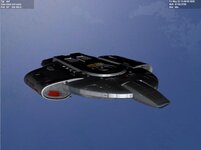
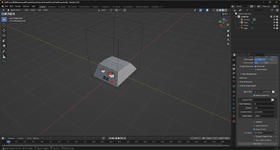
Some small successes that make me proud.... after many curses and a lot of frustration, that felt like I was again about to be defeated by Blender, I finally managed to make a mesh that not only looked like I intended it to be like, I also managed to UV map it properly, save the UV map layout, paint the texture with Inkscape and Gimp 3.2 and finally bring it all back together in Orbiter (2016).

Not fully perfect yet and I still need to find my workflow with Blender, but I learn. Maybe slower than others. But still a small success.
Screenshot 2026-06-18 164532.png
 
Some small successes that make me proud.... after many curses and a lot of frustration, that felt like I was again about to be defeated by Blender, I finally managed to make a mesh that not only looked like I intended it to be like, I also managed to UV map it properly, save the UV map layout, paint the texture with Inkscape and Gimp 3.2 and finally bring it all back together in Orbiter (2016).

Not fully perfect yet and I still need to find my workflow with Blender, but I learn. Maybe slower than others. But still a small success.

View attachment 49327
Perhaps sharing your methodology would be useful to other modellers.
 
Here are 2 very basic tutorials for beginners.

Spacecraft2, courtesy of @Kev33, modelling a basic spaceship (with Anim8or- modelling principles are the same) and putting it in Orbiter using Spacecraft2 (same as S3/4, similar to Vesselbuilder).

And the Orbiter Mesh Tools Tutorial I mentioned previously courtesy of @Blake which details important information about transparencies and smoothing and a one step procedure from Blender to Orbiter.

They were both very helpful for me when I started:)
 

Attachments

Back
Top