Banshii59
Member
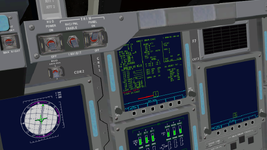
Sure can, here it is. I hope you can see something.Can you post an image of the OMS MNVR display? (if you can't, then post exactly what is being entered into which item)

ORBITER-FORUM will be temporarily closed at 2026-07-23 18:00 UTC while we complete some OF maintenance tasks. The amount of downtime is expected to take up to one hour, but probably less.
Sure can, here it is. I hope you can see something.Can you post an image of the OMS MNVR display? (if you can't, then post exactly what is being entered into which item)
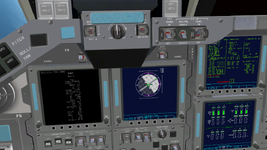
I'm not sure if you got the first pic I'll send again. I don't see it on my endCan you post an image of the OMS MNVR display? (if you can't, then post exactly what is being entered into which item)

Yes, it shows up.Sure can, here it is. I hope you can see something.
Yes, it shows up.
As you can see on the top right corner, the current MET is 1 hour and 48 seconds, but you want to make a burn at 45 minutes and 3 seconds... which is why you are getting the illegal entry message.
DPS Dictionary: The TIG in mission time (day/hr:min:sec) is always required and must be within 5 minutes in the past and 12 hours in the future.
That OMS-2 burn data should be input in the OMS-2 MNVR EXEC display (in MM105), replacing what is loaded by default. The following burns are the ones perfomed in MM202.
I really don''t understand how to accomplish what your saying. I am on the correct OMS 2 MNVR OPS 202 sheet. Are you saying that I need to input my on-orbit oms burns in OPS 105? How do I accomplish 12 hours ahead or 5 min behind on the mission clock? I'm sorry I not grasping what your saying, could you give an example?Yes, it shows up.
As you can see on the top right corner, the current MET is 1 hour and 48 seconds, but you want to make a burn at 45 minutes and 3 seconds... which is why you are getting the illegal entry message.
DPS Dictionary: The TIG in mission time (day/hr:min:sec) is always required and must be within 5 minutes in the past and 12 hours in the future.
That OMS-2 burn data should be input in the OMS-2 MNVR EXEC display (in MM105), replacing what is loaded by default. The following burns are the ones perfomed in MM202.

I really don''t understand how to accomplish what your saying. I am on the correct OMS 2 MNVR OPS 202 sheet. Are you saying that I need to input my on-orbit oms burns in OPS 105? How do I accomplish 12 hours ahead or 5 min behind on the mission clock? I'm sorry I not grasping what your saying, could you give an example?
OK, so your saying that I just add 12 hours to the FDO time So, if it says 00:29:30 i TIG 12:29:30?If your current MET is 2/12:00:00 the valid input range is from 02/11:55:00 to 03/00:00:00. Your example was outside the valid range, being ~15 minutes in the past.
Yes, I see that FDO MFD calculated that number of you. Looks like FDO MFD and your Shuttle disagree, which time it is.
When you want to make a burn, you need to input the ignition time (TIG) in ITEMs10-13. Because of the way that display and the guidance works, that time cannot be more than 5 minutes in the past or 12 hours in the future. That is why you are getting the illegal entry message, because your TIG is at 45 minutes, but you're 1 hour into the mission. You are too late to make that burn.How do I accomplish 12 hours ahead or 5 min behind on the mission clock? I'm sorry I not grasping what your saying, could you give an example?
This is in the FDO MFD, right?I am on the correct OMS 2 MNVR OPS 202 sheet.
OK, so your saying that I just add 12 hours to the FDO time So, if it says 00:29:30 i TIG 12:29:30?
I do understand that 105 burn is what I used to elevate the perogee. and I can do that successfully, what I was attempting to do was a on-orbit "correction burn" since I had already gone past MM106 etc. I was using the Orbit Operations checklist procedures on pg 3-2 to accomplish my goal. I'll try your instruction and get back to you with the result. I am very grateful to you and Dennis for assisting me. I know that noobs like me need a little hand holding through this learning curve. I wish that there were some great Youtube tutorials on this SSV series. My mentor during my first experience with Orbiter was David Courtney. He was awesome. Orbiter for Dummies LOLWhen you want to make a burn, you need to input the ignition time (TIG) in ITEMs10-13. Because of the way that display and the guidance works, that time cannot be more than 5 minutes in the past or 12 hours in the future. That is why you are getting the illegal entry message, because your TIG is at 45 minutes, but you're 1 hour into the mission. You are too late to make that burn.
More fundamentally, you are trying to make the OMS-2 burn in MM202, when it should be in MM105.
All of this above, is in regards to the shuttle displays.
This is in the FDO MFD, right?
It won't say in which MM you should perform the burns, you just "have to know that", but its easy: the OMS-2 burn is always in MM105, the deorbit burn is in MM302, and the remaining orbital burns are in MM202.
So to recap, after MECO you usually don't need the OMS-1 burn (always in MM104). Sometime after the MPS dump is complete, you then go to MM105, and that is where you need to input the data that the FDO MFD provides for that OMS-2 burn. Make that burn, move to MM106, wait sometime for the vacuum inert to finish, and then go to MM201. When time comes to make the following burn, go to MM202 and input the data from the FDO MFD.
Tip: open the FDO MFD in an external MFD, which will make it much easier to navigate the menus.
And that "correction burn" comes from where? Do you just want to change the orbit, or are you trying to make a rendezvous? For the first, have to decide what you want. For the second, you have to make the burns as calculated by the FDO MFD (and you need to know how to use it).what I was attempting to do was a on-orbit "correction burn" since I had already gone past MM106 etc.
I do understand that 105 burn is what I used to elevate the perogee. and I can do that successfully, what I was attempting to do was a on-orbit "correction burn" since I had already gone past MM106 etc. I was using the Orbit Operations checklist procedures on pg 3-2 to accomplish my goal.
 )
) Again, thank you for giving me the encouragement. I don't have any issues with the basics like ascent to OPS 106 and an OMSascent procedures, establishing orbit, etc.I've been through all the post ops successfully. My hang up is when I attempt to "adjust my orbit" by doing an additional 202 burn in the MPS Orbit Ops pg 3-2. I am following the checklist and it didn't appear to be getting the result I wanted. That is why I reached out. I DID read the SSV manual on pge 25 sec 4.2.3 which briefly outlines in a few paragraphs all of the OMS MNVR EXEC and their uses. If there is another source, I'll look elswhere. I appreciate your explainations and will keep trying. CheersOk, we have a case of "You didn't really read the Space Shuttle Manual, did you?" (Only astronauts and @DaveS ever did that completely, its not expected.
For simple correction burns and other orbit maneuvers beyond launch or landing, you use OPS G202 (G is for the GNC function), that is also the expectation of the checklist. In "the real one", the PASS ascent software wouldn't be loaded in GPC memory at that point anymore (All OPS G1xx, there is no dedicated SM software in ascent and landing). The display looks similar to any other "XXXX MNVR" display but there are subtle differences.
There is a nice sequence drawing in the DPS Dictionary, that shows you how the on-board software flow is.
Again, I recommend you to get used to the coarse sequence of a Space Shuttle mission:
- Prelaunch
- Ascent (until OPS 106)
- Post-Insertion
- On-Orbit
- De-Orbit
- Entry and Landing
- Post-Landing
You don't need to know every detail of the Space Shuttle, but you should know the basic concepts.
In Orbiter, you can happily decide to throw the checklist away and try how far you will come that way. But don't expect that you will come far.
Again, thank you for giving me the encouragement. I don't have any issues with the basics like ascent to OPS 106 and an OMSascent procedures, establishing orbit, etc.I've been through all the post ops successfully. My hang up is when I attempt to "adjust my orbit" by doing an additional 202 burn in the MPS Orbit Ops pg 3-2. I am following the checklist and it didn't appear to be getting the result I wanted. That is why I reached out. I DID read the SSV manual on pge 25 sec 4.2.3 which briefly outlines in a few paragraphs all of the OMS MNVR EXEC and their uses. If there is another source, I'll look elswhere. I appreciate your explainations and will keep trying. Cheers

I think a good thing to do at this point is to pull up one of the videos @Geoair2 has posted a couple pages back, and watch what they're doing with the MM's and the FDO data. It takes a little drunk monkey button pushing initially on your own to kind of learn the process needed in the particular phase of flight you're in. Now that you've explored the checklists some, try reviewing those checklists while seeing what's being done in the videos, and things will start to make more sense....at least it did for me. Not much hands on help from me, but more encouragement, and some insight in a learning process that's worked for me.Again, thank you for giving me the encouragement. I don't have any issues with the basics like ascent to OPS 106 and an OMSascent procedures, establishing orbit, etc.I've been through all the post ops successfully. My hang up is when I attempt to "adjust my orbit" by doing an additional 202 burn in the MPS Orbit Ops pg 3-2. I am following the checklist and it didn't appear to be getting the result I wanted. That is why I reached out. I DID read the SSV manual on pge 25 sec 4.2.3 which briefly outlines in a few paragraphs all of the OMS MNVR EXEC and their uses. If there is another source, I'll look elswhere. I appreciate your explainations and will keep trying. Cheers
 , and that is what coordinates all the control segment scheduling and cancelation, along with requesting new displays.
There is a SM GPC for sometime now, but it only works the PLB doors. With this work there are "functional" ICC buses between it and the GNC GPC, so it opens the door to have some Ku-band antenna fun during a rendezvous. Also, the RMS stuff should be easier to make.Sooooo.... you are getting near having a SM GPC and some more fun during the post-insertion phase?
Hmm, no. There is no RS or BFS, so that key really has nothing to do. The MF switch controls the handling of the displays between GNC and SM.And can the GPC/IDP key finally do something?
I think that will only need the data acquisition function to get the right data from the MDMs, so it can be shown in DISP whatever.Maybe something to test a future PRSD?
So, the feature is still very basic and mostly hidden under the hood.There is a SM GPC for sometime now, but it only works the PLB doors. With this work there are "functional" ICC buses between it and the GNC GPC, so it opens the door to have some Ku-band antenna fun during a rendezvous. Also, the RMS stuff should be easier to make.
Hmm, no. There is no RS or BFS, so that key really has nothing to do. The MF switch controls the handling of the displays between GNC and SM.
I think that will only need the data acquisition function to get the right data from the MDMs, so it can be shown in DISP whatever.