Update Multistage2026 - Development thread

Can you post the log.
Multistage 2015 Automatically Generated Guidance File
Vehicle: SLS
-10.000 =orbit(200.00,200.00,-29.59,1.00,76.50,0.00)
-5.000 =engine(0.00,110.00,5.00,0.00,0.00,0.00)
50.000 =fairing(75,0.00,0.00,0.00,0.00,0.00)

not sure except it says Automatically Generated Guidance File so maybe it just fills in spaces?

I am getting a ctd.
000011.747: **** Creating simulation session
000011.770: D3D9: [DirectX 9 Initialized]
000011.878: D3D9: [3DDevice Initialized]
000019.862: Loaded 41057 records from star database
000021.294: D3D9: [D3D9Client Initialized]
000021.366: ============================ ERROR: ===========================
000021.366: File not found: .\Config\.cfg
000021.366: while initialising solar system
000021.366: [Orbiter::CreateRenderWindow | D:\a\orbiter\orbiter\Src\Orbiter\Orbiter.cpp | 786]
000021.366: ===============================================================
000021.366: >>> TERMINATING <<<
 
@Matias : Here are a few details about my guidance file that might help you:

Here is the beginning of the guidance file:
-70=orbit(460,465,73)
-68=PlaySound(Sounds\Multistage\A6_267\moins de bruits svp.wav)
-60=PlaySound(Sounds\Multistage\A6_267\H-moins-1mn.wav)
-44=PlaySound(Sounds\Multistage\A6_267\Decompte final.wav)
-4=engine(0,1,2)
0=engine(1,100,0.3)
71=PlaySound(Sounds\Multistage\A6_267\pilotage calme.wav)
82=PlaySound(Sounds\Multistage\A6_267\trajectoire nominale.wav)
etc....
In this case, MET starts at -4
The orbit(...) command is not being processed.


TEST #1
-70=orbit(460,465,73)
-68=PlaySound(Sounds\Multistage\A6_267\moins de bruits svp.wav)
-60=PlaySound(Sounds\Multistage\A6_267\H-moins-1mn.wav)
-44=PlaySound(Sounds\Multistage\A6_267\Decompte final.wav)
-20=engine(0,1,2)
0=engine(1,100,0.3)
In this case, MET starts at -20
The orbit(...) command is not being processed.


TEST #2
-70=orbit(460,465,73)
-68=PlaySound(Sounds\Multistage\A6_267\moins de bruits svp.wav)
-65=engine(0,1,2)
-60=PlaySound(Sounds\Multistage\A6_267\H-moins-1mn.wav)
-44=PlaySound(Sounds\Multistage\A6_267\Decompte final.wav)
0=engine(1,100,0.3)
In this case, MET starts at -65
The orbit(...) command is not being processed.


TEST #3
-80=engine(0,1,2)
-70=orbit(460,465,73)
-68=PlaySound(Sounds\Multistage\A6_267\moins de bruits svp.wav)
-60=PlaySound(Sounds\Multistage\A6_267\H-moins-1mn.wav)
-44=PlaySound(Sounds\Multistage\A6_267\Decompte final.wav)
0=engine(1,100,0.3)
In this case, MET starts at -70
The orbit(...) command is processed.
The first engine(0,1,2) command is not being processed


TEST #4
-100=PlaySound(Sounds\Multistage\A6_267\moins de bruits svp.wav)
-90=engine(0,1,2)

-70=orbit(460,465,73)
-60=PlaySound(Sounds\Multistage\A6_267\H-moins-1mn.wav)
-44=PlaySound(Sounds\Multistage\A6_267\Decompte final.wav)
0=engine(1,100,0.3)
In this case, MET starts at -90
The orbit(...) command is processed.
The first engine(0,1,2) command is processed


TEST #5
I simply added the line -71=PlaySound(...) to my original guidance file :

-71=PlaySound(Sounds\Multistage\A6_267\pilotage calme.wav)
-70=orbit(460,465,73)
-68=PlaySound(Sounds\Multistage\A6_267\moins de bruits svp.wav)
-60=PlaySound(Sounds\Multistage\A6_267\H-moins-1mn.wav)
-44=PlaySound(Sounds\Multistage\A6_267\Decompte final.wav)
-4=engine(0,1,2)
0=engine(1,100,0.3)
71=PlaySound(Sounds\Multistage\A6_267\pilotage calme.wav)
82=PlaySound(Sounds\Multistage\A6_267\trajectoire nominale.wav)
etc....
In this case, MET starts at -70
and everything works


In all cases, the PlaySound(...) command does not work.
🤪

@gattispilot :
not sure except it says Automatically Generated Guidance File so maybe it just fills in spaces?
Ah yes, that might be the reason...
 
Last edited:
Can you post the log.
Multistage 2015 Automatically Generated Guidance File
Vehicle: SLS
-10.000 =orbit(200.00,200.00,-29.59,1.00,76.50,0.00)
-5.000 =engine(0.00,110.00,5.00,0.00,0.00,0.00)
50.000 =fairing(75,0.00,0.00,0.00,0.00,0.00)

not sure except it says Automatically Generated Guidance File so maybe it just fills in spaces?

I am getting a ctd.
000011.747: **** Creating simulation session
000011.770: D3D9: [DirectX 9 Initialized]
000011.878: D3D9: [3DDevice Initialized]
000019.862: Loaded 41057 records from star database
000021.294: D3D9: [D3D9Client Initialized]
000021.366: ============================ ERROR: ===========================
000021.366: File not found: .\Config\.cfg
000021.366: while initialising solar system
000021.366: [Orbiter::CreateRenderWindow | D:\a\orbiter\orbiter\Src\Orbiter\Orbiter.cpp | 786]
000021.366: ===============================================================
000021.366: >>> TERMINATING <<<
I had to change the solar system, from Sol_SLS to leaving it blank.
In the case of Automatically Generated Guidance File, that text was in the original Multistage2015.

I'm sharing my Linux Orbiter.log file, where it works best.

I also need to improve the logging system because there are still some parts in Spanish, which I used when I was really stuck and confused.
 

Attachments

@Matias : Here are a few details about my guidance file that might help you:

Here is the beginning of the guidance file:
-70=orbit(460,465,73)
-68=PlaySound(Sounds\Multistage\A6_267\moins de bruits svp.wav)
-60=PlaySound(Sounds\Multistage\A6_267\H-moins-1mn.wav)
-44=PlaySound(Sounds\Multistage\A6_267\Decompte final.wav)
-4=engine(0,1,2)
0=engine(1,100,0.3)
71=PlaySound(Sounds\Multistage\A6_267\pilotage calme.wav)
82=PlaySound(Sounds\Multistage\A6_267\trajectoire nominale.wav)
etc....
In this case, MET starts at -4
The orbit(...) command is not being processed.


TEST #1
-70=orbit(460,465,73)
-68=PlaySound(Sounds\Multistage\A6_267\moins de bruits svp.wav)
-60=PlaySound(Sounds\Multistage\A6_267\H-moins-1mn.wav)
-44=PlaySound(Sounds\Multistage\A6_267\Decompte final.wav)
-20=engine(0,1,2)
0=engine(1,100,0.3)
In this case, MET starts at -20
The orbit(...) command is not being processed.


TEST #2
-70=orbit(460,465,73)
-68=PlaySound(Sounds\Multistage\A6_267\moins de bruits svp.wav)
-65=engine(0,1,2)
-60=PlaySound(Sounds\Multistage\A6_267\H-moins-1mn.wav)
-44=PlaySound(Sounds\Multistage\A6_267\Decompte final.wav)
0=engine(1,100,0.3)
In this case, MET starts at -65
The orbit(...) command is not being processed.


TEST #3
-80=engine(0,1,2)
-70=orbit(460,465,73)
-68=PlaySound(Sounds\Multistage\A6_267\moins de bruits svp.wav)
-60=PlaySound(Sounds\Multistage\A6_267\H-moins-1mn.wav)
-44=PlaySound(Sounds\Multistage\A6_267\Decompte final.wav)
0=engine(1,100,0.3)
In this case, MET starts at -70
The orbit(...) command is processed.
The first engine(0,1,2) command is not being processed


TEST #4
-100=PlaySound(Sounds\Multistage\A6_267\moins de bruits svp.wav)
-90=engine(0,1,2)

-70=orbit(460,465,73)
-60=PlaySound(Sounds\Multistage\A6_267\H-moins-1mn.wav)
-44=PlaySound(Sounds\Multistage\A6_267\Decompte final.wav)
0=engine(1,100,0.3)
In this case, MET starts at -90
The orbit(...) command is processed.
The first engine(0,1,2) command is processed

TEST #5
I simply added the line -71=PlaySound(...) to my original guidance file :

-71=PlaySound(Sounds\Multistage\A6_267\pilotage calme.wav)
-70=orbit(460,465,73)
-68=PlaySound(Sounds\Multistage\A6_267\moins de bruits svp.wav)
-60=PlaySound(Sounds\Multistage\A6_267\H-moins-1mn.wav)
-44=PlaySound(Sounds\Multistage\A6_267\Decompte final.wav)
-4=engine(0,1,2)
0=engine(1,100,0.3)
71=PlaySound(Sounds\Multistage\A6_267\pilotage calme.wav)
82=PlaySound(Sounds\Multistage\A6_267\trajectoire nominale.wav)
etc....
In this case, MET starts at -70
and everything works


In all cases, the PlaySound(...) command does not work.
🤪

@gattispilot :
not sure except it says Automatically Generated Guidance File so maybe it just fills in spaces?
Ah yes, that might be the reason...
Wow! That's a very comprehensive report, thank you so much for your time!

I'm going to get right to work on your report and investigate the source code of the commands. In the case of PlaySound, it hasn't worked for a long time (since 2016, I think). I have to replace it with calls to XRSound.
 
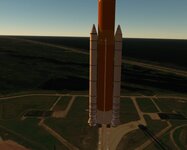
Thanks. It might start at -10 MET. but no meshes missing in the rocket? but no thrust and nothing on the booster also I think no meshes are missing the fairing are too high.
 

Attachments

  • SSLLAUNCH1.jpg
    SSLLAUNCH1.jpg
    41.5 KB · Views: 2
Good !!!
Just remember with my Ariane6 rocket, the 4 boosters are... a [STAGE] ;)

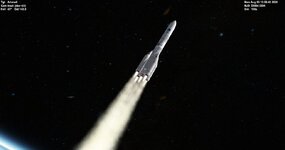
so, now I can see Exaust and Smoke... :salute:
Thanks!
You can switch from STAGES to BOOSTERS whenever you want, and if you can, please share those changes with me so I can test and debug them.
 
Thanks!
You can switch from STAGES to BOOSTERS whenever you want, and if you can, please share those changes with me so I can test and debug them.
Ok I'll do this tomorow

I keep running into the case-sensitive issue.

Until I have a solution, please edit your .ini files using only lowercase letters.

Thank you all for your patience.
ok ;)
 
So I do it.... 🥸

1°/ To have a configuration with a single group of 4 boosters :
(in fact, there is a single mesh containing the 4 boosters, and
after separation, a Vesselbuilder vessel is created, which builds and ejects the 4 separate boosters
and delete the single boosters mesh)

So here's what you need to do :

1) Delete this section
[BOOSTER_1] ;=== Déluge ===
N=1
Meshname=Kourou_Rockets\Ariane6\A6_Nothing
Off=(0.000,0.000,10.000)
Height=1
Diameter=1
Angle=0
Thrust=1
Emptymass=1
Fuelmass=1
BurnTime=1
Burndelay=0
Eng_1=(0,0,-10)
Eng_diameter=1
Eng_tex=Kourou_Rockets\Exaust\Exaustmomo_water2
Eng_pstream1=Deluge
Speed=(0,0,0)
Rot_speed=(0,0,0)

2) Replaces the section
[STAGE_1] ; 4 Boosters P120C + Etage Principal (1/2) ===
MeshName=Kourou_Rockets\Ariane6\A6_Booster-14
Off=(0,0,5)
Height=25.32
Diameter=5.16
EmptyMass=500000
FuelMass=140000
Thrust=20000000
Ignite_delay=0.001
BurnTime=137
Eng_1=(3.799,-3.800,-1.000)
Eng_2=(-3.799,3.800,-1.000)
Eng_3=(3.799,3.800,-1.000)
Eng_4=(-3.799,-3.800,-1.000)
Eng_5=(0.000,0.000,-1.000)
Eng_diameter=3.5
Eng_tex=Kourou_Rockets\Exaust\Exaustmomo_03
Eng_pstream1=Etg1
Speed=(0,0,0)
Rot_speed=(0,0,0)
Expbolts_pos=(0,0,20)
Expbolts_pstream=Expbolts
Expbolts_anticipation=0.8
Module=..\Kourou_Rockets\Ariane6\A6_Boosters64
Name=Boosters
by
[BOOSTER_1] ; 4 Boosters P120C ===
N=1
MeshName=Kourou_Rockets\Ariane6\A6_Booster-14
Off=(0,0,5)
Height=25.32
Diameter=5.16
EmptyMass=500000
FuelMass=140000
Thrust=20000000
Burndelay=7
BurnTime=137
Eng_1=(3.799,-3.800,-1.000)
Eng_2=(-3.799,3.800,-1.000)
Eng_3=(3.799,3.800,-1.000)
Eng_4=(-3.799,-3.800,-1.000)
Eng_diameter=3.5
Eng_tex=Kourou_Rockets\Exaust\Exaustmomo_03
Eng_pstream1=Etg1
Speed=(0,0,0)
Rot_speed=(0,0,0)
Expbolts_pos=(0,0,20)
Expbolts_pstream=Expbolts
Expbolts_anticipation=0.8
Module=..\Kourou_Rockets\Ariane6\A6_Boosters64
Name=Boosters

3) Rename
[STAGE_2] to [STAGE_1]
[STAGE_3] to [STAGE_2]


2°/ If you want a 2 groups of boosters configuration, do this :

1) Keep the section
[BOOSTER_1] ;=== Déluge (means "flood") ===
N=1
Meshname=Kourou_Rockets\Ariane6\A6_Nothing
Off=(0.000,0.000,10.000)
Height=1
Diameter=1
Angle=0
Thrust=1
Emptymass=1
Fuelmass=1
BurnTime=1
Burndelay=0
Eng_1=(0,0,-10)
Eng_diameter=1
Eng_tex=Kourou_Rockets\Exaust\Exaustmomo_water2
Eng_pstream1=Deluge
Speed=(0,0,0)
Rot_speed=(0,0,0)

2) add just after
[BOOSTER_2] ; 4 Boosters P120C ===
N=1
MeshName=Kourou_Rockets\Ariane6\A6_Booster-14
Off=(0,0,5)
Height=25.32
Diameter=5.16
EmptyMass=500000
FuelMass=140000
Thrust=20000000
Burndelay=7
BurnTime=137
Eng_1=(3.799,-3.800,-1.000)
Eng_2=(-3.799,3.800,-1.000)
Eng_3=(3.799,3.800,-1.000)
Eng_4=(-3.799,-3.800,-1.000)
Eng_diameter=3.5
Eng_tex=Kourou_Rockets\Exaust\Exaustmomo_03
Eng_pstream1=Etg1
Speed=(0,0,0)
Rot_speed=(0,0,0)
Expbolts_pos=(0,0,20)
Expbolts_pstream=Expbolts
Expbolts_anticipation=0.8
Module=..\Kourou_Rockets\Ariane6\A6_Boosters64
Name=Boosters

3) Delete this section
[STAGE_1] ; 4 Boosters P120C + Etage Principal (1/2) ===
MeshName=Kourou_Rockets\Ariane6\A6_Booster-14
Off=(0,0,5)
Height=25.32
Diameter=5.16
EmptyMass=500000
FuelMass=140000
Thrust=20000000
Ignite_delay=0.001
BurnTime=137
Eng_1=(3.799,-3.800,-1.000)
Eng_2=(-3.799,3.800,-1.000)
Eng_3=(3.799,3.800,-1.000)
Eng_4=(-3.799,-3.800,-1.000)
Eng_5=(0.000,0.000,-1.000)
Eng_diameter=3.5
Eng_tex=Kourou_Rockets\Exaust\Exaustmomo_03
Eng_pstream1=Etg1
Speed=(0,0,0)
Rot_speed=(0,0,0)
Expbolts_pos=(0,0,20)
Expbolts_pstream=Expbolts
Expbolts_anticipation=0.8
Module=..\Kourou_Rockets\Ariane6\A6_Boosters64
Name=Boosters

4) Rename
[STAGE_2] to [STAGE_1]
[STAGE_3] to [STAGE_2]


3°/ One last thing (in both cases)

1) Replaces
[MISC]
COG=4.65
FOCUS=0
GNC_Debug=1
by
[MISC]
COG=7
FOCUS=0
GNC_Debug=1

2) Make a copy of the file :
...\Meshes\Kourou_Rockets\Ariane6\A6_Booster-14.msh
then rename this copy like this : A6_Booster-14_1.msh IMPORTANT !!

I hope this works... :unsure:
If there are any capital letters to change in lowercase letters, let me know....
 
Last edited:
@gattispilot or/and Matias

Out of curiosity, I looked at the guidance file included in the SLS_modified_MS2026.zip file.

So I have 3 questions :

1) Does MET start at -10 for you ?
If so, why does mine only start at -4 s instead of -70 ? (may be -70 is too high value ?)

2) With the command
-5.000 =engine(0.00,110.00,5.00,0.00,0.00,0.00)
there are 6 parameters. I only know 3 of them.
Can you explain the other 3 ?

3) With the command
50.000 =fairing(75,0.00,0.00,0.00,0.00,0.00)
there are 6 parameters. I only know 1.
Can you explain the other 5 ?
I'll try to answer the questions:

1) As far as I can see, the commands are being truncated to a certain number. That might be why they aren't being applied correctly. I'll look into it in more detail later.

2) and 3) I have absolutely no idea where those parameters came from, but if they were automatically generated by MS2026, I wouldn't be surprised if they're malformed.
 
So I do it.... 🥸

1°/ To have a configuration with a single group of 4 boosters :
(in fact, there is a single mesh containing the 4 boosters, and
after separation, a Vesselbuilder vessel is created, which builds and ejects the 4 separate boosters
and delete the single boosters mesh)

So here's what you need to do :

1) Delete this section


2) Replaces the section

by


3) Rename

[STAGE_2] to [STAGE_1]
[STAGE_3] to [STAGE_2]


2°/ If you want a 2 groups of boosters configuration, do this :

1) Keep the section


2) add just after


3) Delete this section


4) Rename

[STAGE_2] to [STAGE_1]
[STAGE_3] to [STAGE_2]


3°/ One last thing (in both cases)

1) Replaces

by


2) Make a copy of the file :

...\Meshes\Kourou_Rockets\Ariane6\A6_Booster-14.msh
then rename this copy like this : A6_Booster-14_1.msh IMPORTANT !!

I hope this works... :unsure:
If there are any capital letters to change in lowercase letters, let me know....
Well, first of all, thank you all very much for your contributions and reports.

I'll be modifying the A64.cfg file shortly to properly test the boosters.

I'll also be releasing another test build within the next few hours so you can try out the new fixes.

@jacquesmomo Regarding your question about changing (even temporarily) the .dll names, I'll try to implement it so it's easier for everyone to test the releases. In any case, I strongly recommend testing all of this on a clean Orbiter installation, if possible, to avoid repeating bugs that have already been fixed.
 
@jacquesmomo
Here's a video of how Ariane 6 works on my Orbiter installation (on Windows 11):

As you can see, some parameters, like the offset, are incorrect.

I've attached the .dll files I used and the modified .ini file with some key variables in lowercase.
 

Attachments

Hi Matias

I realize you used the generic Ariane6 6.4 rocket.

In the instructions for modifying the .ini file, I used the rocket from flight 267 here :
https://www.orbiter-forum.com/resources/ariane-6-flight-va267.5697/

And excuse me, there are no boosters to simulate the deluge in these versions :
that will be in the next rocket, flight 268, which was launched today.
But I think you can adapt my explanations to the rocket, whatever the model

I will update my "flight 267" add-on, which will become "flights 267 and 268".


Regarding the suggestion to rename the DLLs, you're right. ;)

I'll test your new files as soon as possible.
Thanks again. :hailprobe:

5 minutes later

So I just tested the new module.

  • With my .ini file, no "pstream" (smoke)
  • With your INI file, it works !!!.

So I'm going to compare the two files (mine and yours) to find where the issue of my file is coming from.

I'll do my tests tomorrow, I think.

Anyway, well done, you're great ! :salute:
 
Last edited:
Hi Matias

I realize you used the generic Ariane6 6.4 rocket.

In the instructions for modifying the .ini file, I used the rocket from flight 267 here :
https://www.orbiter-forum.com/resources/ariane-6-flight-va267.5697/

And excuse me, there are no boosters to simulate the deluge in these versions :
that will be in the next rocket, flight 268, which was launched today.
But I think you can adapt my explanations to the rocket, whatever the model

I will update my "flight 267" add-on, which will become "flights 267 and 268".


Regarding the suggestion to rename the DLLs, you're right. ;)

I'll test your new files as soon as possible.
Thanks again. :hailprobe:

5 minutes later

So I just tested the new module.

  • With my .ini file, no "pstream" (smoke)
  • With your INI file, it works !!!.

So I'm going to compare the two files (mine and yours) to find where the issue of my file is coming from.

I'll do my tests tomorrow, I think.

Anyway, well done, you're great ! :salute:
I believe the secret lies in using lowercase letters in the parameter names of the .ini file.

I need to investigate why the component that processes .ini files (SimpleINI) is being too attached to case sensitivity. This would solve many problems, and make writing .ini files easier.
 
I found something else... :geek:

So I replaced the capital letters with lowercase letters.

But I still didn't have the satellites (flight 268).
And I quickly understood :

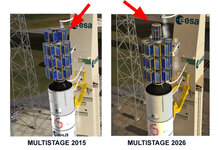
With MultiStage 2015, 10 payloads are allowed (see Fred18's doc)
With MultiStage 2026, only 9 payloads are allowed
[PAYLOAD_1] to [PAYLOAD_9]

If we add [PAYLOAD_10] we no longer have any satellites displayed.

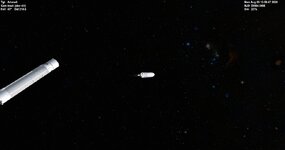
multistage copie.jpg

For flights VA267 and VA268, there are 32 satellites for each rocket !!!!
Since they are ejected in groups of 3 (except for the last 5),
I found a workaround using VesselBuilder.

Note that this isn't a big deal, but I wanted to let you know... ;)
 
I found something else... :geek:

So I replaced the capital letters with lowercase letters.

But I still didn't have the satellites (flight 268).
And I quickly understood :

With MultiStage 2015, 10 payloads are allowed (see Fred18's doc)
With MultiStage 2026, only 9 payloads are allowed
[PAYLOAD_1] to [PAYLOAD_9]

If we add [PAYLOAD_10] we no longer have any satellites displayed.

View attachment 48528

For flights VA267 and VA268, there are 32 satellites for each rocket !!!!
Since they are ejected in groups of 3 (except for the last 5),
I found a workaround using VesselBuilder.

Note that this isn't a big deal, but I wanted to let you know... ;)
I'm actually working on fixing mesh indices right now!

I think Fred was using 1->10 and I'm now using 0->9. That improves a lot of things in C++, but I need to maintain backward compatibility.
 
Hi Matias :cheers:

So here are the results of my tests.
(I replaced all the capital letters with lowercase letters, as you told me.)

[BOOSTER_1]
eng_tex=ok
eng_pstream1=ok

[STAGE_1]
eng_tex=ok
eng_pstream1=ok

[STAGE_2]
eng_tex=ok
eng_pstream1=ok

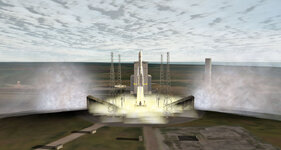
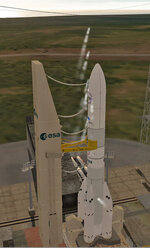
test01.jpg


[FX_VENT]
eng_tex=ok
eng_pstream1=ok
offset value seems have a different value, but his is not very important

test02.jpg


[FX_LAUNCH] ok

[FX_MACH] ok
same for offset value like [FX_VENT]


Now I'm going to test a rocket with two booster sets.
(I'm going to build an Ariane 6 model 6.8) :p

I'll let you know if it works. :geek:
 
Back
Top