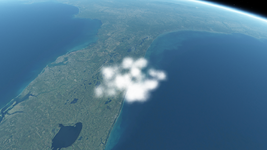
Discussion Cloud making

misha.physics

Well-known member
Joined
Dec 22, 2021
Messages
1,480
Reaction score
2,211
Points
128
Location
Lviv
Preferred Pronouns
he/him
Hi,
I would like to experiments with cloud creating for Orbiter 2016 and higher.

Has anyone made clouds/known where to find highly detailed Earth clouds? Do you have any ideas regarding cloud improving?

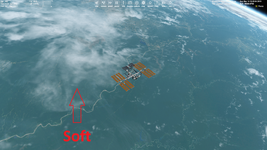
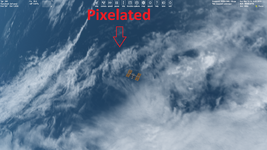
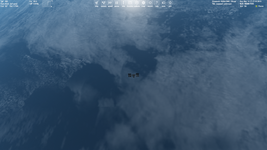
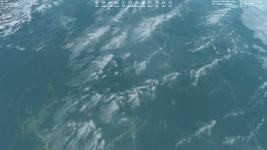
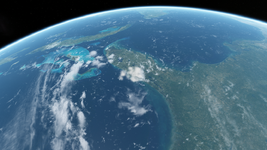
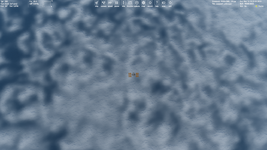
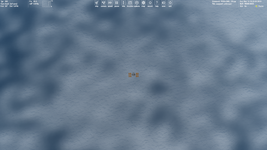
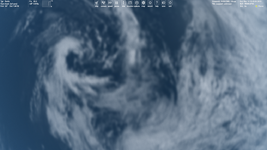
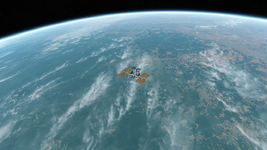
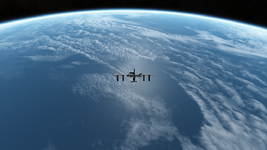
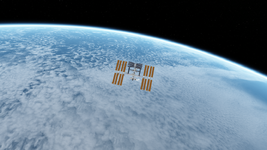
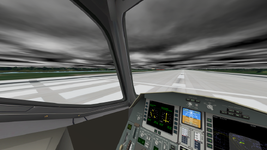
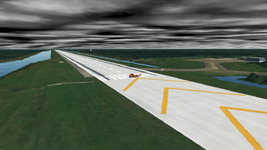
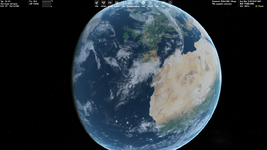
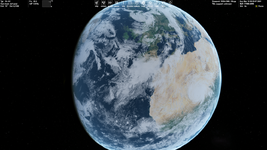
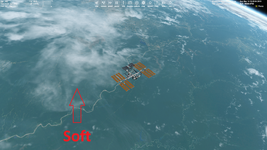
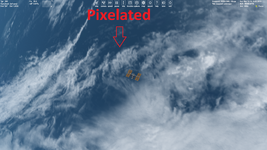
In some areas clouds look more smooth than in others, maybe because of the transparency:

1.png2.png

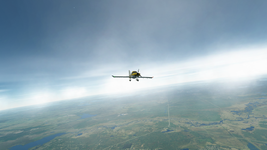
The screenshots are from Orbiter 2024.

Could blurring cloud textures help with the pixelation? But we need the source of the cloud image for this.
 
Thanks. I'll try it again. Actually, I mean improving global clouds that we see from low Earth orbit.
 
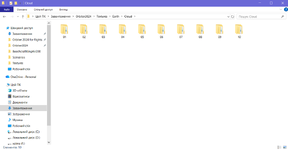
By the way, cloud tiles dimonstrate different behavior compared to the surface ones. I unzipped the default "Cloud.tree" archive into separate DDS tiles and got directories from "01" to "09". Deleting the "09" directory leads to an issue thad doesn't occur for the surface tiles. Maybe some configuration file requires cloud tiles up to level 9?

Levels 1-9 (correct):

1-9.png

Levels 1-8 (issues):

1-8.png
 
Maybe some configuration file requires cloud tiles up to level 9?
Well, I found it. I should change MaxCloudResolution = 8 in /Config/Earth.cfg.

Here're highly detailed cloud maps (40K) and surface maps (80K):

I made cloud tiles of level 8 and it works:

Без імені.png

Next I should experiment with transparency.
 
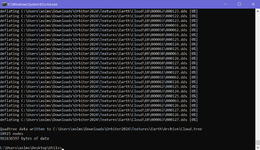
A question regarding the "plsplit64" tool. It requires a BMP texture. The highest BMP picture I can save using Photoshop is 16384x8192. it corresponds to tiles of level 8. Has anyone used the "plsplit64" for creating tiles of levels 9-10, namely has anyone inputed the values that differ from "-180" and "90" here?:

cmd.png
 
Has anyone used the "plsplit64" for creating tiles of levels 9-10, namely has anyone inputed the values that differ from "-180" and "90" here?
I tried it and it works correctly.

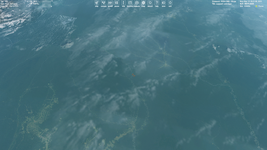
Blurring cloud texture may look good here:

0.png2.png5.png

But it looks bad here due to lack of details:

000.png222.png555.png

Now I'm trying to compare cloud tiles of 8, 9 and 10 levels without blurring.
 
Some time ago, I bookmarked this: https://www.orbiter-forum.com/resources/fluffy-cloud-generator.3342/ by @BrianJ (2013). Does it help? idk if compatible with O2016.

Thanks. I'll try it again. Actually, I mean improving global clouds that we see from low Earth orbit.

Still not global, but for generation of local clouds, I found these cool resources:
(the models need a conversion from .obj or .glb, should be doable in Blender with @Blake 's add on)
 
Hello all,

I've also experimented a lot with this in the past days and found that it seems to be impossible to build a cloud map above level 9 with the avilable tools. I can build the texture files for higher levels up to the point where I use the texpack tool to build the .tree-file, which it does not do when there is a folder with level 10 textures. I tried outsmarting it by renaming the tile folders to start from zero instead of one but then it just stops at level 4, so it made matters even worse. It's a bit frustrating when you spend up to an hour compiling the level 10 tiles just to find you can't compile them into the .tree-structure.

But anyway, with the available tools there are some imperfections and bugs, which really get in the way of figuring out how to make this, but I was able to do a few improvements compared to the default clouds. I spent many hours figuring out how it can be done in the best way possible and finally managed to do, what I wanted: To build at least a level 9 cloud layer with much brighter and more realistic looking clouds, because the standard clouds appear not nearly as bright as in reality. :)
If anyone has any suggestions or detailed instructions on how to create a level 10 cloud map that'd be greatly appreciated!

You can download my result now, might give it a little update in a couple of days though: https://www.orbiter-forum.com/resou...ight-hi-res-clouds-maxcloudresolution-9.5699/
 
I've been made cloud tiles up to level 10 and successfully converted them into the "Cloud.tree" archive using "texpack.exe" (that comes with Orbiter 2016 installation).

1776450871615.png1776450916802.png1776450971537.png

I'm using texpack C:\Users\xolms\Downloads\Orbiter2024\Textures\Earth Cloud for packing and texpack C:\Users\xolms\Downloads\Orbiter2024\Textures\Earth Cloud -e for unpacking a TREE archive.

Also, I tried your "Cloud.tree" archive and made a comparison with the default clouds. The default ones come first:

1776452178300.png1776452188985.png
1776452249339.png1776452257987.png

Your clouds look nice. I'd like to try your cloulds of level 10.
 
Thanks a lot for your thoughts and sharing your experience on that!
Alright, at least I'm motivated to try it again in a bit (I'm an absolute cloud lover :)). I might also try to build a whole new cloud map from a selection of suitable satellite data, showcasing a variety of interesting features but I fear that would be a TON of work and I'll probably try to make a level 10 version of this one first in the next few days, once I find the time to troubleshoot that. Cheers!
 
By the way if anyone reading this has any suggestions or requests for interesting features to be included in a new cloud layer I'll take them! The same goes for outstanding satellite pictures (the date they were taken should be sufficient to find them in the databases).
And it btw struck me that the NOAA VIIRS nighttime imagery should be a near perfect hi res source for many things as it oftentimes does not show a lot of other features besides clouds.

I have been brainstorming for things to include and these will be in it if possible:
  • Tiny Pacific hurricane
  • Southern hemisphere tropical cyclone
  • Kármán vortices
  • Cloud streets / Lake effect clouds
  • Large thunderstorms / MCSs
  • Numerous ITCZ storms
  • Marine stratocumulus cloud decks with fractal structure
  • The same with a vortex structure
  • A large roll cloud and atmospheric wave clouds
  • Mountain waves & lenticular clouds
  • Hole punch clouds
  • A shapiro keyser cyclone
  • Dust storms
  • Cloud convection over warm seas
  • Smog (though I'll prob make one without that because not everyone will be amused)
  • Large wildfire plumes like the 2020 Australian ones (same thing)
  • Volcanic eruptions like Hunga Tonga, Etna, Iceland, Aleutians etc.
  • Fog decks
  • Nice cirrus formations
  • Actiniform clouds
  • Cloud "shadows"
Forgot anything? Just speak up! (!!!) This could be a great educational opportunity for everyone interested in clouds and similar things!

Btw I'll also have to fix the issue that when first loaded, the cloud mask is not in the correct position as you might have noticed that Hurricanes don’t occur in the Sahel and the trained cloud geek may be aware that some clouds only appear in very specific places like Kárman vortices or volcanic eruptions.
Is anyone aware of a possibility/option to stop the cloud layer from moving? In this case it would make a lot of sense.

I've also thought a bit about building some kind of more realistic cloud model, though that would be a lot of work and I'm not an experienced modeler. But you see that now I'm hooked. :D this will be fun!
 
Last edited:
Smog (though I'll prob make one without that because not everyone will be amused)
It could be worth as a separate add-on.
Large wildfire plumes
It sounds pretty specific.
Is anyone aware of a possibility/option to stop the cloud layer from moving?
Cloud layer can be stopped, but static clouds may look pretty boring.

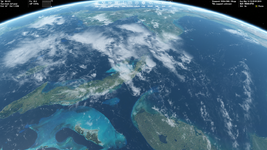
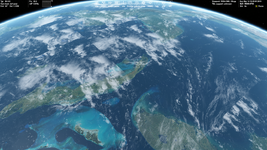
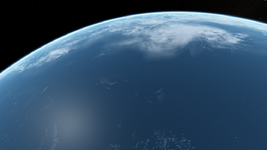
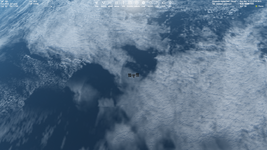
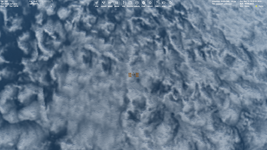
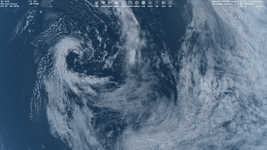
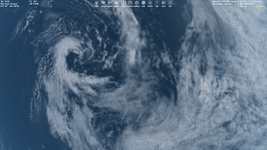
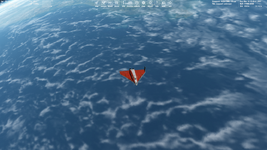
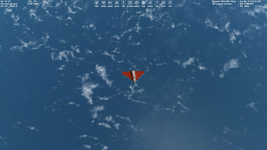
Maybe you have ideas how to make clouds less pixelated at low Earth orbit. I tried blurring and transparency (see screenshots above), but it reduces details of some things like cyclone.
 
Cloud layer can be stopped, but static clouds may look pretty boring.

Maybe you have ideas how to make clouds less pixelated at low Earth orbit. I tried blurring and transparency (see screenshots above), but it reduces details of some things like cyclone.

Well I hope to make up for that by increasing the quality of the cloud textures. If I want accurate placement of the clouds, I have to stop it from moving, otherwise the visual realism kind of breaks down a bit if you have a Hurricane in the desert and mountain waves far away from any mountains. Do you know where to set the speed of the cloud layer? (Edit: Found it in the Earth.cfg :))

To make them less pixelated we first and foremost have to increase the resolution. If I manage to create higher resolution layers we are talking about a (theoretically, see below) possible cloud resolution of 10 meters in some areas, as that is currently the maximum resolution of Sentinel 2 data. Sentinel 2 is cutting-edge in freely accessible online satellite imagery, Landsat only has 30 Meters and even Landsat Next won't be better than 10 meters. Open intelligence super resolution sat imagery usually doesn't contain any clouds. But that's not a real problem as important cloud features in most cases rarely are smaller than 10 meters. And then there are other issues:

Let's enter a little side quest: I did a bit of maths here. Using Sentinel-10 data at max resolution would give us a level 16 texture map. Making a global level 16 cloud map though is a practically impossible task for a single user, not only because of the size of the end result (it should be about 8 - 10 Tb) but also of the process to get there, because you would have to do a lot of mosaicking and an insurmountable heap of removing artifacts. For this task you need at least a little datacentre and your own little power plant.
To better understand this I can give you another striking example: Comparing a level 8 map with a level 16 map, in the level 16 map every area corresponding to one pixel in the level 8 map contains four times the amount of data of the entire level 8 map! So the level 16 map contains 32 768 times more pixels. Not 32 768 more pixels. Almost 9 x 10^12 or ten trillion more pixels. Having processed lots of panoramic images on the hundreds of megapixel scale that's a lot of pixels.

The formula for the longitude pixel dimension of the map is:
Lonpx = 128 x 2^(nlevel -1), so for level 16, that gives a horizontal image size of 4 194 304 pixels. The latitudinal length is exactly half of that, so 2 097 152 pixels.

If we take that into consideration (and the fact that we are talking about a 2-dimensional texture map instead of a fully simulated atmosphere!!!) we might appreciate more the enormous achievement that Microsoft did with their (still not perfect but) quite amazing weather simulation in MSFS. For a future realistic weather simulation in Orbiter which could come closer to that, we would have to consider a lot of resource management and local vs. global resolution issues (and a lot of other things as well, but I still think it is possible to improve a lot within this community with modern technology).

Anyway, on a global scale we can't get there quickly now anyway but most crucially:
It's not really necessary either as from LEO you would be mostly fine with a lower resolution of maybe 320 m per pixel which you would get at level 11. Still way to go, because one of our bottlenecks, plsplit64, can only process a maximum resolution of level 9. So for level 11 we would need 16 individual subtiles with the same individual resolution as a global level 9 map. That's a lot of work and time but doable.
If you look at the NASA Terra&Aqua MODIS Imagery with a resolution of 250 Meters at swatch centre we'll probably still run into some blocky cumulus clouds (we know they can be even smaller than 250 Meters), but then again consider the improvement! Level 8 means we have a resolution of at least 2560 meters per pixel (at the equator), that's what I call blocky clouds.

And another thing we could do is like in the global ground map create local areas of interest with higher, even extreme resolution up to level 16.

But another problem starts a little earlier, at the satellite images: Creating a glitch-free level 11 global cloud map at a resolution of 131 072 x 65 536 pixels still is a big task. Alright, now that I know most of the basic parameters I'll get to work. :D
Remember: Suggtestions and requests for the high res map to my inbox or in this thread!

Update: I finally did achieve a level 10 cloud.tree (the issue probably was entering some wrong numbers somewhere in the process) but unfortunately I accidentally used the wrong bitmap version, so iI started wondering, why suddenly all the texture glitches reappeared. I am now considering to try upscaling the hurricane version to level 11, which I might actually finish this weekend. But I might opt to work a while on the image material to include some more features and replace some of the areas with rather low resolution problems with some new imagery. Something else I would want to try is to include a small area with much higher resolution, but we'll see if that works out.

 
Last edited:
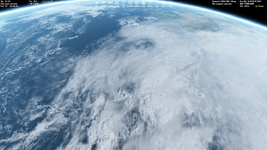
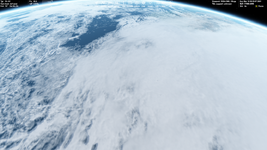
I think it's pretty enough to have level 10 (and maybe 11) for global cloud textures. So, it's not necessary to make higher (12, 13, 14, 15, 16) levels for clouds. We look at clouds from the low Earth orbit, I think it will be enough to have nice clouds at 100 km altitude (and higher). Maybe we can improve the cloud quality not by increasing the level, but by editing the cloud map source itself. I mean blurring and transparency, but not for the whole cloud map, but for some areas, namely editing cloud map locally. For example (below I show screenshots with the default "Cloud.tree", not with your one), I like how this look like:
1.png

But I don't like this:

2.png

And especially I don't like how these small cloud look:

1776583092165.png1776583265089.png

This is most noticeable above the ocean due to high contrast (blue/white).

Here I mentioned about blurring and its issues:

Blurring cloud texture may look good here:

0.png
2.png
5.png


But it looks bad here due to lack of details:

000.png
222.png
555.png

Update: I finally did achieve a level 10 cloud.tree (the issue probably was entering some wrong numbers somewhere in the process) but unfortunately I accidentally used the wrong bitmap version, so iI started wondering, why suddenly all the texture glitches reappeared.
Also, don't forget to "set MaxCloudResolution = 10" in "Earth.cfg".
Still way to go, because one of our bottlenecks, plsplit64, can only process a maximum resolution of level 9. So for level 11 we would need 16 individual subtiles with the same individual resolution as a global level 9 map.
For me the restriction of using "plsplit64" was in the size of a BMP image that I used as the cloud map source, but it wasn't the restriction of "plsplit64" inself. So I cutted the source map at big tiles and used "plsplit64" for them separately. I asked it above and the answer is "yes".
A question regarding the "plsplit64" tool. It requires a BMP texture. The highest BMP picture I can save using Photoshop is 16384x8192. it corresponds to tiles of level 8. Has anyone used the "plsplit64" for creating tiles of levels 9-10, namely has anyone inputed the values that differ from "-180" and "90" here?:

cmd.png
So, "plsplit64" creates the correct folder and tile names for tiles of level 10 (and higher, I suppose).
 
Back
Top