Implementing two default MFDs in VC on Lua

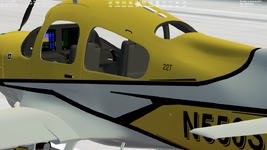
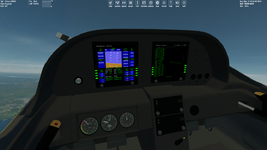
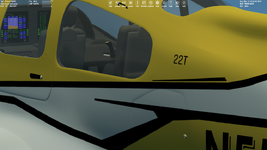
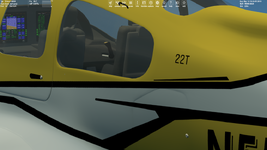
It looks the windows were the reason why I didn't see MFDs in external view. These windows masked MFDs wrond (windows and MFDs belongs to different meshes). After deleting windows I see MFDs in external view:

Без імені.png
 
Mshgrp transparency order? Where the windows the very last entry in the mesh file?
 
Mshgrp transparency order? Where the windows the very last entry in the mesh file?
Yes, the windows is the last meshgroup in the mesh, but it looks the second mesh I define (that contains the only MFDs) isn't masked by the first mesh. But It looks I solved it. I define the mesh with MFDs first.

I have another problem.

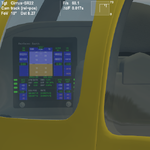
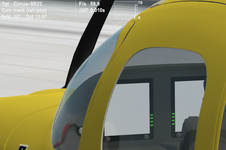
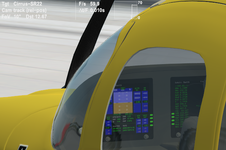
If I switch from VC to external view, then MFDs in external view look clear like in VC:

1.png2.png

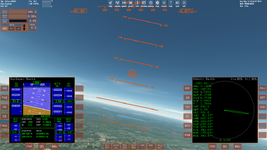
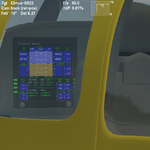
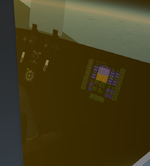
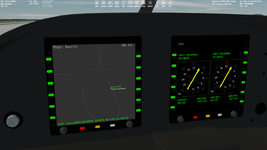
But if I switch from the generic 2D cockpit into external view, then MFDs in external view look bad (notice orange border around MFDs like in the generic 2D cockpit):

3.png4.png

I'd like always to see MFDs in external view like in the first case.
 
The issue with crashing occurred because I forgot to change mesh index for animation components after mesh swapping. Thanks to @Gondos for pointing this out.
 
I'd like always to see MFDs in external view like in the first case.
It looks the MFDs in external view are displayed the same as in the last internal view (VC or 2D glass cockpit). Does anyons know how to "fix" that? Namely always to display MFDs in external view the same like in VC?
 
MFD in external view after switching from VC (looks good (smooth)):

VC.png

MFD in external view after switching from generic glass cockpit (looks bad (flickering)):

2D.png

That is the problem I would like to solve.
 
@misha.physics It is smooth, but I noticed that it isn't updating at all. If I pitch the spacecraft around the horizon display stays the same. It works perfectly in VC mode.

1764170592208.png
 
Thank you. I really didn't notice that. I'm not even sure if it's poosible to update MFDs in external view. So, maybe the best solution is not to display MFDs in external view?
 
Does anyone know if it's possible to get updated MFDs in external view?
 
Thank you. I really didn't notice that. I'm not even sure if it's poosible to update MFDs in external view. So, maybe the best solution is not to display MFDs in external view?

I wouldn't say that. We both didn't noticed it until we were really looking closely. So IMHO it still looks cool. Like in cinema, sometimes using illusions is fine.

But yes, I agree it would be interesting to know if this is technically doable or not.
 
I just tried the ThunderFighter by @Buck Rogers again, and it shows the same behaviour:
Do your MFDs also show through the hull? Haven't been able to fix that.
I'm not too worried about the MFDs not being updated in external view. If I'm stuck outside my ship trying to read the MFD data I should probably worry about where I left the keys!:LOL:
 
Do your MFDs also show through the hull?
I see MFDs in external view through windows, not the fuselage.
Haven't been able to fix that.
What the issue do you mean?
I'm not too worried about the MFDs not being updated in external view.
Well, it's really not a big problem.
If I'm stuck outside my ship trying to read the MFD data I should probably worry about where I left the keys!:LOL:
:D

Well, I have another question. It's not so important, but maybe anyone knows any solution. MFDs are pure white in external view after loading a simulation. But they're displayed after switching into VC and again into external view:

1.png2.png
 
I see MFDs in external view through windows, not the fuselage.
What the issue do you mean?
Being visible through the fuselage, but that might be a loading order in Vesselbuilder.
MFDs are pure white in external view after loading a simulation. But they're displayed after switching into VC and again into external view:
Yes the MFDs don't load until the VC is activated, same as for the update issue.
 
Now I have MFD side buttons interactive:

1.png

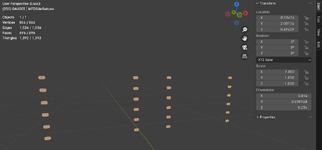
The next step is drawing dynamic labels for the side buttons. Has anyone made it? Can I use a separate mesh that contains one (or two - separate for left and right MFDs) meshgroup with buttons?:

2.png
 
Back
Top