Clip from Star Trek TNG S02E16 "Q Who"Amazing!
What is the movie on your screenshot?
Enterprise's first encounter with the Borg.
Last edited:

ORBITER-FORUM will be temporarily closed at 2026-07-23 18:00 UTC while we complete some OF maintenance tasks. The amount of downtime is expected to take up to one hour, but probably less.
Clip from Star Trek TNG S02E16 "Q Who"Amazing!
What is the movie on your screenshot?
Video player is not that useless as you think. Is it using ffmpeg under hood? What about playing URL (video from Youtube or whatever) or getting video from webcam?Useless for Orbiter itself
Technical Overview: How the MFD Plays Media
The MFD achieves its multimedia capabilities by leveraging powerful APIs that are native to the Windows operating system, eliminating the need for external codecs or libraries. The primary design challenge for this MFD is performance. Video and audio processing are computationally expensive tasks that, if performed on Orbiter's main simulation thread, would cause severe stuttering and lag. To solve this, the MFD uses a multi-threaded architecture to separate the user interface from the heavy lifting of media processing.

## Architecture: UI vs. Worker Thread
The system is split into two distinct components that run in parallel:

The UI Thread (VideoPlayerMFD.cpp): This is the MFD class itself, which runs as part of Orbiter's main loop. Its responsibilities are minimal: it handles user input (button presses), sends simple commands to the worker thread, and, once per frame, "blits" (a fast memory copy) a finished video frame from a shared buffer onto the MFD's display surface. It never performs file I/O or decoding.

The Worker Thread (MFPlayer.cpp): This is a completely separate, background thread dedicated to media playback. It runs independently of the simulation loop and handles all demanding operations: reading the video/audio files from disk, decoding the data, and managing A/V synchronization. Communication between the threads is managed via a thread-safe command queue and shared memory for the video frame.

## The Video Pipeline
When a video is played, each frame follows a distinct pipeline from the file to the MFD screen:

Decoding (Media Foundation): The worker thread uses the Windows Media Foundation (MF) API, a modern multimedia framework, to read the compressed video file (e.g., .mp4). It decodes the video stream into raw, uncompressed picture data. For efficiency, the initial decoding is to a NV12 color format, which is then converted by a Media Foundation Transform (MFT) into the RGB32 format required for display.

Frame Buffer: The final RGB32 frame is written to a shared memory buffer. Access to this buffer is protected by a Critical Section to prevent race conditions, ensuring the UI thread doesn't try to read a frame while the worker thread is still writing it.

Blitting: The UI thread checks a boolean flag each update cycle. When the worker thread sets the flag to true, the UI thread knows a new frame is ready. It then performs a fast SetDIBitsToDevice call to blit the contents of the shared buffer to the MFD's GDI surface (SURFHANDLE), making the image appear on screen.

## The Audio Pipeline
To avoid high memory usage from loading an entire audio file, audio is streamed from the companion .wav file using the DirectSound API.

This is achieved with a circular double buffer, which is essentially a small (e.g., 1-2 seconds) segment of memory that DirectSound plays on a loop.

Initial Fill: The worker thread initially fills the entire circular buffer with the beginning of the audio data from the file.

Notifications: DirectSound is configured to trigger an event notification when its playback cursor passes the halfway point of the buffer and again when it reaches the end.

Refilling: The worker thread waits for these events. When the "halfway" event is signaled, the thread knows the first half of the buffer is no longer in use. It immediately reads the next corresponding chunk of audio data from the file and writes it into that now-free first half. This process repeats for the second half, ensuring the buffer is always filled with upcoming audio data just before the playback cursor needs it.

## A/V Synchronization
Accurate synchronization is critical. In this system, audio serves as the master clock.

Every video frame decoded by Media Foundation comes with a precise Presentation Timestamp (PTS), indicating the exact moment it should appear. Before making a new frame available to the UI thread, the worker thread performs this check:

IF (VideoFrame_PTS > Current_Audio_Playback_Time)

If the video frame's timestamp is ahead of the current audio position, the video is running too fast. The worker thread will then call Sleep() for the small time difference, effectively pausing itself until the audio clock catches up. This simple but effective mechanism guarantees that the video never runs ahead of the audio.

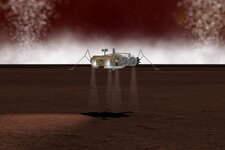

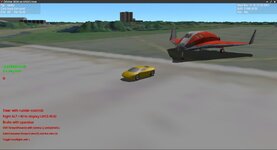

Star Trek ?Incroyable!
Quel est le film sur votre capture d'écran ?
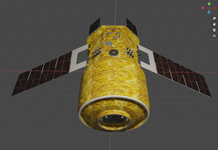
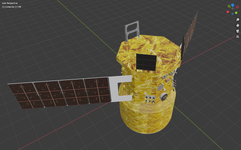
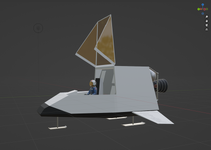
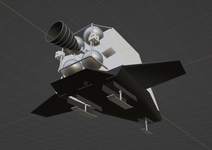
JAXA's new ISS logistics vehicle, HTV-X. The first one is currently berthed to ISS after having launched from Tanegashima Space Center on October 27 2025.Is that some Cosmos satellite ? I'm curious

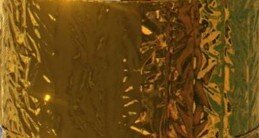
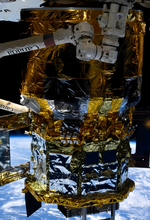
Maybe you would like to use the gold foil texture that I used for the OSTM&Astronaut add-on.Need to find a better gold foil texture, too wrinkly for the PM.
I'll have a look, thanks. Basically looking for something with a more stretched look, I guess (top):Maybe you would like to use the gold foil texture that I used for the OSTM&Astronaut add-on.
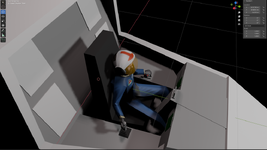
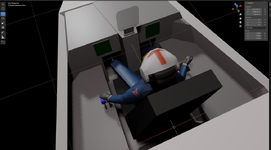
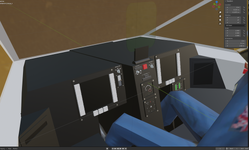
Ah yes, the Airbus A520.I don't think it is a very ergonomic position guys... What do you think ? My PC simmer experience tells me it could be a great way to get a tendinitis...
I'll have a look, thanks. Basically looking for something with a more stretched look, I guess (top):
View attachment 45507
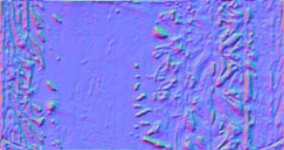
The silver stuff can probably just be the gold stuff reused in greyscale. The one I got also doesn't have normal maps, but it's just a visualiser for now.