Discussion Space Shuttle Vessel - Payload Development Thread

Oh. Can you point me to a scn? Then I may just need to add extra things like the cabinets, GAS containers

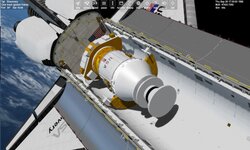
Scenarios\Space Shuttle Vessel\Historic missions\STS-26R\STS-26R IUS deploy.scn
 
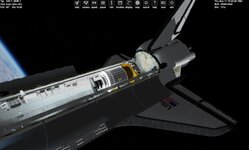
SSV already implements the IUS ASE along with the IUS itself.
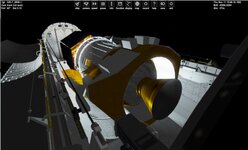
Yes, but mesh is low poly, missing many details. There was one modified, much more detailed, but as it was not scratch made, but derived from (I think) Jacqesmomo\Papy mesh, GLS does not accept it.
 
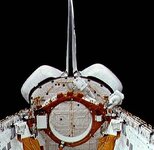
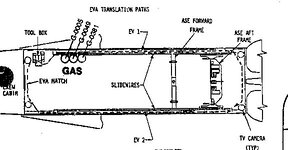
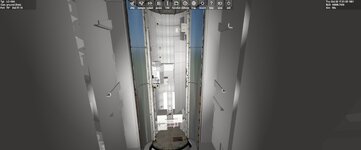
So the one for STS-26R is not too bad. This is what the ASE from STS 6 looked like. but it did have a gauge to show the angle.

So I guess for STS6 I could reuse the ASE and add the 3 GAS cylinders.
 

Attachments

  • 10061087.jpg
    10061087.jpg
    31.4 KB · Views: 10
  • sts26r1.jpg
    sts26r1.jpg
    96 KB · Views: 9
  • sts26r2.jpg
    sts26r2.jpg
    75.1 KB · Views: 10
  • sts6asegauge1.jpg
    sts6asegauge1.jpg
    24.7 KB · Views: 8
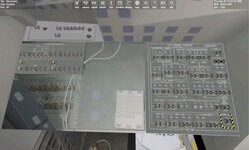
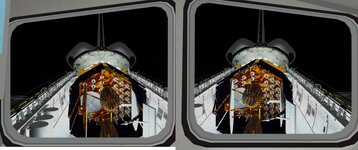
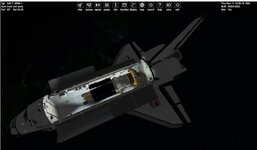
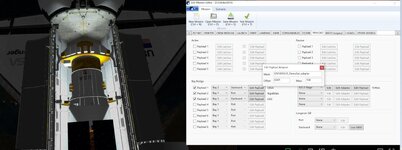
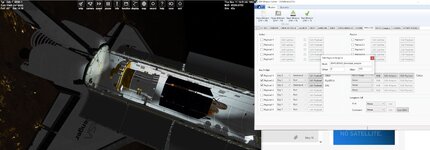
I get this for STS6. I had to adjust the attachment of my TDRS. I suspect the aft view of the ASE is where that gauge was? I wonder how they knew what angle the ASE/IUS was?

So when I set the offset to 0 it seems to disappear. So I set it at .001 and just adjusted the TDRS.

I also realized there was no RMS for this mission.
 

Attachments

  • STS6PAYLOAD3.jpg
    STS6PAYLOAD3.jpg
    68 KB · Views: 13
  • STS6PAYLOAD2.jpg
    STS6PAYLOAD2.jpg
    79 KB · Views: 12
  • STS6PAYLOAD1.jpg
    STS6PAYLOAD1.jpg
    53.2 KB · Views: 12
  • SSVADAPTER0001.jpg
    SSVADAPTER0001.jpg
    65.9 KB · Views: 12
  • SSVADAPTER0.jpg
    SSVADAPTER0.jpg
    63.7 KB · Views: 11
  • payloadsts6.jpg
    payloadsts6.jpg
    37.1 KB · Views: 11
  • sts6camb.jpg
    sts6camb.jpg
    60.9 KB · Views: 11
Last edited:
So when I set the offset to 0 it seems to disappear. So I set it at .001 and just adjusted the TDRS.
I might be a bit fundamentalist here, but AFAIK there was always a payload adapter, so it needs to have an height (i.e., not 0), which is the offset parameter. If the adapter is 1m tall, then the IUS will put the payload attachment 1m ahead of the IUS, so it is at the top of the adapter. The payload should have the attachment at the bottom, or wherever it attaches to the adapter.
One more thing: the adapter mesh should have the (0,0,0) point at the center of the bottom face, the IUS side.
I probably need to explain this better in the manual.
 
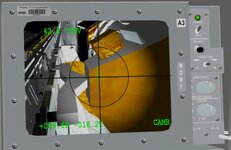
I wonder how they knew what angle the ASE/IUS was?
The current raise logic will stop at 29º, then 58 then 62º (?... well, whatever the max was). It might also have been shown on the CRT display.
 
Ok. Not sure If I need to do anything else I am sure the orbit info/date will be wrong. I guess I can set up a launch and see?
 
STS2 payload preview

Some of the textures are from the old sts_payloads.

I saw the IECM was on the OAST pallet. in the scenario is is correct. In the scn it is attached to the other pallet
 

Attachments

  • sts2preview.jpg
    sts2preview.jpg
    37.7 KB · Views: 16
  • Like
Reactions: GLS
So far got STS 2 and 3 working in 2024. Working on STS 5.

Where can I get SSV for 2016?
 
I am confused. I am trying to get my ASE in 2024. They work fine in 2016. but not in d3d9 in 2024.
i ran the scn in default and no ctd. but in d3d9 ctd:
000029.198: (SSV_OV) [INFO] OV-102 DC vertical tail mesh loaded
000029.198: (SSV_OV) [INFO] vertical tail mesh added
000029.198: PanelA6U: DefineVC called
000029.249: Module SSV_ET.dll ............ [Build 250520, API 241231]
000029.250: (SSV_ET) [INFO] Loading mission file STS-5H1
000029.625: Module SSV_SRB.dll ........... [Build 250520, API 241231]
000029.628: (SSV_SRB) [INFO] Loading mission file STS-5H1
000030.021: (SSV_SRB) [INFO] Loading mission file STS-5H1
000030.087: Module SSVSTS5ASE1.dll ....... [Build 250726, API 241231]
I reran the code for 2024 but no change.
I can add it as a vessel in default but d3d9 ctd
 
I still get this error for open orbiter for my ASE:
Unhandled exception at 0x7702D132 (ucrtbase.dll) in Orbiter.exe: An invalid parameter was passed to a function that considers invalid parameters fatal.
 
I still get this error for open orbiter for my ASE:
Unhandled exception at 0x7702D132 (ucrtbase.dll) in Orbiter.exe: An invalid parameter was passed to a function that considers invalid parameters fatal.
Make a scenario with just the ASE+PAM in orbit, so debugging is easier.
Check the debugger to see where the exception happens, and what the variables are vs what they should be.
 
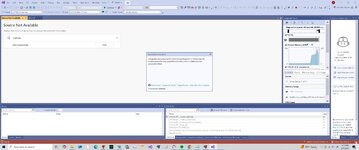
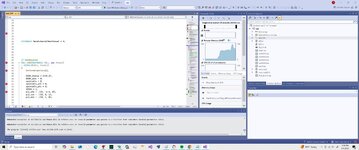
I made a scn with just the ASE. and when running the debugger I get this. only in d3d9. other add on work.
 

Attachments

  • DEBUGOPEN.jpg
    DEBUGOPEN.jpg
    60.9 KB · Views: 2
  • ASEtest.scn
    ASEtest.scn
    648 bytes · Views: 3
You need to put breakpoints in the Vessel callbacks and check what is happening in them, to narrow down the location of the issue.
 
I did put breakpoints. but it ctd before hitting them
but I get this:
Unhandled exception at 0x7702D132 (ucrtbase.dll) in Orbiter.exe: An invalid parameter was passed to a function that considers invalid parameters fatal.
 
What happens in InitModule() and ovcInit()?
 
Back
Top