
CurlSnout
Well-known member
What has the D3D9 log now?
Here is the new D3D9ClientLog:

ORBITER-FORUM will be temporarily closed at 2026-07-23 18:00 UTC while we complete some OF maintenance tasks. The amount of downtime is expected to take up to one hour, but probably less.
What has the D3D9 log now?

Thanks!Here is the new D3D9ClientLog:
Thanks!
THe next thing you'd be loading is this
TextureLoaded [VAB_TL1.dds] PLAIN Mips=7 Format=827611204 (64,32) Flags=0x1001, 0x10C42660
Do you have the file "Textures/vab_tl1.dds", size 1152 bytes?
2024 git tag) using the debug configuration windows-x64-debug and Orbiter is working perfectly.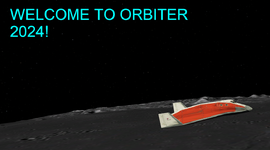
windows-x64-release:1> [CMake] CMake Error at Src/Module/LuaScript/LuaInterpreter/CMakeLists.txt:27 (add_dependencies):
1> [CMake] The dependency target "XRSound_assets" of target "LuaInterpreter" does not
1> [CMake] exist.
1> [CMake]
1> [CMake]
1> [CMake] CMake Error at Src/Module/LuaScript/LuaInterpreter/CMakeLists.txt:27 (add_dependencies):
1> [CMake] The dependency target "XRSound_lib" of target "LuaInterpreter" does not
1> [CMake] exist.Orbiter.log of a working Orbiter installation, there's a ~1s gap between loading that Earth atmosphere model and the Moon, where no doubt all sorts of unlogged/secret things are going on...
So I managed to build from source (using the code under the2024git tag) using the debug configurationwindows-x64-debugand Orbiter is working perfectly.
Now what I'm trying to do is package the code as if I were making a release, with the ultimate goal being to perform a diff between my "local" release (if it still works) vs. the official release.
Unfortunately CMake is failing when generating the cache for thewindows-x64-release:
Code:1> [CMake] CMake Error at Src/Module/LuaScript/LuaInterpreter/CMakeLists.txt:27 (add_dependencies): 1> [CMake] The dependency target "XRSound_assets" of target "LuaInterpreter" does not 1> [CMake] exist. 1> [CMake] 1> [CMake] 1> [CMake] CMake Error at Src/Module/LuaScript/LuaInterpreter/CMakeLists.txt:27 (add_dependencies): 1> [CMake] The dependency target "XRSound_lib" of target "LuaInterpreter" does not 1> [CMake] exist.
Not really sure what to do here, but I'll have another look tomorrow.
You should use the x86 (32 bit) build, as that is the released version. The x64 still has some issues to work.windows-x64-debug

So I managed to build from source (using the code under the2024git tag) using the debug configurationwindows-x64-debugand Orbiter is working perfectly.
View attachment 41684
Now what I'm trying to do is package the code as if I were making a release, with the ultimate goal being to perform a diff between my "local" release (if it still works) vs. the official release.
Unfortunately CMake is failing when generating the cache for thewindows-x64-release:
Code:1> [CMake] CMake Error at Src/Module/LuaScript/LuaInterpreter/CMakeLists.txt:27 (add_dependencies): 1> [CMake] The dependency target "XRSound_assets" of target "LuaInterpreter" does not 1> [CMake] exist. 1> [CMake] 1> [CMake] 1> [CMake] CMake Error at Src/Module/LuaScript/LuaInterpreter/CMakeLists.txt:27 (add_dependencies): 1> [CMake] The dependency target "XRSound_lib" of target "LuaInterpreter" does not 1> [CMake] exist.
Not really sure what to do here, but I'll have another look tomorrow.
By the way I don't think this is an issue with D3D9Client, or loading textures, because the issue exists even in console mode. And if you look at theOrbiter.logof a working Orbiter installation, there's a ~1s gap between loading that Earth atmosphere model and the Moon, where no doubt all sorts of unlogged/secret things are going on...
git submodule init
I was going to ask about this. Sorry if it's a wrong place here and I should ask it in another thread/create the new one.EnableDX12Wrapper = 1.
2024-release):Textures/Earth, the log file makes its way further down to Modules/Moon.dll.Textures/Moon, the log file makes its way further down to Modules/Mars.dll.Textures/Mars, Orbiter loads and I can enter the game loop, just without the planetary textures.cmake --install. I set PlanetTexDir to the main Orbiter 2024 folder and found that:x86-release DOES exhibit this behaviour (not surprising as this is the most similar build to 2024-release)x86-debug does NOT exhibit this behaviourx64-debug does NOT exhibit this behaviourEnableDX12Wrapper set to 1.PlanetTexDir in 2024-release to my Orbiter 2016 textures folder, in case there was something wrong with the 2024 textures, but this didn't fix anything.Modules/Server/GDIClient.dll from 2024-release and paste it in x86-debug, I get the same CTD behaviour in x86-debug. However I don't know how useful this is, as even though the issue might appear identical, the cause might be completely different. Taking the GDIClient.dll from x86-debug and pasting it in 2024-release does not fix the issue there unfortunately.release builds causing the issue. As mentioned before, Orbiter 2016 continues to work fine so this has to have been introduced in 2024.2024-rc1 (or even the current main branch). Might try that tomorrow.x86-debug and see how it goes. If there's anything else I can do to help solve the issue then let me know. It is annoying though that the debug builds do not show this behaviour, otherwise I could have tried debugging! Unless there's some way I can debug the release builds?
I also tried setting thePlanetTexDirin2024-releaseto my Orbiter 2016 textures folder, in case there was something wrong with the 2024 textures, but this didn't fix anything.
x86 using the RelWithDebugInfo build type option, I got this exception traceback when loading a scenario via Modules/Server/Orbiter.exe (with heap profiling enabled):0001066d()
[Frames below may be incorrect and/or missing]
[External Code]
Orbiter.exe!Planet::Setup() Line 698
at S:\Orbiter-build\orbiter\Src\Orbiter\Planet.cpp(698)
Orbiter.exe!Planet::Planet(char * fname) Line 427
at S:\Orbiter-build\orbiter\Src\Orbiter\Planet.cpp(427)
Orbiter.exe!PlanetarySystem::Read(char * fname, const Config * config, void(*)(const char *, int, void *) outputLoadStatus, void * callbackContext) Line 193
at S:\Orbiter-build\orbiter\Src\Orbiter\Psys.cpp(193)
Orbiter.exe!PlanetarySystem::PlanetarySystem(char * fname, const Config * config, void(*)(const char *, int, void *) outputLoadStatus, void * callbackContext) Line 28
at S:\Orbiter-build\orbiter\Src\Orbiter\Psys.cpp(28)
Orbiter.exe!Orbiter::InitializeWorld(char * name) Line 285
at S:\Orbiter-build\orbiter\Src\Orbiter\Orbiter.cpp(285)
Orbiter.exe!Orbiter::CreateRenderWindow(Config * pCfg, const char * scenario) Line 785
at S:\Orbiter-build\orbiter\Src\Orbiter\Orbiter.cpp(785)
Orbiter.exe!Orbiter::Launch(const char * scenario) Line 714
at S:\Orbiter-build\orbiter\Src\Orbiter\Orbiter.cpp(714)
Orbiter.exe!orbiter::LaunchpadDialog::DlgProc(HWND__ * hWnd, unsigned int uMsg, unsigned int wParam, long lParam) Line 350
at S:\Orbiter-build\orbiter\Src\Orbiter\Launchpad.cpp(350)
[External Code]
Orbiter.exe!orbiter::LaunchpadDialog::ConsumeMessage(tagMSG * pmsg) Line 149
at S:\Orbiter-build\orbiter\Src\Orbiter\Launchpad.cpp(149)
Orbiter.exe!Orbiter::Run() Line 1084
at S:\Orbiter-build\orbiter\Src\Orbiter\Orbiter.cpp(1084)
Orbiter.exe!WinMain(HINSTANCE__ * hInstance, HINSTANCE__ * __formal, char * strCmdLine, int nCmdShow) Line 246
at S:\Orbiter-build\orbiter\Src\Orbiter\Orbiter.cpp(246)
[External Code]Exception thrown at 0x0001066D in Orbiter.exe: 0xC0000005: Access violation executing location 0x0001066D.Elev* files does seem to bypass this particular exception...but I end up with another CTD later on...
; === Configuration file for solar system ===
Name = Sol

Star1 = Sun
Planet1 = Mercury
Planet2 = Venus
Planet3 = Saturn
Saturn:Moon1 = Titan
Saturn:Moon2 = Hyperion
Planet4 = Uranus
Uranus:Moon1 = Miranda
Uranus:Moon2 = Ariel
Uranus:Moon3 = Umbriel
Uranus:Moon4 = Titania
Uranus:Moon5 = Oberon
Planet5 = Neptune
Neptune:Moon1 = Triton
Neptune:Moon2 = Proteus
Neptune:Moon3 = Nereid

Does it run ok in Orbiter_NG.exe with MOGE instead of D3D9?Orbiter with built-in engine (Orbiter.exe) run without problem, without tweakings.
After successfully buildingx86using theRelWithDebugInfobuild type option, I got this exception traceback when loading a scenario viaModules/Server/Orbiter.exe(with heap profiling enabled):
The actual exception is:Code:0001066d() [Frames below may be incorrect and/or missing] [External Code] Orbiter.exe!Planet::Setup() Line 698 at S:\Orbiter-build\orbiter\Src\Orbiter\Planet.cpp(698) Orbiter.exe!Planet::Planet(char * fname) Line 427 at S:\Orbiter-build\orbiter\Src\Orbiter\Planet.cpp(427) Orbiter.exe!PlanetarySystem::Read(char * fname, const Config * config, void(*)(const char *, int, void *) outputLoadStatus, void * callbackContext) Line 193 at S:\Orbiter-build\orbiter\Src\Orbiter\Psys.cpp(193) Orbiter.exe!PlanetarySystem::PlanetarySystem(char * fname, const Config * config, void(*)(const char *, int, void *) outputLoadStatus, void * callbackContext) Line 28 at S:\Orbiter-build\orbiter\Src\Orbiter\Psys.cpp(28) Orbiter.exe!Orbiter::InitializeWorld(char * name) Line 285 at S:\Orbiter-build\orbiter\Src\Orbiter\Orbiter.cpp(285) Orbiter.exe!Orbiter::CreateRenderWindow(Config * pCfg, const char * scenario) Line 785 at S:\Orbiter-build\orbiter\Src\Orbiter\Orbiter.cpp(785) Orbiter.exe!Orbiter::Launch(const char * scenario) Line 714 at S:\Orbiter-build\orbiter\Src\Orbiter\Orbiter.cpp(714) Orbiter.exe!orbiter::LaunchpadDialog::DlgProc(HWND__ * hWnd, unsigned int uMsg, unsigned int wParam, long lParam) Line 350 at S:\Orbiter-build\orbiter\Src\Orbiter\Launchpad.cpp(350) [External Code] Orbiter.exe!orbiter::LaunchpadDialog::ConsumeMessage(tagMSG * pmsg) Line 149 at S:\Orbiter-build\orbiter\Src\Orbiter\Launchpad.cpp(149) Orbiter.exe!Orbiter::Run() Line 1084 at S:\Orbiter-build\orbiter\Src\Orbiter\Orbiter.cpp(1084) Orbiter.exe!WinMain(HINSTANCE__ * hInstance, HINSTANCE__ * __formal, char * strCmdLine, int nCmdShow) Line 246 at S:\Orbiter-build\orbiter\Src\Orbiter\Orbiter.cpp(246) [External Code]
Code:Exception thrown at 0x0001066D in Orbiter.exe: 0xC0000005: Access violation executing location 0x0001066D.
RemovingElev*files does seem to bypass this particular exception...but I end up with another CTD later on...
How cooked am I?
Actually, this too. An intermittent access violation is a smoking gun here. Uninitialized pointer math or something horrifying like that...The results of the folder deletion exercise point to terrain loading, plus Earth, Moon and Mars are "the big ones" in terms of those files. At least the elevation files should be needed in a non-graphics configuration (where the problem still occurs), for surface/altitude calculations, so the "Elev" and "Elev_Mod" archive loading is probably a good place to start digging.
The problem happening (for some) in the release build and not in the debug build, points to uninitialized variables.
@CaptainSwag101 is this related in any way to the issue that /LARGEADDRESSAWARE fixes?


