Discussion Mesh making with Blender

Thanks everyone :)

Of course, I didn't even think about giving up (that smiley just meant that I hurried with my questions a lot).

Yes, I've alrealy learned one Blender course on YouTube. I'm learning the second one (more gaming oriented) now. Also, I found several other courses (and single videos) I'm going to take a look later.

I even textured my mesh creating UV maps both in Photoshop and Texture Paing integrated in Blender. I see the most obvious way to texture objects for Orbiter for now, namely making UV maps in Blender, export it to a picture and paint it in a graphics editor (like Photoshop). Although for now I'd like to try paint some simple mesh like an aircraft using the Texture Paing in Blender. It looks much easier.

You could advice in general how you texture your mesh for Orbiter.
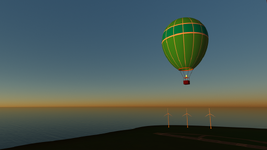
 
I use Gimp, which has a built in .DDS export function. I've played with the texture paint in Blender, but those tools are pretty limited compared to something like Gimp or Photoshop. I also don't know if you can paint directly onto a .DDS file, so you may need to convert. Although I think Orbiter does support other texture formats. That's just not something I've played around with much.

In Blender you can also export the UV layout for an object (or multiple objects) to a .PNG file. You can then pull that into a layer in Gimp and use that as a guide for painting your textures. I do that a lot.

In Gimp I create a top level Group I call 'visual'. Inside that create layers for the elements you want on your texture. Base color, text, dirt and scuff marks, etc. When you are ready, select the 'visual' group and export. That will create a .DDS texture file that will include all of the visible layers under that group.

You can then have another top level group called 'guides' where you put the UV export images and other art you may want to use (pics of gauges etc. you are using has a guide). When you export 'visual' that's all that will be part of the .DDS file, not the 'guides' layer.

I could go on...this is a basic out line of how I work.
 
Pretty nice:

h.png

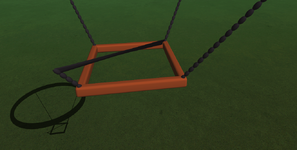
I found that creating such a "chain" makes the flickering much less compared to a simple straight rod/wire. I think this shape looks even better:

h2.png

I know the fire must be higher, but I will remade the model, since there are some problems here, that are more difficult to fix than starting over.
 
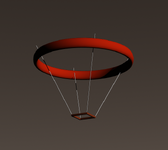
Something strange happens with the "Mirror" modifier. Everything works fine if I mirror about one axis (X or Y), but not the both. It's displaying well in Blender, but not in Orbiter:

Chains.png

I tried to mirror about one axis first, apply the modifier, and then mirror the result about other axis, but I get the same issue. I attach the BLENDER file with the modifier (it's not applied yet).
 

Attachments

1722026405295.png

First, I duplicated the issue you are seeing using Blender 4.0. I have no idea why its behaving as it is. The way you have done your chains creates an enormous mesh however. I don't know why that would be the problem.

Above is using simple cylinders with an X Y mirror modifier that has not been applied. So using a mirror modifier that way is a perfectly legitimate thing to do.

You may want to simplify your chain, or create it some other way and see if you see the same behavior.
 
I tried to mirror about one axis first, apply the modifier, and then mirror the result about other axis, but I get the same issue. I attach the BLENDER file with the modifier (it's not applied yet).
This is because in Orbiter a mesh group cannot have more than 32768 vert or faces, I can't remember exactly. And your chain definitely exceeds this limit. To test your chain you can create four mesh groups and then it should work. But it is not usual to use so many polys in a mesh. My principle is as few as possible and as many as necessary.
 
This is because in Orbiter a mesh group cannot have more than 32768 vert or faces, I can't remember exactly. And your chain definitely exceeds this limit. To test your chain you can create four mesh groups and then it should work. But it is not usual to use so many polys in a mesh. My principle is as few as possible and as many as necessary.

Ah, I did not know that limit existed, but makes sense. Thanks for explaining that.
 
Thanks! I've just made a lot of tests, and found that dividing my chain into separate groups solves this.
 
Ah, I did not know that limit existed, but makes sense. Thanks for explaining that.
It would be helpful if you could implement a warning in your addon in case this limit is exceeded.

I think in OpenOrbiter this limit is higher, but I'm not entirely sure.
 
It seems like the limit is really higher (like two times). I just model the mesh for OpenOrbiter. But I'm not sure.
 
I'm glad the reason turned out to be so simple, because I've been remaking my chain from scratch several times, and the problem remaining. It was like madness :) I even thought about some limits, but of the add-on, not Orbiter...
 
I think in OpenOrbiter this limit is higher
It seems like the limit is really higher (like two times)
That's good news!

An example of low poly for lesser details, chains etc. would be a simple plane with a texture with transparency.
The (otherwise comlicated) carbon fibre truss of the Venture Star is just a tube with a tex with holes in it. Add normal maps and you have "3D" objects.
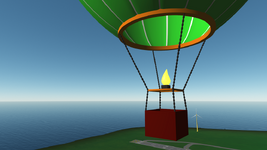
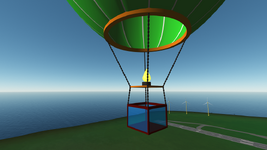
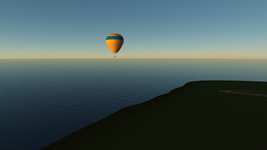
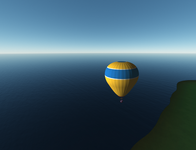
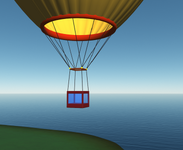
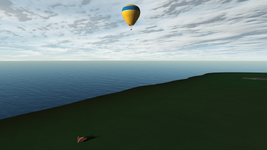
Nice balloon by the way;) Check out the _transm. and _transl. d3d9 texture extensions, they're perfect for parachutes and balloons!
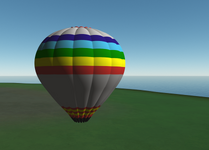
 
What is that and where can I find them?
For this you need a texture for your mesh. For example, myBalloon.dds, which contains the colors of your balloon. Then you create additional textures with the extension
for example, myBallon_transl.dds. This is a black and white texture that contains information about which parts of your original texture should be transparent. It doesn't necessarily have to be black and white, but can also have shades of gray that affect the level of transparency. The whiter the texture, the more transparent the result.
 
Back
Top