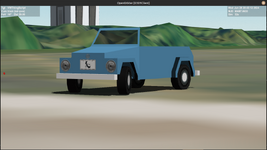
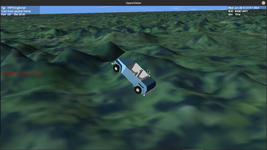
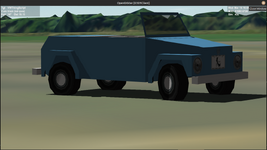
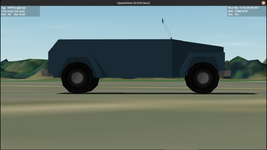
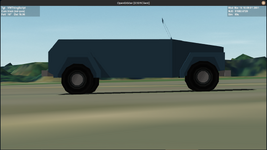
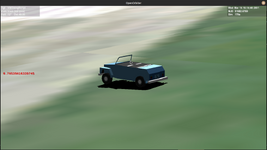
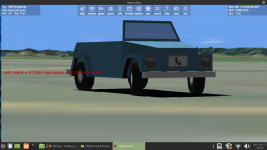
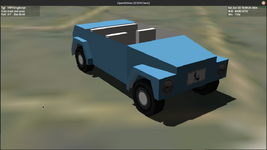
Wheels...

ORBITER-FORUM will be temporarily closed at 2026-07-23 18:00 UTC while we complete some OF maintenance tasks. The amount of downtime is expected to take up to one hour, but probably less.
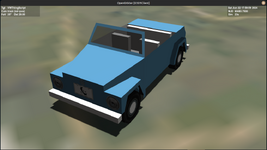
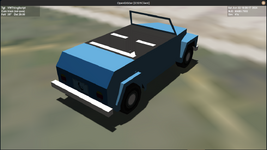
function make_anim.right_front_wheel()

    right_front_wheel_steer =
    {
        type =  'rotation',
        mesh =  0,
        grp =   {82,83,84},
        ref = front_right_wheel_axle,
        axis =  {x=0,y=1,z=0},
        angle = 45*RAD
    }

    right_front_wheel_rotate =
        {
        type =  'rotation',
        mesh =  0,
        grp =   {82,83,84},
        ref = front_right_wheel_axle,
        axis =  {x=1,y=0,z=0},
        angle = 360*RAD
        }

        anim_right_front_wheel_steer = vi:create_animation(0.5)

        parent = vi:add_animationcomponent(anim_right_front_wheel_steer,0,1,oapi.create_animationcomponent(right_front_wheel_steer))

        anim_right_front_wheel_rotate = vi:create_animation(0.0)

        vi:add_animationcomponent(anim_right_front_wheel_rotate, 0, 1, right_front_wheel_rotate, parent)

endConfig/Vessels/VWThingScript/make_anim.lua:140: add_animationcomponent: argument 4: invalid type (expected handle) table givenvi:add_animationcomponent(anim_right_front_wheel_rotate, 0, 1, right_front_wheel_rotate, parent)vi:add_animationcomponent(anim_right_front_wheel_rotate, 0, 1,oapi.create_animationcomponent(right_front_wheel_rotate), parent)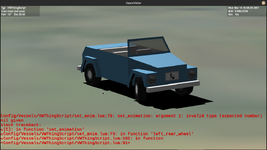
function set_anim.right_front_wheel()

    local rotation_speed = 0.1

    right_front_wheel_steer = 1.0

    vi:set_animation(anim_right_front_wheel_steer, right_front_wheel_steer)

    right_front_wheel_rotation= (right_front_wheel_rotation + oapi.get_simstep()*rotation_speed) % 1

    vi:set_animation(anim_right_front_wheel_rotate, right_front_wheel_rotation)

endAren't you missing an oapi.create_animationcomponent call (right_front_wheel_rotate is a table, not an animation component)?Code:vi:add_animationcomponent(anim_right_front_wheel_rotate, 0, 1, right_front_wheel_rotate, parent) end
    local RAileronGrp = {GRP.RUAileron1,GRP.RUAileron2,GRP.RLAileron1,GRP.RLAileron2}
    local RAileron = MGROUP_ROTATE(0, RAileronGrp, _V(0,-0.4,-6.0), _V(1,0,0), 20*RAD)
    self.anim_raileron = self:create_animation (0.5)
self:add_animationcomponent (self.anim_raileron, 0, 1, RAileron)Yep, that was it. I was staring at it. Now both animation components are working, but they aren't working as expected. I am getting strange rotations. I am looking to have the wheel rotate about its axle, but the orientation of the axle can rotate around a vertical axis. I'm getting a strange combination that seems to rotate the axle out of the X-Z plane which is incorrect.Aren't you missing an oapi.create_animationcomponent call (right_front_wheel_rotate is a table, not an animation component)?
Thanks for this, but I think I'm fine with the Lua syntax. I don't think changing to C++ syntax is going to improve my state of confusion.There are some 'macros' (MGROUP_ROTATE, MGROUP_TRANSLATE, MGROUP_SCALE) that make the code look more like their C++ equivalents, maybe it'll help you?
For example in the Lua DG:
Code:local RAileronGrp = {GRP.RUAileron1,GRP.RUAileron2,GRP.RLAileron1,GRP.RLAileron2} local RAileron = MGROUP_ROTATE(0, RAileronGrp, _V(0,-0.4,-6.0), _V(1,0,0), 20*RAD) self.anim_raileron = self:create_animation (0.5) self:add_animationcomponent (self.anim_raileron, 0, 1, RAileron)
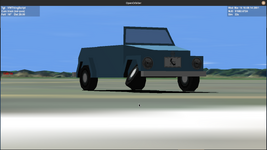
function make_anim.right_front_wheel()

    anim_right_front_wheel_steer = vi:create_animation(0)

    right_front_wheel_steer =
    {
        type =  'rotation',
        mesh =  0,
        grp =   {82,83,84},
        ref = front_right_wheel_axle,
        axis =  {x=0,y=1,z=0},
        angle = 45*RAD
    }

    anim_right_front_wheel_rotation = vi:create_animation(0)

    right_front_wheel_rotate =
    {
        type =  'rotation',
        mesh =  0,
        grp =   {82,83,84},
        ref = front_right_wheel_axle,
        axis =  {x=1,y=0,z=0},
        angle = 360*RAD
    }
        parent = vi:add_animationcomponent(anim_right_front_wheel_steer,0,1,oapi.create_animationcomponent(right_front_wheel_steer))

        vi:add_animationcomponent(anim_right_front_wheel_rotation,0,1,oapi.create_animationcomponent(right_front_wheel_rotate), parent)

endfunction set_anim.right_front_wheel()
--apply a constant speed rotation to the wheel about the axle
local rotation_speed = 0.1
right_front_wheel_rotation= (right_front_wheel_rotation + oapi.get_simstep()*rotation_speed) % 1
--apply an oscillating back-and-forth steering motion
right_front_wheel_steering_angle = 0.5*(1.0 + math.sin(0.5*math.pi*oapi.get_simtime()))
--set the animations
vi:set_animation(anim_right_front_wheel_steer, right_front_wheel_steering_angle)
vi:set_animation(anim_right_front_wheel_rotation, right_front_wheel_rotation)
endHave I? The parent-child linking doesn't seem to affect the animation at all.Have you done the animations in the wrong order? (Yes, you have.)
Yes, and as far as I can tell I am doing what should be the Lua equivalent, but again, it's not doing the two rotating animations in sequence. It seems to be doing them simultaneously in vessel coordinates.Maybe you could take a look at GeneralVehicle's source code to see how it's done there, it must be doing exactly what you want.
I pretty much ended up having to do the same, also within the same mesh group. Wanted to rotate a globe around the fixed x axis, and around the polar axis, which changes as the first rotation happens (orbital and Earth spin). After banging my head on the parent-child wall, I just took to editing the second animation's reference axis at each time step, by rotating that vector around the fixed axis by the amount needed. Doesn't necessarily mean it can't be done with parent-child, but it doesn't seem intuitive if it can.Yes, and as far as I can tell I am doing what should be the Lua equivalent, but again, it's not doing the two rotating animations in sequence. It seems to be doing them simultaneously in vessel coordinates.
EDIT: I am looking harder at the GeneralVehicle's code and it seems like they had to do their own coordinate transforms for nested rotations like this. I think I have a similar problem in that I need to apply two different rotational transformations to occur in sequence to the same meshgroups. In the examples like in the API_Guide.pdf the parent and child groups are different meshgroups. I need to rotate the mesh groups, then rotate the rotated groups around another axis.
I was thinking of how to pass the transformed vertices from the first rotation to the second, but changing the axis is neater. I'll give that a shot.I pretty much ended up having to do the same, also within the same mesh group. Wanted to rotate a globe around the fixed x axis, and around the polar axis, which changes as the first rotation happens (orbital and Earth spin). After banging my head on the parent-child wall, I just took to editing the second animation's reference axis at each time step, by rotating that vector around the fixed axis by the amount needed.
I was thinking of making a dummy mesh element, rotating that as the parent animation, and then adding the rolling wheel rotation as the child. That doesn't seem efficient or intuitive.Doesn't necessarily mean it can't be done with parent-child, but it doesn't seem intuitive if it can.
    // correct globe e animation axis with rotation matrix around x for the initial vector for the poles in the mesh file
    double angGlobeO = 2 * PI * globe_o_proc;
    globe_e_axis.x = GLOBE_E_AXIS_INIT.x;
    globe_e_axis.y = GLOBE_E_AXIS_INIT.y * cos(angGlobeO) - GLOBE_E_AXIS_INIT.z * sin(angGlobeO);
    globe_e_axis.z = GLOBE_E_AXIS_INIT.y * sin(angGlobeO) + GLOBE_E_AXIS_INIT.z * cos(angGlobeO);
globe_e->axis = globe_e_axis;Wouldn't you want the opposite? With the parent-child idea, the rotation around vertical will always be the y axis, but the rotation around the axle will vary depending on the rotation around y (reference axis somewhere on the xOz plane). So the wheel rotation would be child to the steering rotation (unless you're already doing that, between Lua and rustiness, I could totally miss it in the code).I basically want to rotate the wheel about the axle, THEN rotate that rotated assembly around the vertical axis.
function make_anim.right_front_wheel()

    anim_right_front_wheel_steer = vi:create_animation(0.5)

    right_front_wheel_steer =
    {
        type =  'rotation',
        mesh =  0,
        grp =   {82}, --dummy mesh group to take parent animation
        ref = front_right_wheel_axle,
        axis =  {x=0,y=1,z=0},
        angle = 45*RAD
    }

    parent = vi:add_animationcomponent(anim_right_front_wheel_steer,0,1,oapi.create_animationcomponent(right_front_wheel_steer))

    anim_right_front_wheel_rotation = vi:create_animation(0)

    right_front_wheel_rotate =
    {
        type =  'rotation',
        mesh =  0,
        grp =   {83,84,85}, --parts of wheel
        ref = front_right_wheel_axle,
        axis =  {x=1,y=0,z=0},
        angle = 360*RAD
    }

    vi:add_animationcomponent(anim_right_front_wheel_rotation,0,1,oapi.create_animationcomponent(right_front_wheel_rotate), parent)

endfunction make_anim.right_front_wheel()
anim_right_front_wheel_steer = vi:create_animation(0.5)
right_front_wheel_steer =
{
type = 'rotation',
mesh = 0,
grp = {82},
ref = front_right_wheel_axle,
axis = {x=0,y=1,z=0},
angle = 45*RAD
}
local parent = vi:add_animationcomponent(anim_right_front_wheel_steer,0,1,oapi.create_animationcomponent(right_front_wheel_steer))
vi:create_controlsurface(AIRCTRL.AILERON, 1, 0, front_right_wheel_axle, AIRCTRL_AXIS.YNEG, 1.0, anim_right_front_wheel_steer)
anim_right_front_wheel_rotation = vi:create_animation(0)
right_front_wheel_rotate =
{
type = 'rotation',
mesh = 0,
grp = {83,84,85},
ref = front_right_wheel_axle,
axis = {x=1,y=0,z=0},
angle = 360*RAD
}
vi:add_animationcomponent(anim_right_front_wheel_rotation,0,1,oapi.create_animationcomponent(right_front_wheel_rotate), parent)
end