

You are using an out of date browser. It may not display this or other websites correctly.
You should upgrade or use an alternative browser.
You should upgrade or use an alternative browser.
New Orbiter Beta Released (r.13, Mar 7, 2015)
- Thread starter martins
- Start date
For some reason all of the scenarios in the orbiter launchpad disappeared after running about 10 simulations.Does anyone else have this problem?
You should be able to get the scenario column back by opening orbiter.cfg and deleting the LpadScnListWidth entry. But before you do, please post its current value here. If possible, try to recreate the problem. Did you move the divider, resize the window, etc?
Interstellar Planet
Cosmic Voyager
You should be able to get the scenario column back by opening orbiter.cfg and deleting the LpadScnListWidth entry. But before you do, please post its current value here. If possible, try to recreate the problem. Did you move the divider, resize the window, etc?
The LpadScnListWidth, LpadModListWidth, and LpadExtListWidth all went to -10. It instantly happens every time I minimize the orbiter launchpad window and view it again.
OK, I see. Should be fixed for the next beta.

I downloaded the fragments of the Earth HiRes textures (I found that it was faster than downloading via torrent), but when I tried to extract them with 7-zip, it said "can not open file... as archive"
The files are Earth_HiRes.7z.001 - Earth_HiRes.7z.005. I tried removing the .00x, but 7zip couldn't extract it either.
The files are Earth_HiRes.7z.001 - Earth_HiRes.7z.005. I tried removing the .00x, but 7zip couldn't extract it either.

- Joined
- Jun 29, 2010
- Messages
- 642
- Reaction score
- 0
- Points
- 16
I downloaded the fragments of the Earth HiRes textures (I found that it was faster than downloading via torrent), but when I tried to extract them with 7-zip, it said "can not open file... as archive"
The files are Earth_HiRes.7z.001 - Earth_HiRes.7z.005. I tried removing the .00x, but 7zip couldn't extract it either.
The way I did it was by right clicking Earth_HiRes.7z.001 and using the contextual menu to "Extract files..."

Does that not work for you?
Alternatively, you can run the 7zFM.exe, navigate to where you downloaded the files, choose Earth_HiRes.7z.001 and click Extract.
Last edited:
No it doesn't. I don't get a context menu. I also followed the steps described here, still no context menu.The way I did it was by right clicking Earth_HiRes.7z.001 and using the contextual menu to "Extract files..."
Does that not work for you?
Alternatively, you can run the 7zFM.exe, navigate to where you downloaded the files, choose Earth_HiRes.7z.001 and click Extract.
That's what I already did. It said "Can not open file 'C:\Users\user\Desktop\Earth_HiRes.7z.001' as archive". Maybe I'll just torrent it tomorrow.
- Joined
- Jun 29, 2010
- Messages
- 642
- Reaction score
- 0
- Points
- 16
No it doesn't. I don't get a context menu. I also followed the steps described here, still no context menu.
That's what I already did. It said "Can not open file 'C:\Users\user\Desktop\Earth_HiRes.7z.001' as archive". Maybe I'll just torrent it tomorrow.
Hmm... I would check the hash of your files against the md5sums that the archive came with. Perhaps your files are corrupt, but if it turns out your files are fine, it would be a big waste of time to re-download.
You can download a program like this to check your files. No installation required, just download the EXE and run it. (There are better MD5/SHA256 checkers available, but this is just one I found quickly.)
Start the program, uncheck everything except for MD5 (or else it will take a long time to generate the other hash types), then "point it" to your Earth_HiRes.7z.001 file by clicking Browse. It will hash the file as soon as you open it. Then you can copy/paste the md5sum from the md5sum files into the Hash area below and click Verify.

If your hashes do not match, then you know beyond the shadow of a doubt that your download was corrupted. If they match, you know beyond the shadow of a doubt that the files are good and there is no point in re-downloading.
Be sure to check every file.

Last edited:
I already deleted the files anyway.

Pablo49
Member
- Joined
- Feb 24, 2010
- Messages
- 753
- Reaction score
- 0
- Points
- 16
I already deleted the files anyway.
Is a shame you were too impatient for blixel's in-depth assistance.
Even if the files weren't corrupted, 7-zip wouldn't even recognize them as an archive.

Holy  the new elevation model is awesome!
the new elevation model is awesome!
Pablo49
Member
- Joined
- Feb 24, 2010
- Messages
- 753
- Reaction score
- 0
- Points
- 16
Even if the files weren't corrupted, 7-zip wouldn't even recognize them as an archive.
Again, not an unsolvable problem. Be it while in beta or later, you'll need to get 7zip working, so really you are just kicking the can.


- Joined
- Sep 12, 2010
- Messages
- 3,131
- Reaction score
- 415
- Points
- 123
- Location
- Rome
- Website
- www.tuttovola.org
Hi Martin, and thanks for your endless development of an already beautiful piece of digital art....The textures for Earth, Moon and Mars are no longer part of the SVN repository. They must be downloaded separately...
I'm currently d'loading the full HiRes textures torrents (maybe it's a bit of an overkill as I'm running short of disk space, but I was too curious).
How will the differential download of the new (as in "not already released") HiRes textures chunks be managed?
Please note that the Earth textures are still under development. High-resolution coverage is currently only available for part of the surface. The texture files will be updated periodically.
Should we just click on the single map-squares to get the rest of them, whenever they become available?
Edit: (thinking out loud) could we have a little "textures checker", maybe in utils folder, to run and see which chunks are still missing from one's install?
Last edited:

Lucy
in the sky, with diamonds.
Administrator
Moderator
Orbiter Contributor
Addon Developer
Webmaster
GFX Staff
Beta Tester
- Joined
- Aug 9, 2009
- Messages
- 7,111
- Reaction score
- 1,310
- Points
- 203
- Location
- 10.0.0.1
- Website
- www.orbiter-radio.co.uk
- Preferred Pronouns
- she/her
Should we just click on the single map-squares to get the rest of them, whenever they become available?
Yeah, basically. I'll be adding tiles to the big Earth zip as they come, but there's a little lead time on that. If you've already downloaded it, then you're better off just pulling the newly lit squares.

I have a question regarding elevation data: could it be that the resolution setting in the visual parameters tab is not respected by the terrain collision engine? If I restrict the resolution to e.g. 7, I see terrain visualization according to this setting, but the altimeter seems to still reflect the installed high-res terrain.
I have a question regarding elevation data: could it be that the resolution setting in the visual parameters tab is not respected by the terrain collision engine? If I restrict the resolution to e.g. 7, I see terrain visualization according to this setting, but the altimeter seems to still reflect the installed high-res terrain.
Yes, you are right. The collision engine (in the orbiter core) and the visualisation engine (in the graphics client) essentially work independently of each other, each obtaining the elevation data directly from the files, rather than from each other. I simply forgot to put the resolution limit check into the collision engine.
The only potential problem with allowing to change the resolution limit in the collision engine is that scenarios may become invalid (e.g. a low-flying vessel may find itself under the surface after the resolution limit has been changed).
Also note that if you select "cubic elevation interpolation" in the Visual Parameter tab, the "logical" and "visual" surfaces will not exactly match. Orbiter then uses a cubic spline interpolation for the collision engine (making taxiing on the ground smoother than with linear interpolation, where you get sudden changes in attitude when moving over the edge of a surface element). For the rendered surface you'll of course still have a piecewise linear approximation of the cubic spline, leading to a difference, unless you are exactly on a node.
This discrepancy should normally be reasonably small, but might be noticeable at sharp edges in the terrain, or if you set a low resolution limit.
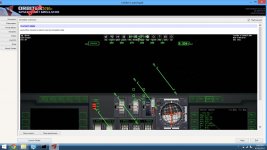
Some screenshots for those who don't/can't test it, or simply wants some:


Can I have the new Orbiter 2014 logo? I'd like to make custom banners with it. Thanks!
Other than that, few things I noticed:
- I only downloaded the north-east part of India (which contains a part of the Himalaya mountains), and I sometimes get giant walls at points where the low-res and high-res elevation data touches. It only lasts a few seconds tho, when loading is finished, everything looks good again.
- Sunrises and sunsets looks a bit washed out. I don't know if it's because I now only play on the D3D9 client, but they looks different (and less vibrant) than what it used to look to me.
Can I have the new Orbiter 2014 logo? I'd like to make custom banners with it. Thanks!
Other than that, few things I noticed:
- I only downloaded the north-east part of India (which contains a part of the Himalaya mountains), and I sometimes get giant walls at points where the low-res and high-res elevation data touches. It only lasts a few seconds tho, when loading is finished, everything looks good again.
- Sunrises and sunsets looks a bit washed out. I don't know if it's because I now only play on the D3D9 client, but they looks different (and less vibrant) than what it used to look to me.
Last edited:
By the way, speaking of altimeters, here is a question for addon developers: since there is now a difference between "altitude over ground" and "altitude over mean radius" (or "radar altitude" and "barometric altitude"), I will have to introduce a new VESSEL::GetAltitude method where you have to specify which type of altitude you want. The question is: what should the default behaviour of the old GetAltitude method be, to ensure maximum backward compatibility, altitude over ground or over normal-zero? I guess different addons may have different expectations, so either way there may be backwards incompatibilities.
Similar threads
General Question
New cross-platform Orbiter 2024 port
- Replies
- 4
- Views
- 366


- Replies
- 12
- Views
- 5K

- Sticky
- Replies
- 6
- Views
- 11K
- Replies
- 30
- Views
- 7K
