Windows woes

To contribute to the original poster's topic: I also installed those updates on Wednesday and have had no problems since. I obviously can offer little support (as I have no problem to troubleshoot), but I wanted to mention my (apparent) success.
 
Before any Windows update, I always Ghost my partition. That way, any problems that might arise can be resolved by a 3 minute restore of the previous copy. I have 5 Ghost Images in rotation, so I can go back as far as the fifth version if necessary.

I would, as stated above, start with a complete defrag of the Windows partition first.
 
I keep my windows partition properly defragmented. The sluggishness that happens over time is probably due to services such as Prefetch. I can't be sure though.

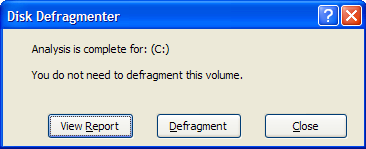
dfgpic.png

The inbuilt defragmentation tool is terrible, it won't do a thing about pagefile fragmentation or MFT sizes.
 
The inbuilt defragmentation tool is terrible, it won't do a thing about pagefile fragmentation or MFT sizes.
So what is your suggestion for a good alternative?
 
They usually fix everything with the next day updates...Yea, well, Microsoft!
 
I just tried it, it acts kind of weird... I can't tell how good the defragmentation is, but after installing it it would launch every time in a console when I opened a PDF... :facts:
I tried it too and it seemed to work just fine. I certainly haven't had that problem.
 
pagefile tips:

*make it a fixed size, about 4 times ur RAM, so windoze doesn't change the size, which costs processor and writing time.

*ideally, put it on another harddrive then the one used by windoze and your other programs, on a seperate partition at the beginning of the disk.

*less ideally, if it has to share a disk with windowze, put it in a seperate partition anyway, but put this partition in the middle of the disk, so whatever direction the heads have to go in between, the average distance they travel will be shorter.
 
pagefile tips:

*make it a fixed size, about 4 times ur RAM, so windoze doesn't change the size, which costs processor and writing time.
Valid point, though I would say with how cheap RAM is these days, if you're running into issues with pagefile access slowing down your computer, just go buy more RAM.

*ideally, put it on another harddrive then the one used by windoze and your other programs, on a seperate partition at the beginning of the disk.
Also a valid point. Even better, if you have a spare USB flash drive and a USB 2.0 port, use ReadyBoost.

*less ideally, if it has to share a disk with windowze, put it in a seperate partition anyway, but put this partition in the middle of the disk, so whatever direction the heads have to go in between, the average distance they travel will be shorter.
Wow, there's so very very much fail in this suggestion that I don't know where to start. I'll start at the end.

Hard drives are round. Circles. As in, the average distance from every point on the disk to any given point on the disk is the same, for all given points on the disk (more or less). Moreover, the way that files are laid out on the hard drive is not even remotely simple. Attempting to optimize pagefile access by where the pagefile is physically on the hard drive is... Wow. Where did you even get this suggestion?

Additionally, putting the pagefile on a separate partition on the same disk will not be an improvement, since it's pretty much all the same physically anyway. In fact, it may actually cause a decrease in performance due to the overhead of having multiple partitions.
 
also a hard drive isnt one single disk. iv seen them from 3-6 seperate disks on top of eachother
Yes, but they act as one unit, since there's only one read/write head. In general the entire hard drive is just referred to as a "disk" despite having multiple physical disks inside it.
 
Back
Top