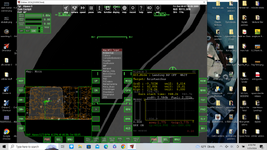
Problem Pursuit MFD

carlosriera

Member
Joined
Feb 4, 2020
Messages
56
Reaction score
10
Points
23
The PursuitMFD module does not appear in the list of MFDs when I type SEL to select it. I just changed my graphics card from AMD to NVIDIA and I don't know if it has anything to do with it. BaselandMFD do this too.

I am sorry for my bad english.
 
Last edited:
Which version of Orbiter are you using?

Could you post your Orbiter.log file?
 
It seems that the factory hardware change, specifically the AMD Radeon HD 5770 graphics card for a Gigabyte 1050Ti, is the reason why PursuitMFD did not appear.
 
Last edited:
Just to clarify, did you enable the Pursuit MFD on the Modules tab on Launchpad?
 

This is a clue:

Code:
============================ ERROR: ===========================
Failed loading module Modules\Plugin\PursuitMFD_2016.dll (code 126)
[Orbiter::LoadModule | .\Orbiter.cpp | 600]
===============================================================


Do you have "PursuitMFD_2016.dll" in "Modules\Plugin\"

If not, you may not have installed correctly.

Check on that, first before we dive deeper.

Just to clarify, did you enable the Pursuit MFD on the Modules tab on Launchpad?
In their original post they said it wasn't showing up at all in the launchpad, so it couldn't be enabled.
 
In their original post they said it wasn't showing up at all in the launchpad, so it couldn't be enabled.
I just thought @carlosriera tried to enable this MFD in cockpit not in Launchpad, since the "SEL" is mentioned in the starting post.
 
Ooooo, my mistake. Sorry about that.

I don't see why changing your graphics card would cause this issue.

Did it load for you before you changed cards?
 
Uuuuuuuy error mío. Lo lamento.

No veo por qué cambiar tu tarjeta gráfica causaría este problema.

¿Se te cargó antes de cambiar de tarjeta?
As I said before, it seems that everything was solved by returning to the old AMD graphics.

I don't see it logical but that's how it is.

At first with the change of graphics I was left without Internet and when I reinstalled the original AMD everything was solved.

This issue could be caused by the PC type being an older Dell.

Thank you so much.
 
Last edited:
I just installed the NVIDIA graphics card and everything is normal except PursuitMFD and LagrangeMFD do not appear in the default MFD list. Will I have to load the plugins again?
 
Not being a computer specialist, but I would remove the old MFDs and disable them in the launchpad.
Then start Orbiter without them, quit it again.
Then re-install the MFDs again.

Maybe, when they run for the first time, some environmental variables are initialized.
 
Thank you Francisdrake,
PursuitMFD and LagrangeMFD are still not showing up and the strange thing is that I used them with the old AMD card.

P.S. The two modules were downloaded from the downloads tab of this forum and in a clean copy.
 
Last edited:
Just used this to land Alpaca at Malapert but the engines do not shut off so you need to drain the fuel the use scn ed to steady it
 
Download my VulcanCentaur addon. In the Peregrine subfolder, fly the mission "Peregrine in Lunar orbit, Ukert crater.scn"
you will find "Ukert" as additional target in the MapMFD. It can be entered in the PursuitMFD as a target.

The method how to add targets is simple: In the Config/Moon/Base folder a few 'empty' bases were added.
You can create your own targets, if you know the longitude and latitude of your target. the syntax example for the "Ukert.cfg" is:
BASE-V2.0 Name = Ukert Location = 1.2857497 7.3630281 Size = 500 MapObjectsToSphere = TRUE
 
I did take a look at the Moon base conf and saw the Ukert in the conf/base but it dosent show in the Map Target MFD or in the pursuit trgets. I do have the Vulcan adon
 

Attachments

  • abcd.png
    abcd.png
    446.7 KB · Views: 10
Back
Top