Project Orbiter Galaxy

Are you also going to fix the Earthlike and one face planets too. Earhlike planets seem to be lacking ice caps even if they are 10 degrees colder than Earth (kelvin) even in the planet data the ice percentage will be around 6e-2. One face planets are all ice even if they are warm or even blazingly hot with supercriticle oceans of water.
 
Are you also going to fix the Earthlike and one face planets too. Earhlike planets seem to be lacking ice caps even if they are 10 degrees colder than Earth (kelvin) even in the planet data the ice percentage will be around 6e-2. One face planets are all ice even if they are warm or even blazingly hot with supercriticle oceans of water.

In general, I can't fix any textures. Artlav is the only one who can do that, and will do it in his own time.

You could try not-simplified planets, I think the simplified ones don't have any ice at all (not sure about the others, since my GPU simply isn't up to the task).

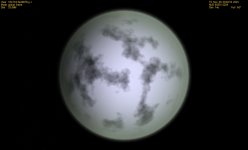
As for one-faced, that class isn't even supported by the texture generator, I use ice planet textures because they're the ones most likely to get weird colors and not being clearly identifiable. We'll see if the class ever gets any real support.
 
Another mistery solved, thanks A LOT to Apollo13 for figuring it out and reporting. I'll try to figure out what's going wrong with fullscreen, so far I have no idea. I remember the basic implementation working in fullscreen when Face just finished the integration, something must have gone bad in the meantime. I'll hopefully be able to fix it.

Just wanted to let you know everything works fine for me in full screen.
 
... The problem is a bit strange. It works in fullscreen for me, but only if the window overlaps between my two monitors. As it looks, there's a window redraw issue in fullscreen.

Columbia42 and Apollo13, what OS are you using? I know that pyromaniac is using Win7, as am I. IgnoreThisBarrel, could you run it in fullscreen and see if it works? I have a suspicion...
 
As for one-faced, that class isn't even supported by the texture generator, I use ice planet textures because they're the ones most likely to get weird colors and not being clearly identifiable. We'll see if the class ever gets any real support.
You could do several sumbtypes for the one-face planets. Although if they are Earthlike they will look quite a bit different than normal rotating Earthlike planets. Unless the green house affect and stong winds keep both sides of the planet at relativly the same temperature on that particular planet.
 
You could do several sumbtypes for the one-face planets.

interesting idea. It won't help much, though, since a one-faced planet will always be pretty different on the sun side and on the shadow side, but yes, I could try that to bring a bit more diversity in...
 
... The problem is a bit strange. It works in fullscreen for me, but only if the window overlaps between my two monitors. As it looks, there's a window redraw issue in fullscreen.

Columbia42 and Apollo13, what OS are you using? I know that pyromaniac is using Win7, as am I. IgnoreThisBarrel, could you run it in fullscreen and see if it works? I have a suspicion...

I'm using Win XP
 
... The problem is a bit strange. It works in fullscreen for me, but only if the window overlaps between my two monitors. As it looks, there's a window redraw issue in fullscreen.

Columbia42 and Apollo13, what OS are you using? I know that pyromaniac is using Win7, as am I. IgnoreThisBarrel, could you run it in fullscreen and see if it works? I have a suspicion...

I have Windows 7 64 Bit. I've noticed the window will load if I select it with Alt-Tab, but then the orbiter window is completely white and won't come back.
 
That pretty much confirms my suspicion. Doesn't work in fullscreen on Win7, for whatever reason. Not much chance of me fixing it, I guess, but at least we know where it's at...
 
since a one-faced planet will always be pretty different on the sun side and on the shadow side
Depends on the planet. A planet about Earths mass and with a similar atmosphere would be able to distribute the heat from the dayside to the nightside, effectivly keeping both day and night at similare tempuratures. Giving the whole planet a habitibale ecosphere similar to Earth. Although that wouldn't be the case for a planet say half the Earths mass and 4th the atmosphere. That planets day would way hotter than the night giving it a sunward desert and an anti-sunward ice cap. With a habitibale terminator line. Both planets though will probly have polar ice caps as they will have little axial tilt.
 
Last edited:
This is the last major bug i've found. The black planets now affect not only atmospherless worlds, they also affect all other planet classes exept ice and gass giants.

attachment.php

Super Earth

attachment.php

Rock planet

The problem only occures when using GPU. Settings below.

Code:
//window resolution
1280x800
//current galaxy
MilkyWay
//default hotspots-file
Default
//Max texture level/min texture level (8 is limit!)
7,5
//Min radius for max texture level/max radius for min texture level(km)
5000,500
//always use at least this texture level for earth-like planets (0 to use textures by size) 
8
//don't use higher than this texture level for gas giants (0 to use textures by size)
6
//use this texture level for asteroids
1
//Max/Min number of asteroids in an asteroid belt
100,80
//Number of systems to keep in cache 
2
//Max Distance in lightyears for system Switch and time propagation (use 0 to disable time propagation)
0.0
//Safety margin to estimated time of deceleration burn (days)
30
//Method of Texture Generation (CPU = 0, GPU = 1. GPU has to support fragment shaders)
1
//Simplified textures (0 = full textures, 1 = simplified. Later is strongly recommended if textures are generated on the CPU)
1
//Fix for black textures of planets without atmospheres (set to 1 if you have black textures)
1

 

Attachments

  • Black rock.jpg
    Black rock.jpg
    96.3 KB · Views: 77
  • Black super Earth.jpg
    Black super Earth.jpg
    196.1 KB · Views: 80
Last edited:
Since when exactly are you having this problem? Nothing in the texture generation changed, if this is a phenomenon showing up just recently I have no possible explanation whatsoever...

Can you spot any kind of rule in the behaviour? e.g. only occurs at a certain texture level or stuff like that?

All in all, all I can say is that it's most certainly some incompatibility issue with the GPU, which might mean that there's probably no fix for it. Does your shader log post anything more than it did the last time you posted it?

Does it change anything if you export full textures?

---------- Post added at 10:58 AM ---------- Previous post was at 09:56 AM ----------

On a side note, because complaining is such a satisfying pastime, I'm starting developement of version 0.7 as I write. And it would seem most sensible to start it with... the periodic table. urk. And not just that, no, there are a lot of basic molecules I have to put in there too. And every entry with melting point, boiling point, solid density, liquid density, gaseous density, critical points, and some more things. I wonder wheather I should shoot myself just now or wait until I go crazy by intense tedium. :facepalm:
 
Last edited:
If you are going to replicate the IUPAC, shooting your PC now is the lesser evil. Please don't, it will suck your time and give nothing in return. Better IMHO is to find a database with all this stuff already done.

A link I found online: http://www.lmnoeng.com/Flow/GasViscosity.htm
 
Please don't, it will suck your time and give nothing in return. Better IMHO is to find a database with all this stuff already done.

You find databases because someone rounded up all the stuff for you. It seems there's no such luck in this case. I found a periodic table in csv format, but that didn't even have melting and boiling points. However, I have a periodic table from an earlier project to start with, where I'm currently filling out the missing stuff (different densities and critical points). After I finish that, I guess there'll be a database with all that stuff if anyone else ever needs one, but it seems currently I'm pioneering...

Also, it won't be too detailed. I don't even think about viscosity, all I want to know is wheather a given compound is is in gaseous, liquid or solid state at a given temperature and pressure. I don't really care about how liquid it actually is...

---------- Post added at 05:24 PM ---------- Previous post was at 04:21 PM ----------

You know, if I could get my hands on an abundance table of elements in the milkyway, that would be a great help...
 
Last edited:
Noted. As time allows, will have a look around the 'Net to ease your pain...
 
Thanks. It's going pretty well so far, I'm at copper now and definitaly developing some routine...
 
Since when exactly are you having this problem? Nothing in the texture generation changed, if this is a phenomenon showing up just recently I have no possible explanation whatsoever...

Can you spot any kind of rule in the behaviour? e.g. only occurs at a certain texture level or stuff like that?

All in all, all I can say is that it's most certainly some incompatibility issue with the GPU, which might mean that there's probably no fix for it. Does your shader log post anything more than it did the last time you posted it?

Does it change anything if you export full textures?
I've had this problem since you put the fix for black planet textures. As for the behavior it only attacks Terrestrial, oceanic, rock, marsian and the non-ice one face planets (all tex levels). I can't export full textures using GPU. I can on CPU though.(CPU works fine for me)
 
I've had this problem since you put the fix for black planet textures.

So the fix actually made the problem worse? why doesn't anybody tell me?

Ok, let's see: Before the fix: Black textures for planets without atmospheres. After the fix: Black textures for pretty much all planets. What happens if you deactivate the fix? do you get black atmosphere-less planets again, or does the problem not change? Could it be that the problem was diagnosed wrongly in the first place and atmosphere-less planets were never the actual problem? (should be the case if the problem doesn't change when you deactivate the fix).

After all's been said and done, it's still a GPU incompatibility issue. Only Artlav could do something about it, but since your graphics cards doesn't even output sensible errors into the log theres aint much he can do either, I'm afraid. In the end you'll have to make do with CPU generation or get another graphics card.

What about everyone else that had the problem? has the fix brought relief or did it make things worse?
 
Before the fix (atleast for me) nothing was wrong, all the planets had textures. Deactivating the fix makes it worse. Getting rid of what slight amount of texture is on atmosphereless worlds. CPU works with me so i'll just use it for the meantime.
 
Last edited:
Before the fix (atleast for me) nothing was wrong, all the planets had textures.

And you are certain that you exported on the GPU back then? It really wouldn't make any sense... The only thing that changes with the fix is that atmosphereless worlds get a little bit of atmosphere for the texture generation. If the fix is off, everything is exactly as before. Nothing in the texture generation itself has been changed. Either you had exported on CPU before, or your graphics card is slowly passing into the happy hunting grounds, or some dark magic is at work here. I have absolutely no explanation for what else could be the case. Does your shader log say anything?
 
Back
Top