Project Mars Design Reference Mission 1

Some progress:

Now have a 2D numerical trajectory calculator for the autopilot working in Orbiter. This is to be used to perform guided flight, using bank modulation, for the fixed angle of attack Earth return capsule. Also may include it as an option for the Mars landers and trajectory calculations for the Mars Ascent Vehicle ascent profile.

The 2D trajectory calculations at the moment are used to find the required angle of attack/lift over drag to reach a target, during entry, from the current location and altitude of the spacecraft. The angle of attack is stepped through from zero to 90 degrees and each time in the program (i.e. module) tests whether this gives enough lift over drag to reach the target by comparing the current distance to the target with that computed in 2D.

Then calculations are made, using this angle of attack/lift over drag that has been found, to find the required bank angle when the angle of attack is kept constant at some specified value. I had to use 2D calculations because using the 3D calculations, I have already in there, are two slow to be useful for this purpose.
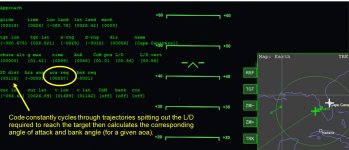
2drange.jpg

2Drange2.jpg
 
Taking a break from autopilot development and working on panels for the spacecraft. Following Martin's developer masterclass on 2d panels here on this forum. My plan at the moment is to have 1 or 2 MFDs and then perhaps the autopilot related info perhaps displayed directly onto the panel in the middle somewhere. Then some switches somewhere to activate the various autopilots.

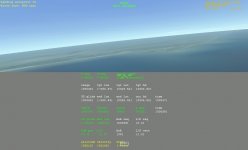
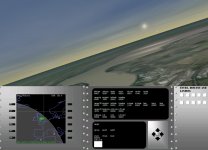
This shows the bare panel with coloured HUD text on top just to get some ideas.

paneltest.jpg
 
Thanks guys, hope to continue with it soon.

In the meantime have been learning about the 2d panels. Now have a mfd screen (that was relatively easy) on the panel. Drawing the buttons and text on the panel has been the hard part. Reading through a variety of posts on the forum (mostly by Hlynkacg and Notebook) I now understand that the buttons and letters are supposed to be stored, out of view, on the same texture that is used by the panel! It seems they are then just copied and relocated, by the code in the module, during the simulation. I downloaded Paint.NET to have a look at the deltaglider dds file, of its panel, and sure enough the letters and everything are there.
 
Last edited:
Now have labels for the MFD working.

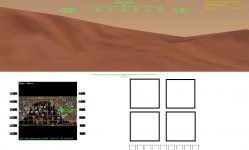
Also planning layout for autopilot displays and buttons. May use multiple displays (outline of 4 shown below) so all related info can be collected in the same area making it easier to process. Rest of space will be filled with standard displays and buttons for flying in Orbiter.

paneldisplays.jpg
 
Some progress

1. Have the buttons responding to the mouse on the mfd

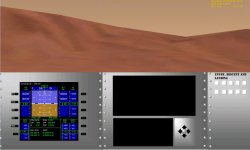
2. Have been playing around with making textures and refined the layout a bit (see image)

PanelWithEDLScreens.jpg
 
Started writing information to the screens. Seems like this is very easy to do!
 
Back to flight tests!

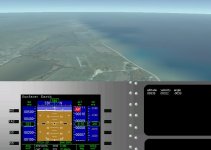
Written a little routine to display data nicely on the screen. So far have altitude, velocity and flight angle on there. Image below is a zoom in on the panel (using the mouse wheel).

WritingOnScreen.jpg
 
Have most of the numbers displayed on the screen. See below.

FlightTest01.jpg

Having problems with getting a switch (or rather button) to work on the panel so things can set or reset, like the target or chute deployment altitude. The big white square in the bottom screen is a test button. Doesn't seem to be responding so far. The arrow buttons at the right of the bottom screen will be activated once I get the code for the switch working.

The rather retro look of the panel will be made to look more modern once it's all transferred over to the DRM vehicles (although DRM 1 itself is quite ancient).
 
Hey mark, I've been using this addon for a long time and it worked really well on the standard Orbiter graphics. Unfortunately with Directx9 i'm getting a crash a few seconds after the parachutes open about 10 km above the Martian surface. The Orbiter log is stating some weird mumbo jumbo which I don't understand. Hopefully someone can help me out.

Insufficient buffer size in fgets2() size=256, string=(The first thing you need to do is change the target. Press w until "landing target (base) appears in the second line down from the top of the screen (on the left). Now you can change the target by pressing the up or down arrows. You need to change it to ")
Base Object 0xAFF1F80 = 'Isidis Highlands DRM1 base' not cataloged
Base Object 0xC39B360 = 'Aphelion Point' not cataloged
D3D9Client: [Scene Initialized]
Configuration file not found for object 0xAFF1F80
EVENT_VESSEL_NEWANIM Not Implemented
 
I think the info in the Orbiter.log file is related to initialising the simulation and the messages in there are not related to the crash.

Unfortunately DRM1 isn't fully D3D9 compatible at the moment and DRM1 is causing the crash. This is an issue that I was going to fix with the addon a while ago but never got round to it. I'd like to get it fixed because the D3D9 is really nice to use. I'll try and have a look at it again.
 
Had a look through the code for the DRM and the main problem that put me off with updating the DRM1, to make it compatible with D3D9 client, was related to the cargo lander and keeping track of how many UCGO boxes are loaded. I think I have an idea for a simple fix, which wont take too long. I also have an idea for a proper fix that could probably done for the next release.

I have the panel switch working now. Just a silly problem with where I thought the switch active area was and where it was in reality. Anyway I think everything is in place to finish off the autopilots. I plan to have at least an autopilot for landing on Earth for the capsule and the ability of the Mars landers to land on other planets using their autopilots.
 
I'm afraid haven't been able to pinpoint what's causing the CTD when running it in the D3D9 client. It seems to be related to animations somehow but it seems to be a rather slippery problem. I don't think it's related to UCGO anymore. Will require some serious investigations which I will have to put off for later.

---------- Post added at 04:02 PM ---------- Previous post was at 02:44 PM ----------

Well ok had a bit more of a play. Now it seems to work in D3D9 fine except there is sometimes a CTD when closing the simulation. Will investigate a bit further.
 
OK it should be working now in the D3D9 client. I discovered that for the cargo lander the animations were not being remembered during rearrangement of the meshes in preparation for the release of the lander from the aeroshell. The habitat lander was having a problem (which the cargo lander was also having) in that not all the animations were being defined during the initialisation of the module.

I have tested the landing scenario, from 15 km altitude, and the scenario where the landers are approaching Mars and still connected to there NTR propulsion stages. They both seem to work ok.

The following file has the new habitat and cargo modules. Let me know if it works ok. I may collect a bunch of small modifications and release a version 1.41 in a couple of weeks.

View attachment DRM1_D3D9.zip
 
Last edited:
Getting there slowly. Can now switch on and off the "flight computer" (that includes the autopilots, trajectory calculations) information screens, located in the centre of the panel, using a virtual button. Also have the arrow buttons on the panel responding.

I managed to fly manually to base (not land) from orbit just by looking at the numbers on the panel which was quite fun. Hopefully re-activate some of the autopilot routines soon and test the new ones.
 
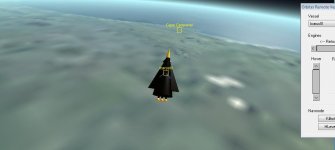
Some pictures from latest tests of new code for DRM vehicles using the Icarus spaceship as the test vehicle.

Guidance and control parts of the code are working together quite nicely. Some interesting aerobatics were performed during this test including the autopilot turning the vehicle upside down which I'm not sure was really required but control wasn't lost and it righted itself again. The heading correction part of the autopilot hasn't been activated yet and the autopilot only corrects the glide distance to the target.

The last image is a thrust vectoring test with the main engines. Planning to use this method for vertical landing.


Last edited:
Back
Top