SDK Question Lighting the ground

Abdullah Radwan

Addon Developer
Addon Developer
Joined
Aug 20, 2017
Messages
337
Reaction score
358
Points
78
Location
Cairo
Hello,

I want to make a lamp for UCSO, like UCGO lamp:

unknown.png


How to do that? I am using a beacon and a spotlight, but that didn't light the ground.

This is the code I am using:

Code:
spotLightStruct.spotLight = static_cast<SpotLight*>(AddSpotLight({0,0.91,0}, {1,1,1}, 200, 1, 0, 5e-5, 15 *  RAD, 20 * RAD, { 1,1,1,0 }, { 1,1,1,0 }, { 0,0,0,0 }));

spotLightStruct.color = { 1,1,1 };
spotLightStruct.pos = {0, 0.91, 0}

spotLightStruct.beaconSpec = { 
BEACONSHAPE_STAR,
&spotLightStruct.pos,
&spotLightStruct.color,
2, 0.3, 0, 0, 0,
true
};

AddBeacon(&spotLightStruct.beaconSpec);

unknown.png


unknown.png
 
Last edited:
Great I was going to suggest that. Not sure about the ground though. It might just reflect/light up vessel?
 
This is what I did, but the ground isn't lit constantly, depends on vertex.
It's normally better in D3D9Client.

Code:
if(Spot == 1 ) //&&spotcntrlrl != 0  | Spot == 1 &&spotcntrl != 0 |Spot == 1 &&spotcntrlfb != 0)
	{
	COLOUR4 col_a = {0,0,0,0};
	COLOUR4 col_white = {1,1,1,0};
  
	VECTOR3 &d = _V(spotcntrlrl,spotcntrl,spotcntrlfb); 
	spot_light->Activate(true);
	spot_light->SetDirection (d);
}
if(Spot == 0)
	{
		spot_light->Activate(false);
	//ClearLightEmitters();
	}

If you don't need to change direction, forget those bits.
If you do, then you need to initialize spotcntrl etc. mechanisms.
 
This is what I did, but the ground isn't lit constantly, depends on vertex.
It's normally better in D3D9Client.

Code:
if(Spot == 1 ) //&&spotcntrlrl != 0  | Spot == 1 &&spotcntrl != 0 |Spot == 1 &&spotcntrlfb != 0)
	{
	COLOUR4 col_a = {0,0,0,0};
	COLOUR4 col_white = {1,1,1,0};
  
	VECTOR3 &d = _V(spotcntrlrl,spotcntrl,spotcntrlfb); 
	spot_light->Activate(true);
	spot_light->SetDirection (d);
}
if(Spot == 0)
	{
		spot_light->Activate(false);
	//ClearLightEmitters();
	}

If you don't need to change direction, forget those bits.
If you do, then you need to initialize spotcntrl etc. mechanisms.

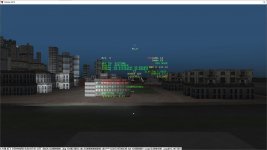
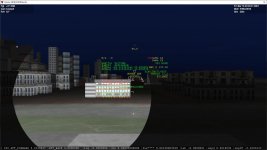
Although I didn't understand your code, I tried to play with the direction, and that worked partially. By setting the direction to down (0,0,-1), it lights the ground during the day only in D3D9 client, not during the night (and day with the default rendering).

I tried to set the direction to down 45-degrees, but that didn't work either.

S0NAMEf.png


K3ZEn1k.png
 
Nice. 45 degrees would be (0,-.7,.7)?

In UCGO I think they had a set of flags from different countries. I can make mesh for that if you want?

Would be nice if we had a guy to move them,....

Will the light have an attachment point?
 
Nice. 45 degrees would be (0,-.7,.7)?

In UCGO I think they had a set of flags from different countries. I can make mesh for that if you want?

Would be nice if we had a guy to move them,....

Will the light have an attachment point?

Based on Mesh Wizard, it's (-0.57735, -0.57735, -0.57735). But it didn't work also with your numbers.

Every unpacked cargo has an attachment point at its bottom. For the guy, you have to wait until oMMU supports UCSO.

For the flags, I'd love to have your meshes. Send me a PM or open an issue on GitHub.
 
I PM'd you. But on the light. You can add a spotlight vessel and attach to your lamp. Then move the spotlight where you want the light to be. Then record the settings?

What is the Attachment ID. I can test it with my guy to see if he can get the think and move it?
 
I didn't follow the entire post, so if i am completely out of the topic sorry in advance. IIRC the kind of effect you want (a light beam across the sky) is not obtained by using the spotlight, but by turning the light into an engine or anyway attach to it an exhaust texture. If designed properly the exhaust texture will give you that effect, the spot light is to do the actual lighting but it does not reproduce a beam across the sky, it just enlight the destination, and that's it.
 
I didn't follow the entire post, so if i am completely out of the topic sorry in advance. IIRC the kind of effect you want (a light beam across the sky) is not obtained by using the spotlight, but by turning the light into an engine or anyway attach to it an exhaust texture. If designed properly the exhaust texture will give you that effect, the spot light is to do the actual lighting but it does not reproduce a beam across the sky, it just enlight the destination, and that's it.

If I understood you correctly. the spotlight should enlight the destination, which is just what I want. However, this doesn't happen in my case (It doesn't light the ground). Maybe the ground isn't considered as a 'valid destnation'?

Anyway, I'll try the exhaust texture hack and see if it works.

---------- Post added 30th Aug 2019 at 06:46 AM ---------- Previous post was 29th Aug 2019 at 07:35 PM ----------

I have tried the exhaust texture in ShuttlePB and didn't light the ground. I am not sure I can do.
 
IIRC you need both "engine exhaust" like texture to make beam visible and lightsource, however I don't recall it'll light up the ground (at least in Orbiter 2010).

In this example the only thing lit up are base objects and "vessels" like launchpads.

themis-II.jpg
 
So I added a spotlight2 vessel to a scn and placed it near a craft and you could see the ground. But not the vessel? that might be a setting for me?
E3zyXfl.jpg

It regular graphics the craft was lit up but not the ground
 
Thanks, everyone. It seems like there is no 'stable' solution to light the ground in Orbiter 2016. Until a stable solution is found, no lamp will be added to UCSO.

I hope that somebody will found a solution.
 
Coupla screenshots of difference between inline and D3D9client.

Keep up the good work AR
 

Attachments

  • InLine.jpg
    InLine.jpg
    100.4 KB · Views: 27
  • D3D9.jpg
    D3D9.jpg
    97.3 KB · Views: 30
Coupla screenshots of difference between inline and D3D9client.

Keep up the good work AR

What did you do here? An exhaust texture and a spotlight? It looks great!

Could you share the code and textures?
 
Last edited:
No textures, just the light. No particles.

Code as on previous post for Light, plus this for controls.
(I'm no coder, I just fiddle around till it works.
For sure there'll be a far better way of doing all this.)

Code:
if(Spot == 1)
	{

	if(key== OAPI_KEY_NUMPAD4 &&KEYMOD_CONTROL (kstate) &&!KEYMOD_SHIFT (kstate) &&!KEYMOD_ALT (kstate))  
			{
				
				if(spotcntrlrl >=-2 &&spotcntrlrl < 0 &&spotcntrlfb ==1)
				{spotcntrlrl = spotcntrlrl - 0.25;}

				if(spotcntrlrl <-2) {spotcntrlfb =-1;}
				if(spotcntrlfb == -1 &&spotcntrlrl == -2) {spotcntrlrl = -2;}
				if(spotcntrlfb == -1) {spotcntrlrl = spotcntrlrl + 0.25;}

				if(spotcntrlrl >=2) {spotcntrlfb =1;}
				if(spotcntrlfb == 1 &&spotcntrlrl == 2) {spotcntrlrl = 2;}
				if(spotcntrlfb == 1) {spotcntrlrl = spotcntrlrl - 0.25;}
				
		return true;
			}

	if(key== OAPI_KEY_NUMPAD6 &&KEYMOD_CONTROL (kstate) &&!KEYMOD_SHIFT (kstate) &&!KEYMOD_ALT (kstate))  
			{
				if(spotcntrlrl <=2 &&spotcntrlrl >0 &&spotcntrlfb ==1)
				{spotcntrlrl = spotcntrlrl + 0.25;}

				if(spotcntrlrl >2) {spotcntrlfb =-1;}
				if(spotcntrlfb == -1 &&spotcntrlrl == 2) {spotcntrlrl = 2;}
				if(spotcntrlfb == -1) {spotcntrlrl = spotcntrlrl - 0.25;}

				if(spotcntrlrl <=-2) {spotcntrlfb =1;}
				if(spotcntrlfb == 1 &&spotcntrlrl == -2) {spotcntrlrl = -2;}
				if(spotcntrlfb == 1) {spotcntrlrl = spotcntrlrl + 0.25;}
				
		return true;
			}

	if(key== OAPI_KEY_NUMPAD8 &&KEYMOD_CONTROL (kstate) &&!KEYMOD_SHIFT (kstate) &&!KEYMOD_ALT (kstate))    
			{
				if(spotcntrl <3)
				{spotcntrl = spotcntrl +0.1;}

		return true;
			}
	
	if(key== OAPI_KEY_NUMPAD2 &&KEYMOD_CONTROL (kstate) &&!KEYMOD_SHIFT (kstate) &&!KEYMOD_ALT (kstate)) 
			{
				if(spotcntrl >-10)
				{spotcntrl = spotcntrl - 0.1;}
			
		return true;
			}
	
	if(key== OAPI_KEY_NUMPAD0 &&KEYMOD_CONTROL (kstate) &&!KEYMOD_SHIFT (kstate) &&!KEYMOD_ALT (kstate)) 
			{
				{spotcntrl = 0; spotcntrlrl = 0; spotcntrlfb = 1;}
				
		return true;
			}

Best wishes.
 
No textures, just the light. No particles.

Code as on previous post for Light, plus this for controls.
(I'm no coder, I just fiddle around till it works.
For sure there'll be a far better way of doing all this.)

Best wishes.

Thanks. But what you are giving me is variables. I want to know these variables value so I can repeat it. I want this line (with the variables value, e.g. 0,0,1 for spotLightStruct.dir here):

Code:
AddSpotLight(spotLightStruct.pos, spotLightStruct.dir,
spotLightStruct.range, spotLightStruct.att0, spotLightStruct.att1, spotLightStruct.att2, spotLightStruct.umbra, spotLightStruct.penumbra, 
{ 1,1,1,0 }, { 1,1,1,0 }, { 0,0,0,0 });

It can also be this:

Code:
SpotLight(GetHandle(), spotLightStruct.pos, spotLightStruct.dir,
spotLightStruct.range, spotLightStruct.att0, spotLightStruct.att1, spotLightStruct.att2, spotLightStruct.umbra, spotLightStruct.penumbra);
 
Variables are defined as

Code:
double spotcntrl = 0;
double spotcntrlrl = 0;
double spotcntrlfb = 1;

And then are varied with the control code.

Not sure what you are trying to achieve......
 
Variables are defined as

Code:
double spotcntrl = 0;
double spotcntrlrl = 0;
double spotcntrlfb = 1;

And then are varied with the control code.

Not sure what you are trying to achieve......

I am trying with these numbers, but I got results that are nowhere to yours.

Code:
AddSpotLight({0,0.91,0}, {1,1,1}, 200, 1, 0, 5e-5, 15 *  RAD, 20 * RAD, { 1,1,1,0 }, { 1,1,1,0 }, { 0,0,0,0 });
 
Back
Top