

Spacethingy
Multitasker
- Joined
- Sep 9, 2010
- Messages
- 1,515
- Reaction score
- 0
- Points
- 36
- Location
- Not the anti-matter universe
- Website
- spacethingy.weebly.com
OK, so here's the picture:
I'd like to have my files on both my home computer and the networked computers at my college, synced together (I don't like memory sticks... :lol .
.
I found Dropbox, hooray! Just what I wanted! Nice and easy automatic syncing, all I had to do was remember to start the portable Dropbox.exe on the college PC each time I logged on. Then, the college ungraded to Windows7 (bye-bye portable Dropbox) and installed a hyper-active proxy (that blocked out Dropbox.com).
Then I stumbled on...
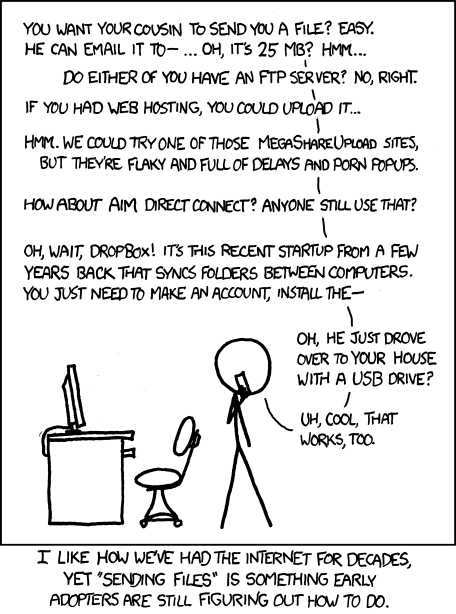
...yep, XKCD is awesome for learning about computers... ahem, anyway...
I vaguely get that FTP is used to transfer files across the net (as in File Transfer Protocol), and I noticed that there are FTP programs like Filezilla on Portable Apps...
What else do I need to get started? What's an FTP server?
EDIT: Bless 'em, they've just unblocked Dropbox! :woohoo: I'm still interested in FTP though...
I'd like to have my files on both my home computer and the networked computers at my college, synced together (I don't like memory sticks... :lol
.I found Dropbox, hooray! Just what I wanted! Nice and easy automatic syncing, all I had to do was remember to start the portable Dropbox.exe on the college PC each time I logged on. Then, the college ungraded to Windows7 (bye-bye portable Dropbox) and installed a hyper-active proxy (that blocked out Dropbox.com).
Then I stumbled on...
...yep, XKCD is awesome for learning about computers... ahem, anyway...
I vaguely get that FTP is used to transfer files across the net (as in File Transfer Protocol), and I noticed that there are FTP programs like Filezilla on Portable Apps...
What else do I need to get started? What's an FTP server?
EDIT: Bless 'em, they've just unblocked Dropbox! :woohoo: I'm still interested in FTP though...
Last edited:


