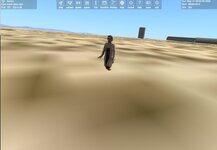
I forgot one thing!
#define STRICT
#define ORBITER_MODULE
#include "Orbitersdk.h"
#include <vector>
#include <cmath>
#include <cstdio>
#include <algorithm>
using std::vector;
using std::max;
using std::min;
// =========================
// CONFIGURATION
// =========================
#define TOTAL_GROUPS 41
#define FAR_DIST 5000.0
#define FPS 48
const double ANGLE_CORRECTION = 1.01; // facteur pour corriger le décalage angulaire
const double REPLAY_DRIFT = 0.001; // ajuster pour corriger la dérive sur boucle
// =========================
// STRUCTURES
// =========================
struct ReplayFrame
{
double yaw;
bool forward;
};
// =========================
// TOUCHDOWN POINTS
// =========================
const VECTOR3 CAT_TDP[3] = {
{0,0,1},
{-0.5,0,-1},
{0.5,0,-1}
};
// =========================
// CLASSE
// =========================
class CatRun : public VESSEL3
{
public:
CatRun(OBJHANDLE hVessel, int flightmodel);
void clbkSetClassCaps(FILEHANDLE cfg);
void clbkPostStep(double simt, double simdt, double mjd);
int clbkConsumeBufferedKey(DWORD key, bool down, char* kstate);
private:
UINT anim[TOTAL_GROUPS];
UINT grp[TOTAL_GROUPS];
UINT mesh_index;
double timer;
int current_frame;
PROPELLANT_HANDLE ph_main;
THRUSTER_HANDLE th_forward, th_hover;
THGROUP_HANDLE thg_forward, thg_hover;
bool forward_active;
double yaw_input;
bool throttle_locked;
double throttle_level;
double throttle_response;
bool hover_active;
double hover_level;
bool boost_active;
double boost_timer;
const double BOOST_DURATION = 3.0;
// =========================
// REPLAY
// =========================
vector<ReplayFrame> replay;
int replay_index;
bool replay_recording;
bool replay_playing;
bool replay_loop;
};
// =========================
// CONSTRUCTEUR
// =========================
CatRun::CatRun(OBJHANDLE hVessel, int flightmodel)
: VESSEL3(hVessel, flightmodel)
{
timer = 0.0;
current_frame = TOTAL_GROUPS - 1;
forward_active = false;
yaw_input = 0.0;
throttle_locked = false;
throttle_level = 0.0;
throttle_response = 1.2;
hover_active = false;
hover_level = 0.5;
boost_active = false;
boost_timer = 0.0;
replay_index = 0;
replay_recording = false;
replay_playing = false;
replay_loop = false;
for (int i = 0; i < TOTAL_GROUPS; i++)
grp = i;
}
// =========================
// INIT
// =========================
void CatRun::clbkSetClassCaps(FILEHANDLE cfg)
{
SetSize(2.0);
SetEmptyMass(80.0);
SetPMI(_V(1, 1, 1));
SetCrossSections(_V(2, 2, 2));
SetTouchdownPoints(CAT_TDP[0], CAT_TDP[1], CAT_TDP[2]);
SetCameraOffset(_V(0, 1.5, 0));
ph_main = CreatePropellantResource(100.0);
th_forward = CreateThruster(_V(0, 0, 2), _V(0, 0, 1), 650.0, ph_main, 300.0);
thg_forward = CreateThrusterGroup(&th_forward, 1, THGROUP_MAIN);
th_hover = CreateThruster(_V(0, 0, 0), _V(0, 1, 0), 1000.0, ph_main, 300.0);
thg_hover = CreateThrusterGroup(&th_hover, 1, THGROUP_HOVER);
mesh_index = AddMesh("Nurse_Walk");
for (int i = 0; i < TOTAL_GROUPS; i++)
{
anim = CreateAnimation(0.0);
AddAnimationComponent(anim, 0, 1,
new MGROUP_TRANSLATE(mesh_index, &grp, 1, _V(0, 0, -FAR_DIST)));
SetAnimation(anim, 1.0);
}
SetAnimation(anim[current_frame], 0.0);
// LOAD REPLAY
FILE* f = fopen("Config/AnimPath/Nurse_Walk.txt", "r");
if (f)
{
ReplayFrame r;
int fw;
while (fscanf(f, "%lf %d", &r.yaw, &fw) == 2)
{
r.forward = (fw == 1);
replay.push_back(r);
}
fclose(f);
}
}
// =========================
// LOOP
// =========================
void CatRun::clbkPostStep(double simt, double simdt, double mjd)
{
SetPropellantMass(ph_main, 100.0);
VECTOR3 vel; GetGlobalVel(vel);
double speed = length(vel);
// =========================
// REPLAY PLAY + BOUCLE
// =========================
if (replay_playing && !replay.empty())
{
ReplayFrame& f = replay[replay_index];
// appliquer correction et dérive uniquement à la lecture
yaw_input = f.yaw * ANGLE_CORRECTION + REPLAY_DRIFT;
forward_active = f.forward;
replay_index++;
if (replay_index >= (int)replay.size())
{
if (replay_loop) replay_index = 0;
else { replay_playing = false; forward_active = false; }
}
}
// =========================
// RECORD
// =========================
if (replay_recording)
{
ReplayFrame f;
f.yaw = yaw_input; // enregistrer yaw brut
f.forward = forward_active;
replay.push_back(f);
FILE* ffile = fopen("Config/AnimPath/Nurse_Walk.txt", "a");
if (ffile)
{
fprintf(ffile, "%lf %d\n", f.yaw, f.forward ? 1 : 0);
fclose(ffile);
}
}
// =========================
// ANIMATION
// =========================
bool thrusting = (forward_active || throttle_locked);
if (thrusting)
{
timer += simdt;
while (timer >= (1.0 / FPS))
{
timer -= (1.0 / FPS);
SetAnimation(anim[current_frame], 1.0);
current_frame = (current_frame + 1) % TOTAL_GROUPS;
SetAnimation(anim[current_frame], 0.0);
}
}
else timer = 0.0;
// =========================
// THROTTLE
// =========================
double throttle_target = 0.0;
if (throttle_locked)
{
throttle_target = boost_active ? 1.0 : 0.816;
if (boost_active)
{
boost_timer += simdt;
if (boost_timer >= BOOST_DURATION) boost_active = false;
}
}
else if (forward_active)
throttle_target = (speed < 0.2 ? 0.95 : 0.816);
throttle_level += (throttle_target - throttle_level) * throttle_response * simdt;
throttle_level = max(0.0, min(1.0, throttle_level));
SetThrusterGroupLevel(thg_forward, throttle_level);
SetThrusterGroupLevel(thg_hover, hover_active ? hover_level : 0.0);
// =========================
// YAW
// =========================
if (speed > 0.01)
{
VECTOR3 rvel; GetAngularVel(rvel);
rvel.y = yaw_input * 2.0;
SetAngularVel(rvel);
}
}
// =========================
// INPUT
// =========================
int CatRun::clbkConsumeBufferedKey(DWORD key, bool down, char* kstate)
{
switch (key)
{
case OAPI_KEY_UP: forward_active = down; return 1;
case OAPI_KEY_LEFT: yaw_input = down ? 1.0 : 0.0; return 1;
case OAPI_KEY_RIGHT: yaw_input = down ? -1.0 : 0.0; return 1;
case OAPI_KEY_B: if (down) { throttle_locked = true; boost_active = true; boost_timer = 0.0; } return 1;
case OAPI_KEY_S: if (down) { throttle_locked = false; boost_active = false; } return 1;
case OAPI_KEY_P:
if (down)
{
replay_recording = !replay_recording;
if (replay_recording)
{
replay.clear();
FILE* f = fopen("Config/AnimPath/Nurse_Walk.txt", "w");
if (f) fclose(f);
}
}
return 1;
case OAPI_KEY_E:
if (down && !replay.empty())
{
replay_playing = true;
replay_index = 0;
}
return 1;
case OAPI_KEY_O:
if (down) replay_loop = !replay_loop;
return 1;
case OAPI_KEY_C:
if (down)
{
replay.clear();
FILE* f = fopen("Config/AnimPath/Nurse_Walk.txt", "w");
if (f) fclose(f);
replay_playing = false;
replay_recording = false;
}
return 1;
}
return 0;
}
// =========================
// DLL
// =========================
DLLCLBK VESSEL* ovcInit(OBJHANDLE hvessel, int flightmodel)
{
return new CatRun(hvessel, flightmodel);
}
DLLCLBK void ovcExit(VESSEL* vessel)
{
if (vessel) delete vessel;
}