Project Forklift

gattispilot

Addon Developer
Addon Developer
Joined
Oct 17, 2007
Messages
10,548
Reaction score
4,373
Points
203
Location
Dallas, TX
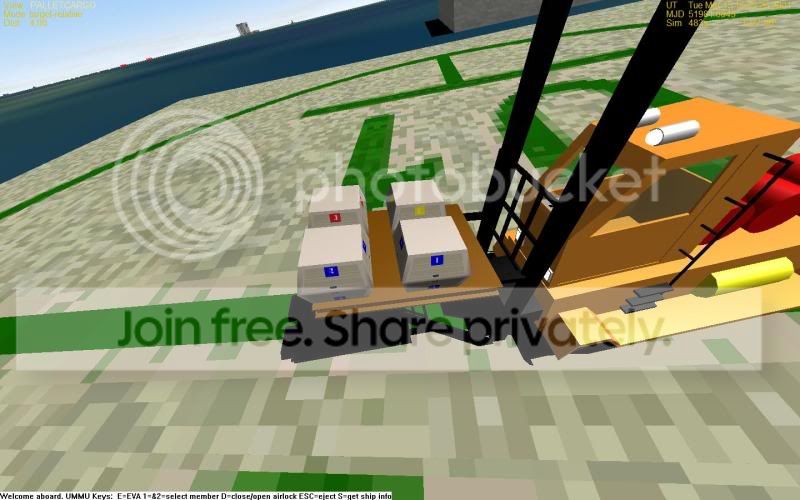
Here is a Ummu forklift. It has an attachment point on the fork. So you can move what is attached. I have a pallet vessel and 4 Space 1999 cargo bins. There are on the pallet by using UCD. Then the pallet is attached to the forklift.

1/3 +/- keypad drive it.
5/6 raises/lowers
7/8 tilts
g starts
k-attach
j-dettach.

It is set to attach to the id of BTM.

http://www.4shared.com/file/136770376/2580e789/FORKLIFT.html
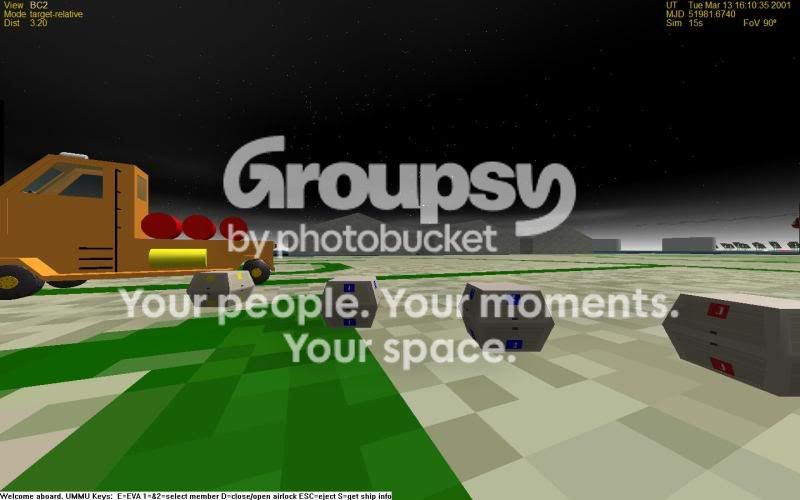
BASECARGOFORK.jpg


BASECARGOFORK2.jpg


BASECARGOFORK3.jpg


Enjoy, Thanks for Tblaxland for code help.
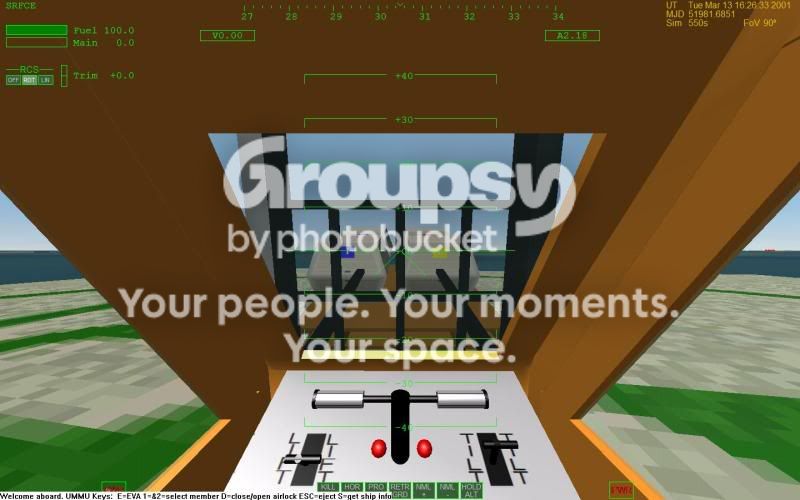
One thing that is odd is from the cockpit the pallet seems to be in the wrong position.
 
forklift-cockpit view issue

One thing I have run into is this. On cockpit view the fork appears to be in the wrong place. but from the external view it is right. I have made 2 meshs for cockpit. One is the interior and the other the forks. But I still get this:
bleedthrough.jpg


// visual specs
SetMeshVisibilityMode (AddMesh (oapiLoadMeshGlobal ("FORKLIFTD")), MESHVIS_EXTERNAL); //Main ship mesh
SetMeshVisibilityMode (AddMesh (oapiLoadMeshGlobal ("FORKLIFTFORK")), MESHVIS_COCKPIT); //Main ship mesh
SetMeshVisibilityMode (AddMesh (oapiLoadMeshGlobal ("FORKLIFTCOCKPIT")), MESHVIS_COCKPIT); //Main ship mesh

Any ideas?
 
Change the FOV with the X key.
 
Change the FOV with the X key.

Haven't of that. I press X and no change

ok this is aFOV (field of View) of 90:
fov90ext.jpg


Anything less gets a distorted view
here it is at FOV 70:
fov70.jpg


here is the same shot but from the exterior:
fov90ext-1.jpg
 
Last edited:
The fork may be in right position, but the mesh drawed with "MESHVIS_COCKPIT" IIRC is drawed above everything. So, just leave only one forks model with "MESHVIS_ALWAYS" attribute.
 
Orginally that is what I had and I still got that problem look at the photo in my first post. I thought having a seperate mesh for cockpit would fix it.
 
One is finished. Got working on the new marsbase and forklift and LER
 
I am working on another model of the forklift. It will be a walk along. But I need help on the attachment site. The UMMU should follow the steering arm.
This is what I have:

FORKLIFT2A.jpg


FORKLIFT2-1.jpg


As you can see the steering arm is in the center yet the ummu is at its end rather than the middle.

Code:
ANIMATIONCOMPONENT_HANDLE parent;
static UINT gear_groups[1] = {GRP_steeringarm};
static MGROUP_ROTATE gear (0, gear_groups, 1,_V(0,-.3,.872), _V(0,1,0), (float)(60*RAD));
static UINT wheel_groups[1] = {GRP_THROTTLE};
THROTTLE = new MGROUP_ROTATE (0, wheel_groups, 1,_V(.214,-.188,.482), _V(0.861,0,.508), (float)(60*RAD));
anim_stwheel = CreateAnimation (0.0);
parent = AddAnimationComponent (anim_stwheel, 0, 1, &gear);
anim_throttle = CreateAnimation (0.0);
AddAnimationComponent (anim_throttle, 0, 1, THROTTLE, parent);
//CRANERAIL = new MGROUP_TRANSLATE(LOCALVERTEXLIST,MAKEGROUPARRAY(FORK),3,_V(0,4,0));
REARDRIVER = new MGROUP_ROTATE(LOCALVERTEXLIST,MAKEGROUPARRAY(DRIVER),3, _V(0,-.3,.872), _V(0,1,0), (float)(60*RAD));
//REARDRIVER = new MGROUP_ROTATE(LOCALVERTEXLIST,MAKEGROUPARRAY(DRIVER),3,_V(0,0,0),_V(0,1,0), (float)(60*RAD));
AddAnimationComponent (anim_stwheel, 0, 1, REARDRIVER);

Code:
i2l = 0.5;
Code:
i3 = GetControlSurfaceLevel(AIRCTRL_RUDDER);
 SetAnimation (anim_stwheel, i2l);

SetAttachmentParams(DRIVERPOINT,DRIVER[POS],DRIVER[DIR]-DRIVER[POS],DRIVER[ROT]-DRIVER[POS]);
 
Ok here is what the forklift looks like on start. the steering arm is set to the center on start. So where should the attachment point be set to follow the steering arm. I want it to be the BUMm point which is center back of the UMMU.

DRIVER[POS] = _V(.286,0,.338);
DRIVER[DIR] = DRIVER[POS] + _V(.859,0,-.511);
DRIVER[ROT] = DRIVER[POS] + _V(0,1,0);

The Driver Dir i calculated using meshwizard following the edge of the steering arm.
 
Last edited:
Back
Top