Project D3D11Client Development

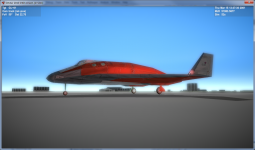
I've marked down a problem region - sun and beacons are still not being rendered properly. From the shot you can see that part of beacon is being covered by runaway, the same effect is for the sky - that's why Sun is not visible for me. If you could take a look and fix it - I'd really appreciate that!
I think this bug with beacons' depth is caused by incorrect matrix returned by D3DMAT_CreateX_Billboard( const D3DXVECTOR3 *toCam, const D3DXVECTOR3 *pos, float size, D3DXMATRIX *pOut ). "pOut->_44 = 1.0f;" in the end of that functions should fix this bug.

Are the textures on the DG bump mapped ? would it be possible to do it for other vessels using custom maps ?
Yes, it is possible to use normal/bump/specular/emissive maps for other vessels. They work in the same way normal maps works in D3D9Client: the client looks for "_norm", "_bump" "_spec" "_emis" textures and uses them with the texture coords of main texture.
 
Awesomeness :) :), will check out the client today. Any plans for terrain rendering by the way in spite of the fact that its not supported by the core, using say an external module.
 
I think this bug with beacons' depth is caused by incorrect matrix returned by D3DMAT_CreateX_Billboard( const D3DXVECTOR3 *toCam, const D3DXVECTOR3 *pos, float size, D3DXMATRIX *pOut ). "pOut->_44 = 1.0f;" in the end of that functions should fix this bug.
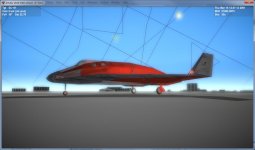
Thanks, that took care of beacons, however sun still doesn't work properly. Here are two screenshots made with planetarium mode off (first one) and on (second one):
Orbiter_sun_without_planetarium.pngOrbiter_sun_with_planetarium.jpg
As you can see, the sun is missing on the first shot...
I want to add that at certain viewing angles sun is not showing up even with planetarium mode turned on. My guess is that the problem is in incorrect world matrix, but I suck in linear algebra, so please :sos:
 
Nice progress.

Would you mind if i borrow the DG normal maps (dgmk4_normalmaps.zip) for OGLA?
How did they come to be and who to credit/ask?
Are there any plans on pooling such things together for everyone to use and find easily?
Any ideas for common add-on interfaces (that i might have missed)?

Also, why are the late screenshots all blurred?
Is that a bug or an effect/feature?

i.e. normal one:
picture.php


Recent blurred one:
attachment.php

attachment.php
 
The blur is most likely caused by too much pronounced bloom effect.
 
Nice progress.

Would you mind if i borrow the DG normal maps (dgmk4_normalmaps.zip) for OGLA?
How did they come to be and who to credit/ask?
Are there any plans on pooling such things together for everyone to use and find easily?
Any ideas for common add-on interfaces (that i might have missed)?
As for normal maps - I have no idea where did they come from :) Maybe Glider will shed some light on this subject - I've joined project just a couple of weeks ago.
As for addon interfaces - I think we need to discuss it in more detail as currently we didn't thought a lot about that - frankly all we've agreed on at this point is that we will do that "sometime". So feel free to throw on your ideas, as well as things that you have already implemented, so we'll figure out a way to provide a common interop interface across modules.

Also, why are the late screenshots all blurred?
Is that a bug or an effect/feature?

i.e. normal one:
picture.php


Recent blurred one:
attachment.php

attachment.php
Yes, recent screenshots are made with post-processing effects enabled, so this is not a bug, but a feature :) We will probably need to tweak all those effects to get best appearance - what you see is just initial implementation.

---------- Post added at 12:36 ---------- Previous post was at 12:35 ----------

The blur is most likely caused by too much pronounced bloom effect.
Exactly!
 
Last edited:
These normal maps was made by orb (and posted in this thread http://www.orbiter-forum.com/showthread.php?p=291561&postcount=21), I only downloaded them and converted from bmp to dds.
So they are only a preview of what I was working on later, just to test the D3D9Client's implementation of normal maps. Nothing sophisticated, just edge detection. More to come (recreated from the beginning with using height map), when I'm more in Windows instead of Linux. (In OGLA you'll probably need to swap the value of the green channel.)
 
(In OGLA you'll probably need to swap the value of the green channel.)
Nope, looks fine as is, as far as i can tell.

More to come
Would be nice :)
I keep imagining XR2 with full reflection and normal mapping in place, but DG is a good start.

Yes, recent screenshots are made with post-processing effects enabled, so this is not a bug, but a feature :) We will probably need to tweak all those effects to get best appearance - what you see is just initial implementation.
Looks like someone took the camera out of a freezer, and the lens fogged up a bit.
Might be a cool effect for EVA on cold worlds. :)
 
I've already made some normal maps for the XR2, XR5, Space Shuttle, ISS, and many more. (XR2 & ISS are here http://orbiter-forum.com/showthread.php?p=293043&postcount=694)

I used Gimp & a free Normal Map mod to create these.
I found normal map generator for Paint.NET and played around with it. Here is a screenshot of XR2 like you've never seen before ;)
orbiter_XR2_mynorms.jpg
I've also tweaked bloom effect a bit - now I think it looks more like a real thing.
My fork is now updated with latest binaries, shaders, also I've added a normal map for XR2 that I used during making this screenshot.
Enjoy!
 
I've added "D3D11CLIENT README.txt" file to SC with installation/running instructions to help those who want to give it a try, but is not sure how to approach it. Here are its contents:
Requirements:
OS: Windows Vista 32/64 bit or newer.
Video card: minimum Direct3D 10-compatible, Direct3D 11-compatible recommended as some effects currently work only on Direct3D 11 level hardware
Orbiter: current build is only compatible with 111105 Beta, which can be downloaded from here: http://sourceforge.net/apps/mediawiki/orbitervis/index.php?title=OrbiterPublicBeta

Installation/running instructions:
1. install DirectX 11 June 2010 update. It can be downloaded from here: http://www.microsoft.com/download/en/details.aspx?id=8109
2. download D3D11Client.dll from /Modules/Plugin folder in repository and put it in \Modules\Plugin subdirectory of Orbiter's installation
3. download entire /Modules/D3D11Shaders folder and put it inside \Modules subdirectory of Orbiter's installation.
4. launch Orbiter_ng.exe from Orbiter's root folder, go to "Modules" tab and check D3D11Client - it's under "Graphic engines" category.
5. now go to "Video" tab and set desired window size (currently fullscreen is not supported), then click "D3D11Client Configuration" button and set up client options the way you prefer.
6. After you're done with settings, go to "Scenarios" tab, choose desired scenario and hit "Launch Orbiter" button.
7. Enjoy!
Just a reminder - the client can be downloaded from face's repository: https://bitbucket.org/face/ovp/wiki/Home in "D3D11Client" branch, or, most up-to-date version can be taken directly from my fork https://bitbucket.org/asmi/ovp ("D3D11Client" branch), but at times there might be unstable version as this is my primary working repository and it's where I put all my latest and greatest (and sometimes buggiest :)) version.
 
Forgive me if I'm being thick, but I can't seem to find a way to download a complete archive...
 
Last thing - as I promised yesterday, I'd like to discuss how are we going to implemented post-processing effects for FL10 like those I've implemented for FL11. Implementation is inside Scene::Render3DCompleted() method and I've put comments to describe what's going on there, but here is a high-level algorighm:

1. Process image rendered to texture to calculate scene luminance. Currently it's implemented as two-stage iterative process, first stage being reducing 2D texture to 1D texture with caclulated sums of 8x8 pixels area, and then iterative further reduction to 128 times a pass. Compute Shaders are inside HDR_CalculateLuminance.hlsl (first stage) and HDR_Reduce.hlsl (second stage). Algorithms are pretty straightforward - please refer to code for details. After the process is completed, exposure is being calculated using formula exposure = 1 - luminance - this value will be used in later stages for tone-mapping and so-called "bright pass" to create bloom texture.

2. Create bloom texture by performing bright-pass (substracting BRIGHT_THRESHOLD value - defined in HDR_Includes.hlsl) and tune-mapping - increasing/reducing texture brightness using luminance - this is part of HDR lighting effect. Note that bloom texture is always created non-multisampled regardless from MSAA settings - with linear samples interpolation for MSAA modes.

3. Next step is downsampling bloom texture by factor of 2. It's a very simple algorighm that averages 2x2 pixel in original texture and writes result to output texture. See HDR_Downsample.hlsl.

4. After that we perform Gaussian blur. After some trial-and-error, I've settled down on 17-tap gaussian blur filter with standard deviation of 4. I calculated weights using MS Excel file published here: http://theinstructionlimit.com/gaussian-blur-revisited-part-two (I've uploaded this Excel file to SC). This is a two-pass process consisting of horizontal and vertical passes. Again, algorithm is pretty simple - see HDR_GaussianBlur.hlsl

5. Then we upsample bloom texture back to original size. Here after some trial-and-error I came up with my own algorithm, see HDR_Upsample.hlsl for details. Kernel weights were calculated using Excel file upscale-filter.xlsx - I "invented" up with it myself :)

6. Next thing is combining bloom texture with original texture and tone-mapping original image. This is very simple shader, see HDR_CopyTextureWithExposure.hlsl.

7. Rendering a fullscreen quad onto backbuffer to display resulted image - this is the ONLY stage that is performed using regular pipeline - all of the rest is implemented in Compute Shaders.

So now I'd like to hear some ideas regarding how this can be implemented on FL10-level hardware :) Thanks in advance for any ideas!

---------- Post added at 22:02 ---------- Previous post was at 21:55 ----------

Forgive me if I'm being thick, but I can't seem to find a way to download a complete archive...
No worries - I had the same problem first time I tried to get it :) So here is how to get it:
1. Go to https://bitbucket.org/asmi/ovp and choose "D3D11Client" branch by hovering "Branches" link on the left top part of the screen and selecting a branch from menu that opened up.
2. Hover "get source" link on the top right part of the screen and choose "zip". You'll get file with name like "asmi-ovp-e90912175309.zip".
3. Unpack archive somewhere - you'll get folder "asmi-ovp-e90912175309" (your actual folder name may be different, but it doesn't matter). Nagivate inside and copy everything you'll find inside to the Orbiter's root folder. IMPORTANT - you need Orbiter 2010 P2 111105 beta in order for the client to work - please refer to readme file for download link. I'd suggest you to create a copy of your current Orbiter's installation to avoid having to reinstall all of this should there be any problems.

Then read "D3D11CLIENT README.txt" file for further instructions. You may skip items 2 and 3 as you will be done with copying files at that point.

Let me know if you still have any questions or require additional assistance.
Please report here any issues you'll discover during running the client. Thank you!

 
Last edited:
I'm having some problems. When I click on the Video tab, a window appear and it says:

Critical Error
Device Creation Failed

What can I do?
 
Last edited:
I'm having some problems. When I click on the Video tab, a window appear and it says:

Critical Error
Device Creation Failed

What can I do?
I've added displaying error message so it can help me diagnosing the issue. Please download updated version from my SC and try again. Please post here whatever error messages you will get. Thank you in advance!
 
Back
Top