Addon icon

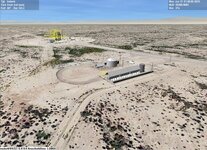
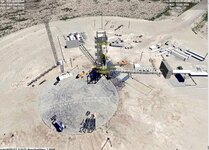
OHM Corn Ranch 2025-07-26

Thanks. on the textures. do they just go in texture folder?

I didn't see any difference?
 
Yes, into the Textures folder.
If you can't see any difference, well I guess if they came from Google Earth originally you wouldn't.
Thats where I generated the .dds files from.
 
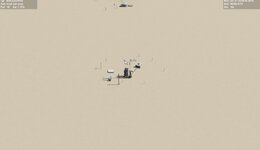
So in d3d9 it looks the default. but in normal I get textures.
 

Attachments

  • cr1.jpg
    cr1.jpg
    143.9 KB · Views: 16
  • cr2.jpg
    cr2.jpg
    127.8 KB · Views: 16
  • d3d9tex.jpg
    d3d9tex.jpg
    16.7 KB · Views: 16
Is this a problem?
I've only just tried it on an install of Orbiter2024. Looks as I remember it.
 
OK, sorry thats way above my knowledge.
 
Actually, I'm a little surprised these tiles work even with non-D3D9 graphics with Orbiter 2016, since DDS textures are placed just in" Textures" folder without such the folders like "Earth", "Surf", "19", "18" and so on. It looks the tiles are for the Orbiter 2010 format, but the tile system in Orbiter 2016/2024 differs from the Orbiter 2010. So, I don't know how to help with this.
 
Although there is a way, namely stitching all the tiles into one bigger tile (or several bigger tiles) with subsequent cutting it accordingly to Orbiter 2016 tile system, but such the stitching requires some manual work.
 
Thanks. Would it be best just to do a new one for 2016 and 2024
 
Following your conversations, and some of it is sinking in.
I can't just make .dds files for scenery now? It has to fit into the tree structure as explained in Section 5 of Orbiter Development Manual.
I remember Artlav made some tools for "tree" exploration. Despite his explanations it was too advanced for me.

I seem to have just confused the situation, and as no longer have the ,bmp files I'll leave Corn Ranch alone.
Would like to get back into scenery making using the 2024 format. I'll have a go at a small base, the one building on Australia East Coast looks suitable.

Bowen Orbital Spaceport, Australia

 
@Notebook, if you would like to transform your Corn Ranch tiles for Orbiter 2016 format, then you can just take all your DDS textures and put them together into one big JPG image, if the size will be bigger than 32768x32768, then you can make several such the bigger images. It's very easy to make in a graphic program, just take some time.


Then, I have a script that takes one big image, automatically crops and resizes it for making tiles of different levels with correct folder and folded names. So, as you wish.

I made such the transform for:
 
Back
Top