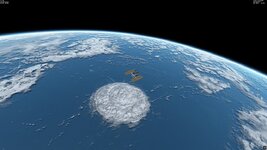
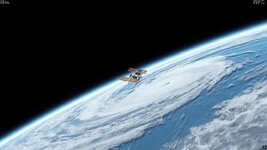
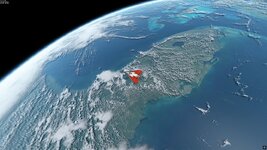
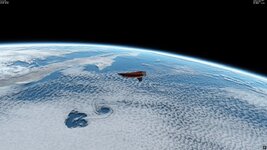
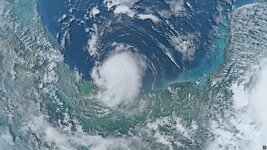
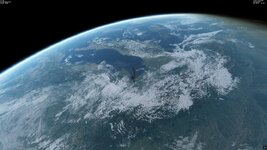
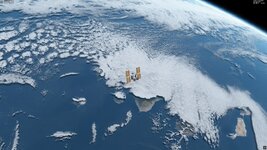
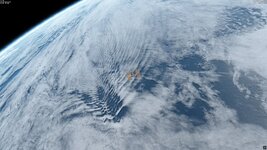
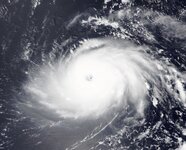
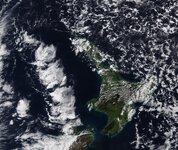
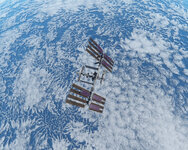
Discussion Cloud making

I think it's pretty enough to have level 10 (and maybe 11) for global cloud textures.
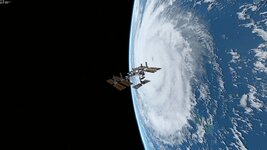
Yes, absolutely. I was finally able to make the level 10 version of the hurricane version and it went quite well. But I think the sweet spot will be at level 11, that's where it should really look good. I'm not super excited to make all the level 11 tiles, because it's a lot of work, but I think it'll be worth it.

Here's an image of the level 10 version:
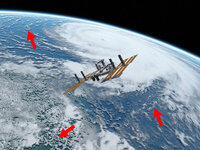
Skärmbild (518).jpg

You see that in general, it looks very good but there's still issues with the resolution and clearly pixelated areas. In the upper right corner you can also see that it gets much better once we get around 800-1000 km away, so level 11 should do the trick for a distance of ~200 km.

but not for the whole cloud map, but for some areas, namely editing cloud map locally.
You're absolutely right again! There are some areas that look really good already and upscaling with an AI-based tool went really well. But unfortunately there are a lot of areas where the clouds are so low resolution that upscaling doesn't work properly and I'll need to replace these areas with better imagery. This will be a huge task unfortunately, I won't be able to do that quickly by any means, because it is a problem in very large areas and the satellite imagery at this high resolution always comes in patches. That means a loot of photoshop sessions. But it will be fun anyway because I want to include as many different cloud features as possible and working with that is alwas fun.
Also, don't forget to "set MaxCloudResolution = 10" in "Earth.cfg".
You got me, this did happen. 😂
The problem with all these tools also is that there's no child lock and if you enter one wrong number, the whole thing may fail, which gets more frustrating the more work you have to put into a new version.

For me the restriction of using "plsplit64" was in the size of a BMP image that I used as the cloud map source, but it wasn't the restriction of "plsplit64" inself. So I cutted the source map at big tiles and used "plsplit64" for them separately. I asked it above and the answer is "yes".
Yes. The image size is restricted but you can still create the folders for all levels. I have the same bottleneck in my AI-upscaling software, it can also only make a 32000x16000 image, which almost matches a level 9 global map, so for level 11 I have to work with 16 tiles for the whole Earth. This also complicates the insertion of new imagery a bit, it seems it will be like a puzzle with not so many parts but with many knobs on each piece.

So, "plsplit64" creates the correct folder and tile names for tiles of level 10 (and higher, I suppose).

YES!!! 😊


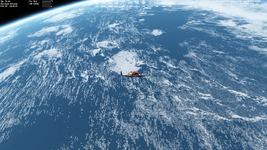
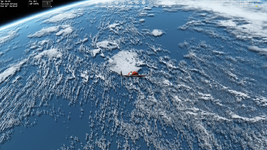
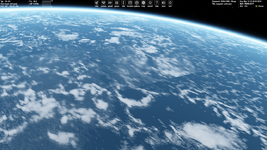
Here's some pictures of the level 10 looks that in my opinion are pretty awesome already. You have to look quite closely to see some pixelated areas.
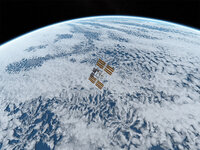
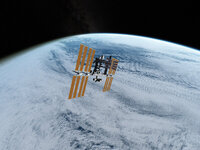
Skärmbild (523).jpgSkärmbild (524).jpgSkärmbild (526).jpg


Last but not least I think that of course personal taste of what you want to look at will be different. I like all kinds of clouds and mostly, I just want to look at interesting stuff that happened in the real world.
 
Last edited:
I'm not super excited to make all the level 11 tiles, because it's a lot of work, but I think it'll be worth it.
Yes, I think the level 11 will be the most optimal for global clouds that cover entire Earth. It's not too big size, but it should have pretty good details. I would like to try it and make a comparison with level 10 and 9. You're doing a great job. I should say I like your "Cloud.tree" of level 9 much more, than the default one. Here's one more screenshot of your clouds:

Без імені.png
I have to work with 16 tiles for the whole Earth
I did similar (16 big tiles, each of 16384x16384 resolution) for my Isle of Man add-on. I drew the coastline by hand in Photoshop on my graphics tablet. It took several days.
Here's some pictures of the level 10 looks that in my opinion are pretty awesome already.
(y)
Last but not least I think that of course personal taste of what you want to look at will be different. I like all kinds of clouds and mostly, I just want to look at interesting stuff that happened in the real world.
Yes, I agree.
 
So I spent today fixing the tropical Atlantic and that statement already says a lot about how long this is gonna take. It's gonna be even more work than I thought.

I worked on the 90W-0E 45N-0N area at level 11 and compiled it successfully into the cloud.tree. So I didn't touch the other levels which means they have old clouds, while the level 11 in some places now has entirely different clouds (I only did it like that to check the results because compiling the other levels also takes about an hour). The advantage with that is that it is very obvious, where level 11 is loaded and where it is not and I noticed that it is drawn only to a relatively short distance, which is a bit of a shame because it really improves the visuals. Anyone with an idea how to change that?

For example in the following image you see the level 11 clouds at the Canary islands but in the upper right corner you see where level 11 is no longer being drawn and the level 10 clouds are drawn. That doesn't look tooooo bad, but even worse, when I expand the camera FOV or even the camera angle just slightly also the clouds around Tenerife disappear. I guess it probably makes sense on weaker systems but personally I'd really like to see them drawn a bit further at higher resolution. But I don't know yet if there's some variable that could change that.

Skärmbild (542).jpg

Here you see, that around the Canaries (top right) the level 11 clouds have already disappeared:

Skärmbild (543).jpg

Here you see the quality difference between upscaled blocky level 9 textures (left) and inserted native level 11 imagery (right). Now this really feels like orbiting a living planet. :)

Skärmbild (544).jpg

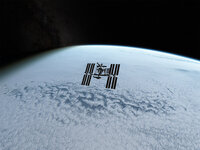
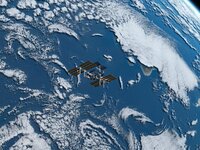
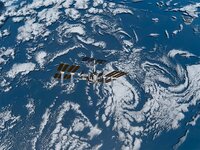
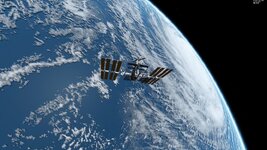
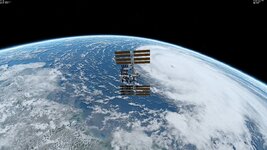
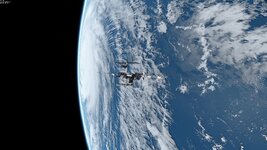
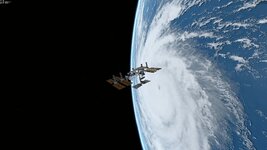
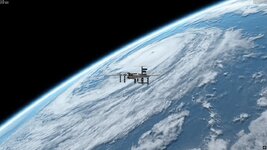
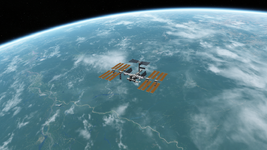
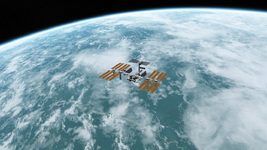
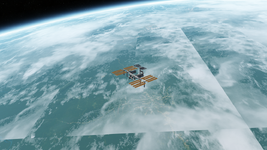
Here you see a bit to the right of the ISS that not everywhere the level 11 textures are shown, so there are level 10 textures visibly bordering level 11 ones.

Skärmbild (547).jpg


Skärmbild (549).jpg

But it's already a great result. :) I'm not sure when I'm gonna have a level 11 version ready for publication, it's probably gonna be some time before we get there, because fixing the areas with very low resolution, pixelation and just bad quality imagery unfortunately takes a lot of time. And because it also takes quite some time to compile level 11 files once the raw data is ready, I also want to do it well in the first instance, insert a few cool things, like cloud streets, lake effect clouds, gravity/mountain waves, actinoform clouds and maybe even a volcanic eruption. But that takes even more time because I have to find the right images for that in the archives.

Skärmbild (550).jpg
 

Attachments

  • Skärmbild (546).jpg
    Skärmbild (546).jpg
    131.8 KB · Views: 4
  • Skärmbild (548).jpg
    Skärmbild (548).jpg
    89.5 KB · Views: 2
The advantage with that is that it is very obvious, where level 11 is loaded and where it is not and I noticed that it is drawn only to a relatively short distance, which is a bit of a shame because it really improves the visuals.
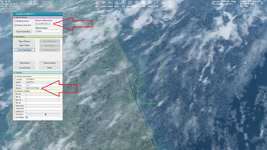
By the way, you can see what the current level of a selected tile is displayed (rendered) using the Terrain Took Kit that is built-in into Orbiter 2024. Here the highligted by green tile is currently of level 11.

Без імені.png

It works only for surface and mask tiles, but I suppose it will be similar for cloud tiles as well, since clouds are at a relatively small distance from the Earth surface.
I guess it probably makes sense on weaker systems but personally I'd really like to see them drawn a bit further at higher resolution. But I don't know yet if there's some variable that could change that.
I think the distance at which a level is displayed is hard coded. I'd like it will be a way to change it as well. Maybe @jarmonik could add this variable to change it in some range (as a video option)? I mentioned it earlier as a request:
Option to set the distance at which tiles of the given level are visible.
For example, It would be very helpful for some my landscape add-ons to improve their quality.
But it's already a great result. :) I'm not sure when I'm gonna have a level 11 version ready for publication, it's probably gonna be some time before we get there, because fixing the areas with very low resolution, pixelation and just bad quality imagery unfortunately takes a lot of time. And because it also takes quite some time to compile level 11 files once the raw data is ready, I also want to do it well in the first instance, insert a few cool things, like cloud streets, lake effect clouds, gravity/mountain waves, actinoform clouds and maybe even a volcanic eruption. But that takes even more time because I have to find the right images for that in the archives.
Don't hurry. It can wait as long as it needs. Take your time, I'm sure it's worth it. I hope we will get your global clouds of level 11 packed in a single "Cloud.tree" :)
 
Well, I worked on this for 'a bit' and managed to implement quite a few things. Is is perfect? Not at all. Was it worth it? Most definitely!
It still has some glitches, but I compiled the entire globe (clouds) of level 11 into a cloud.tree. I even tried level 12 for Florida, but that didn't quite work the way I hoped as it seems to create glitches everywhere when I activate level 12. Maybe plsplit only works with integer numbers for latitude and longitude? Maybe I did a miscalculation somewhere, maybe something else.
But 11 works fine.
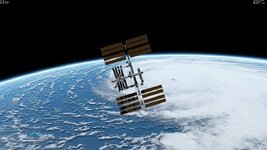
Besides all of the work ahead, it's still pretty amazing already. Here's a few screenshots (all level 11). The maximum draw distance is no longer a noticeable issue, I guess it might have to do with the mostly very incremental improvement between levels.

My favourites:

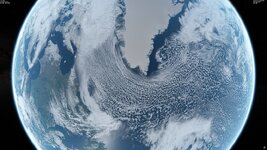
Cold air - sea convection off sea ice (actually I included the sea ice in the cloud texture because separating it by using infrared data would have been much more work) Labrador sea
Skärmbild (586).jpg


Midday thunderstorms and surface based cumuli in Florida
Skärmbild (596).jpg

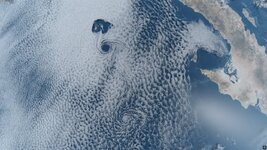
Karman Vortices Isla Guadalupe
Skärmbild (600).jpg

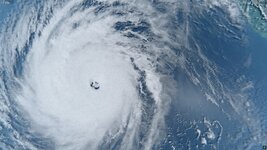
Pacific Hurricane Norbert (2008)
Skärmbild (601).jpg

Pacific Hurricane Dora (2023) off Hawaii
Skärmbild (655).jpg

Hunga Tonga-Hunga Ha'apai eruption (Jan 15, 2022)
This one was quite an effort to do. It has a favourable viewing angle, which of course is related to the 2d nature of the cloud layer although I tried as best I could to correct for the low angle the image was taken at.
The cloud has a diameter of 200 km and this was just 30-40 minutes after the start of the eruption - just think about that for a minute.
Skärmbild (671).jpg

I just had to do this to see where this could lead. And I'm very happy with it. 8)
 

Attachments

  • Skärmbild (659).jpg
    Skärmbild (659).jpg
    77.5 KB · Views: 2
  • Skärmbild (630).jpg
    Skärmbild (630).jpg
    128.2 KB · Views: 2
  • Skärmbild (624).jpg
    Skärmbild (624).jpg
    113.7 KB · Views: 2
  • Skärmbild (597).jpg
    Skärmbild (597).jpg
    183.7 KB · Views: 2
Last edited:
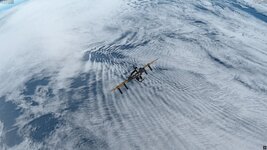
Please forgive me that I have to share a few more.
With the Alps I actually had to separate the clouds from snow cover by using infrared data, but it was not too hard to do. I just loved the gravity waves around them.

Skärmbild (679).jpg

Speaking of gravity waves, here's the second volcanic eruption, but probably the smallest interesting one ever.
It was in La Palma, Canary Islands in 2021 where this tiny Cumbre Vieja eruption caused an amazing display of concentric gravity waves. I included it.
Skärmbild (700).jpg

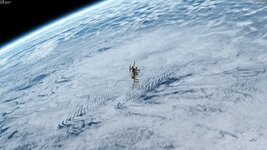
Not enough gravity waves. Here's an 'island wake' and lots of other fine gravity waves in the South Indian Ocean:
Skärmbild (713).jpg

Skärmbild (714).jpg

Skärmbild (722).jpg

Even though this looks amazing our planet is still huge and there's lots of areas where there could be great improvements and room for wishes/suggestions. But tbh honest I think from here I will really take much more time to develop this further. I was only able to do this because I did almost nothing else for two days and nights. But it turned out better than I thought it could.
I will post this as a download shortly, but first I have to know if uploading this in the forum would be okay, or if I should provide an external link. I could do either but I'd rather upload it to the community. :) The file has a size of ~4.2 GiB. What I can promise on top is that most phenomena you can see have a little description and their location given.
Cheers and keep the ideas flowing!
 

Attachments

  • Skärmbild (718).jpg
    Skärmbild (718).jpg
    145.7 KB · Views: 3
Last edited:
I have to know if uploading this in the forum would be okay, or if I should provide an external link
I'm not sure you can upload such the big file to the forum. I used to have troubles with it, so I provided external links to my Google Drive for my big add-ons
 
I even tried level 12 for Florida, but that didn't quite work the way I hoped as it seems to create glitches everywhere when I activate level 12. Maybe plsplit only works with integer numbers for latitude and longitude?
It looks cloud tiles demonstrate the behavior that differs from surface and mask tiles. When you set MaxCloudResolution = 12, but you have tiles of level 12 only for some regions (not for all Earth), then the tiles of level 11 will display wrong.

I have (unpacked) cloud tiles up to level 10. I deleted some folders with tiles of level 10 and I see clouds of tiles 9 broken (I set MaxCloudResolution = 10):

1776778124504.png

I mentioned the similar issue above in this thread:
By the way, cloud tiles dimonstrate different behavior compared to the surface ones. I unzipped the default "Cloud.tree" archive into separate DDS tiles and got directories from "01" to "09". Deleting the "09" directory leads to an issue thad doesn't occur for the surface tiles. Maybe some configuration file requires cloud tiles up to level 9?

Levels 1-9 (correct):

View attachment 46669

Levels 1-8 (issues):

View attachment 46668
So, I'm not sure you can use cloud tiles of level 12 locally. I suppose all cloud tiles must be of the same level. But I could be wrong.
 
I tried your clouds of levels 11. They look very good. Here's is the comparison between the default clouds of level 9 (left) and your clouds of level 11 (right):

LVL9.pngLVL11.png

At 100 km altitude the surface tiles of level 12-13 are rendered. I think global clouds of level 11 is the golden mean between quality and size. Here's the comparison when ISS fly at 100 km altitude:

LVL9(100km).pngLVL11(100km).png

And yes, clouds are displayed wrong when level 12 is set. It seems to be the same issue that I described above.

1776780148210.png
 
Yeah I
It looks cloud tiles demonstrate the behavior that differs from surface and mask tiles. When you set MaxCloudResolution = 12, but you have tiles of level 12 only for some regions (not for all Earth), then the tiles of level 11 will display wrong.

I have (unpacked) cloud tiles up to level 10. I deleted some folders with tiles of level 10 and I see clouds of tiles 9 broken (I set MaxCloudResolution = 10):

View attachment 48320

I mentioned the similar issue above in this thread:

So, I'm not sure you can use cloud tiles of level 12 locally. I suppose all cloud tiles must be of the same level. But I could be wrong.
Yes, I think your analysis is 100% correct.
When you set level 12, it tries to load level 11 tiles as the same size as level 12 tiles in places there are no level 12 tiles defined, displaying up to four versions of the same level 11 tile next to each other.
But I think in my version also something with the coordinates went wrong because the level 12 tiles don’t fit the level 11 tiles in Florida, but it did seem to work earlier when I inspected a patch of level 11 on a global layer of level 10. So I'm not sure we're not missing something here and it might actually work if we figure that out.

Doing a level 12 layer globally is not impossible but a massive amount of work. It’s where the exponential function really starts to bite our rear ends. By processing 4 separate level 9 resolution (32768x16384 px) tiles of level 11 (there are 16 in total) in parallel, I was able to process level 11 in almost the same time as level 10 but for level 12 that would be 64 tiles of the same size. That would mean that the compiling of the finished tiles alone would likely take several hours. But the problem starts earlier in the upscaling process. Using generative AI, upscaling the whole 262144x131072 map would also take many hours. Not impossible though, just a big pain and a lot of disk space. And every time you want to insert a new feature or phenomenon, the amount of editing would not be doable in a reasonable amount of time. It was already a pain to do it at level 11. I have quite a high end system but even so processing 65536x32768 or even larger images in photoshop is not fun, it get's very slow. And it's easy to create new problems if you accidentally mess up the alignment of the large subtiles, which I think I did in one case (northwestern Pacific). Because of the necessary blending processes and gap filling to create a good-looking result I'm not sure any GIS application would really help with level 12. So if it doesn't work locally I think we have to stick with level 11 for now.
 
By the way, do you prefer to enable or disable cloud shadows? Personally, I disable them for quite some time, since I consider clouds look better without shadows. Cloud shadows bring too much cotrast and "pixel" effect. What do you think about it?

Without shadows (left) and with shadows (right):

noshadow.pngshadow.png
 
I found some seam, but it's not a problem, of course.

I launch the /Delta-glider/Glass cockpit scenario and see it just after loading:

Без імені.pngБез імені2.png

Map MFD shows the position of DG at this moment.
 
Yeah, when I look at the ISS footage, the cloud shadows are at least much more subtle. But you can also adjust the shadow depth and it increases the brightness of the shadows making them more subtle. Another thing I noticed is that cloud shadows seem to be drawn from either the cloud's zenith angle or relative to the observer. But it only becomes apparent in some rather specific cases, so not a big deal.

I just investigated a bit into the level 12 problem in Florida. The layer is misplaced by 5 degrees to the east and 2.5 degrees to the south. That doesn't make any sense to me.
I also calculated which row (i.e. folder number) the tiles should be placed in and it seems they are placed correctly. The row starting at 33.75°N should be placed in folder 000080, which is the case. The first file is also correctly named 000128.dds corresponding to a longitude of 90°W. So it seems the problem is not occurring during the compilation of the texture files but within Orbiter itself, when it loads them. So I guess no level 12 clouds for now, at least not correctly working ones.

I found some seam, but it's not a problem, of course.

I launch the /Delta-glider/Glass cockpit scenario and see it just after loading:

View attachment 48331View attachment 48332

Map MFD shows the position of DG at this moment.

Thanks for reporting! Yeah I also saw quite many seams and other small issues already. I wonder how best to handle them. Probably have to keep a list with their positions and using that when I work on the textures again. But I think many seams will be gone anyway once I insert new and better quality imagery. I see it as a long term project now. It will take a lot of work to remove all the low resolution imagery. Our planet is just so big!
 
Last edited:
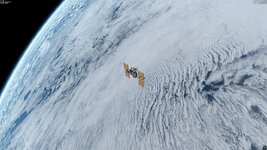
Between editing the new ground and night textures I took some time off that (because at times it can be quite repetitive 🤪) to work a bit on an update to the high res cloud layer to increase high quality coverage and add some new features. In particular I wanted to try to make use of QGIS for that as well.

Also in this case, QGIS proves to be a very useful tool as it's quite easy to keep track of all the different areas and phenomena as well as it helps making the editing of large areas a bit simpler, mainly because georeferenced tiles are automatically aligned and placed in the correct position. So that is definitely saving a lot of work. :) But still, finding the right imagery and downloading it is taking lots of time and it will then be a huge puzzle game to assemble and blend a seamless (and hopefully glitch-free) global cloud map in the end. So I can't give any good estimate on when I'm gonna have a new version ready yet.
There's still A LOT of empty space (no pun intended) to cover, so if you happen to come across a nice satellite view of some interesting cloud formations you want to see in Orbiter or just have your own ideas about what I should include, I want to invite you once again to speak up and I'll try my best to make it happen. :)

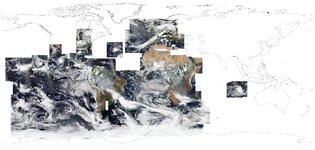
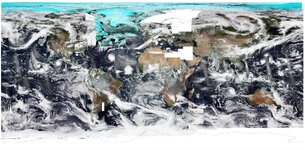
Here's an overview of most areas I have been working on so far in QGIS (the blending and cloud isolation steps will still be Photoshop's job):

Screenshot 2026-05-07 191000.jpg

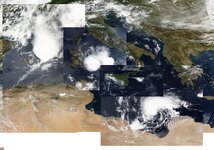
A few new features in the Mediterranean area: A big eruption of Mt. Etna (of March 2021), a Medicane and some large thunderstorms:

Screenshot 2026-05-07 191454.jpg

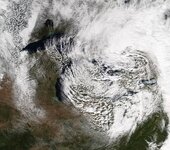
And I found some nice autumn lake effect clouds over the Great Lakes:

Screenshot 2026-05-07 193608.jpg
 
Another little update. Made some progress covering most of the Earth with satellite imagery.

Screenshot 2026-05-09 221727.jpg

But by far the biggest hurdle will be piecing everything together and removing all artifacts like seams, gaps and missing lines, sunglint and surface/ground features and making sure everything fits well together. At level 11 resolution (131 072 x 65 536 px) that is still a lot of work (very likely most of it) ahead.
Also, there's still some white patches I have to find good imagery for, like Northeastern Europe, Antarctica and North America, where merging several different scenes will be particularly challenging. In addition, taking care of every single mountain range with significant snow cover to separate snow cover from the clouds will be quite a task.

Extending the cloud cover into the Arctic and Antarctica will be another challenge, as I'll have to separate the clouds from ice cover as best as possible. But that is probably gonna be a bit more difficult than at lower latitudes because most cloud tops at these latitudes are also made of ice crystals, somewhat undermining the advantage of infrared imagery. For now it's about 130 GB worth of raw satellite data. Handling and exporting everything is much easier thanks to QGIS, but it's still gonna take lots of time, so you'll have to be patient for the final result, especially as I can't work on it quite as much as I'd like to in the near future. So it's probably going to take several weeks to finish if not more.

In the grand scheme of things it really gives you an idea about how complex the Earth's atmosphere really is: I'm only working on a 2D version of it and at one single point in time (basically just one second) for each location and it's already an almost incomprehensible, ginormous amount of data.

In the meantime I can only offer some early glimpses into different regions with some new features. Talk to you soon.

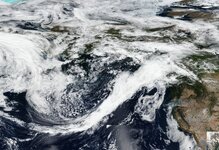
Atmospheric river / cold front in the Northeast Pacific region:
Screenshot 2026-05-12 231807.jpg

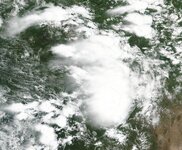
Some big thunderstorms around Dallas, TX
Screenshot 2026-05-12 232005.jpg


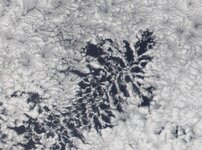
Actiniform stratocumulus detail in the Southeast Pacific:
Screenshot 2026-05-12 232408.jpg

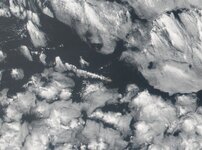
Stratocumulus deck with fine details and cloud street at Ascension Island, tropical AtlanticScreenshot 2026-05-12 232700.jpg


Huge ITCZ storms in the Congo Basin
Screenshot 2026-05-12 232757.jpg


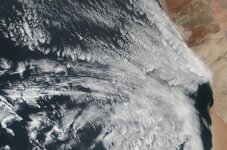
Coastal stratocumulus / fog deck off Namibia with lots of fine structures & details
Screenshot 2026-05-12 232835.jpg


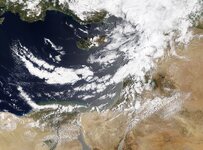
East Mediterranean cold sector convection and gravity waves
Screenshot 2026-05-12 232938.jpg

Picture-perfect small typhoon south of Japan
Screenshot 2026-05-12 233351.jpg


NZ North Island cold air convection
Screenshot 2026-05-12 234042.jpg
 
Now that the new surface textures have made some big progress I'm going back to work on the clouds because there's still a lot of areas with poor quality. Making the surface textures was a good exercise because now I know better how to process such large amounts of data most efficiently. But with the cloud layers there's even more manual work left because I want to implement as many weather phenomena as possible and there's also the problem that even if I took a complete dataset of just one day, because of the seasonal shift of coverage (You can have either Arctic OR Antarctic coverage) there's not enough data to cover the entire globe, such that I have to merge data from different dates no matter what.

In addition to that, removing surface features from the cloud layer is also a lot of manual work for which I currently don't see any possibility to automate that.

But at least QGIS makes everything much easier to handle and I was already able to export new imagery for about 1/8 of Earth's surface in the Pacific region pretty easily. It looks really good in Orbiter, but I think I'm gonna try to make a level 12 version, too. Even though there is no native level 12 global cloud data I could maybe make it happen with the help of Photoshop.

Skärmbild (1116).jpg

I am wondering though if it is possible to manipulate the cloud microtextures in Orbiter and the criteria where and when they are shown. I found a setting with a set of values in Earth.cfg (CloudMicrotextureAlt = 35e1 300e1), but if I change these values nothing really happens, at least I can't see any differences even for ridiculously low and high values. 🤔
 
Last edited:
Back
Top